Best Node.js PDF Libraries: HTML to PDF Compared

Picking a Node.js PDF generation library isn't straightforward. There are browser-based tools that convert HTML to PDF, programmatic builders that create documents from scratch, and cloud APIs that handle everything remotely. This guide compares the five most downloaded libraries with actual npm numbers and working code examples.
PDFBolt's HTML to PDF API gives you the same Chrome rendering engine via a REST endpoint – integrate with any Node.js HTTP client like fetch or axios in a few lines, no browser binaries to install or update. 100 free conversions per month, no credit card.
Node.js PDF Libraries by Download Count
Here are the download numbers, pulled from npm-stat:
| Library | Downloads Last Year | Downloads Last Month | Downloads Last Week |
|---|---|---|---|
| Playwright | 407,064,879 | 50,672,192 | 12,796,686 |
| Puppeteer | 203,644,693 | 17,816,566 | 4,499,859 |
| jsPDF | 71,380,100 | 7,439,702 | 1,914,861 |
| pdfmake | 45,947,891 | 3,694,281 | 931,838 |
| pdfkit | 32,466,202 | 2,855,594 | 714,075 |
Download Trends
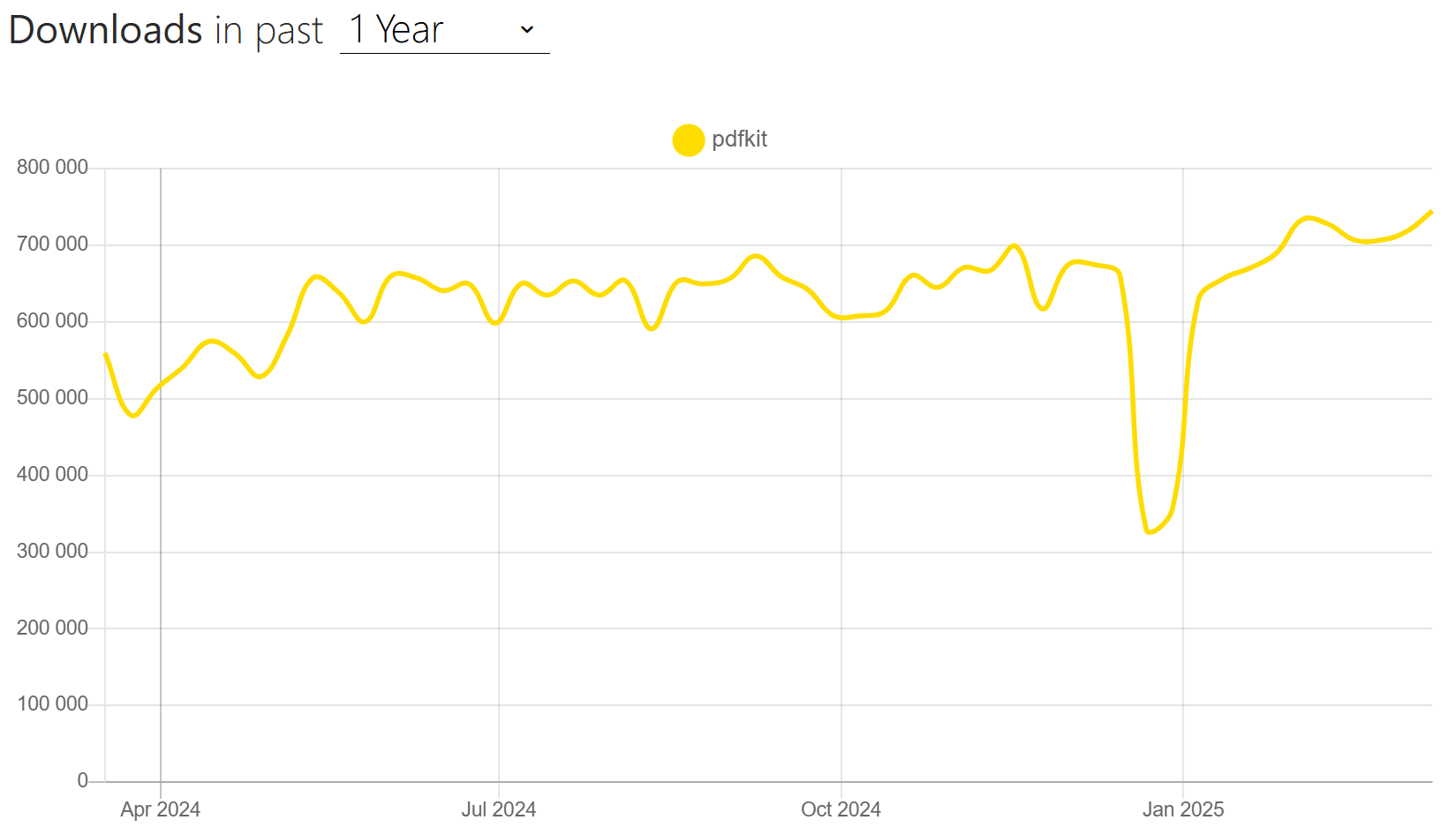
Monthly download trends from March 2024 to March 2025, sourced from npm-stat:
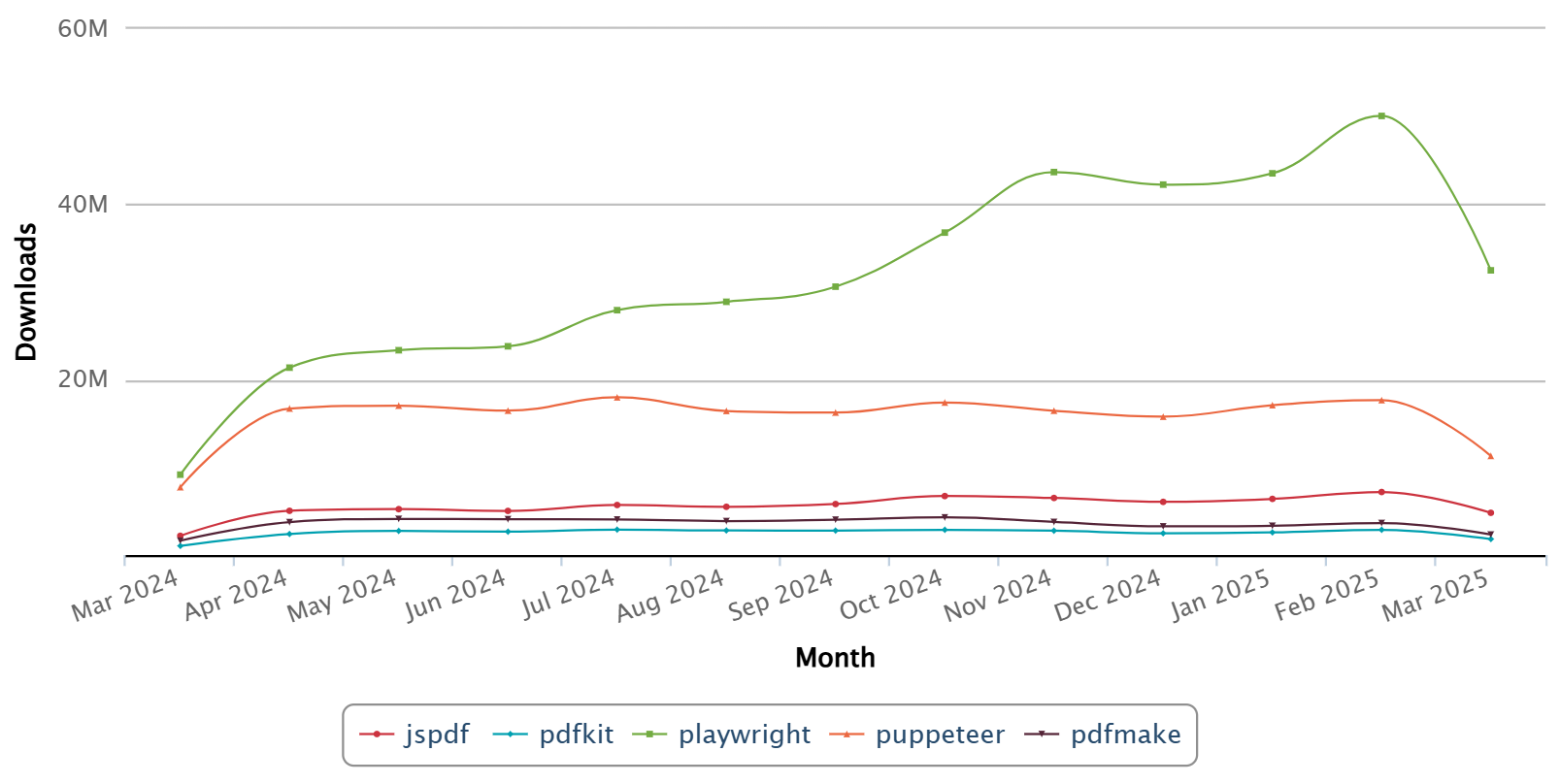
Download counts reflect popularity, but they don't tell the whole story. Playwright and Puppeteer lead by a wide margin, though many of those installs come from testing pipelines rather than PDF generation. Regardless of which library you pick, optimizing your HTML for PDF output can make a real difference in the final result.
Node.js HTML to PDF Libraries: Features and Code Examples
Here's what each library does, how to set it up, and what the output looks like. The npm stats below come from npm trends.
Playwright
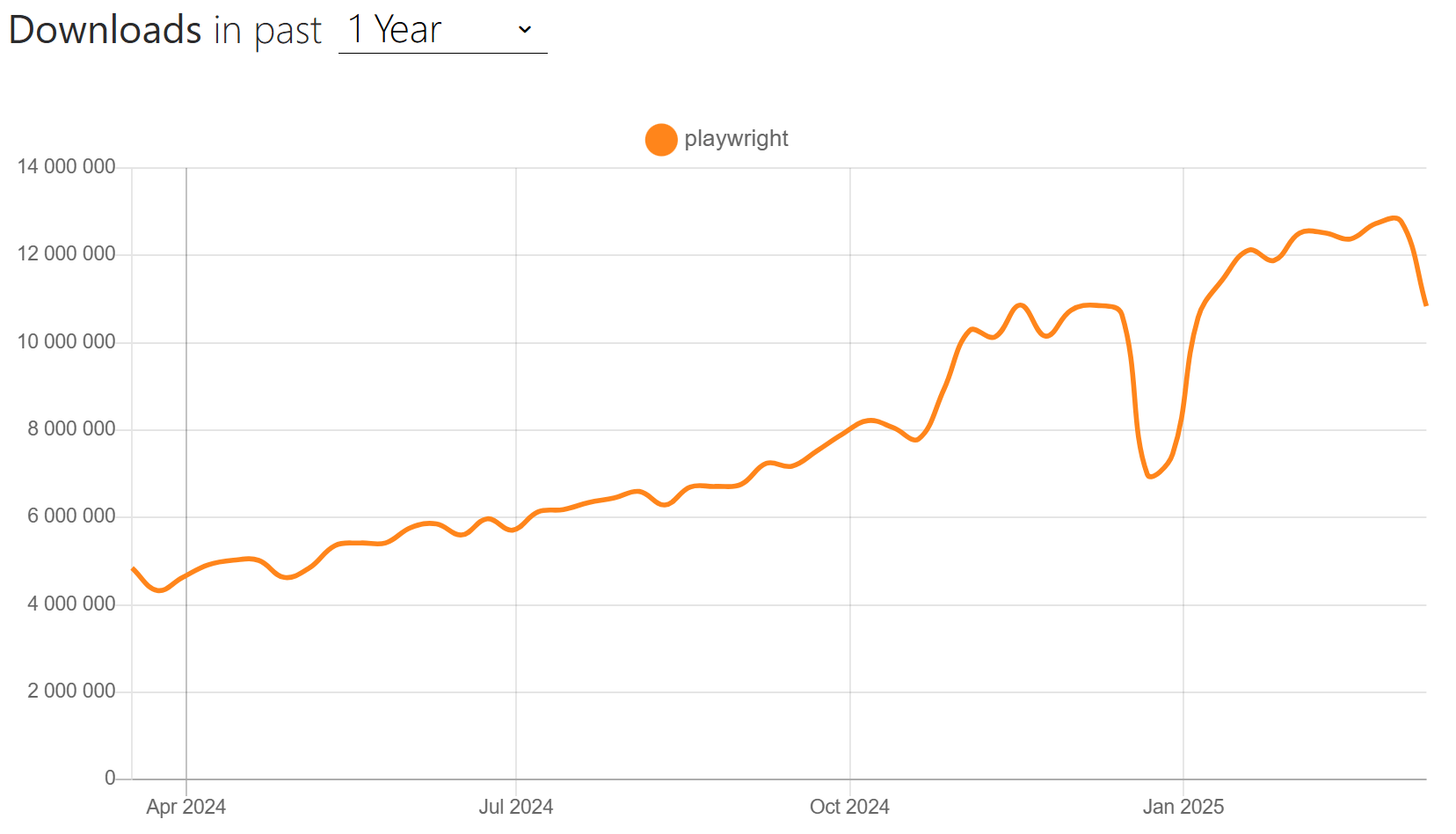
Playwright is Microsoft's browser automation library. It runs Chromium, Firefox, and WebKit, which means it can render pretty much any web page and turn it into a PDF. If you're working with JavaScript-heavy pages or complex CSS, Playwright handles HTML to PDF conversion well.
Key Features:
- Multiple browser engine support (Chromium, Firefox, WebKit).
- Full CSS and JavaScript support.
- Built-in auto-wait for dynamic content.
- Configurable page formatting (margins, headers, footers).
- Available on all major platforms (Windows, macOS, Linux).
Setting Up Playwright:
npm install playwright
After installation, download the browser binaries:
npx playwright install
PDF Generation with Playwright:
- Code
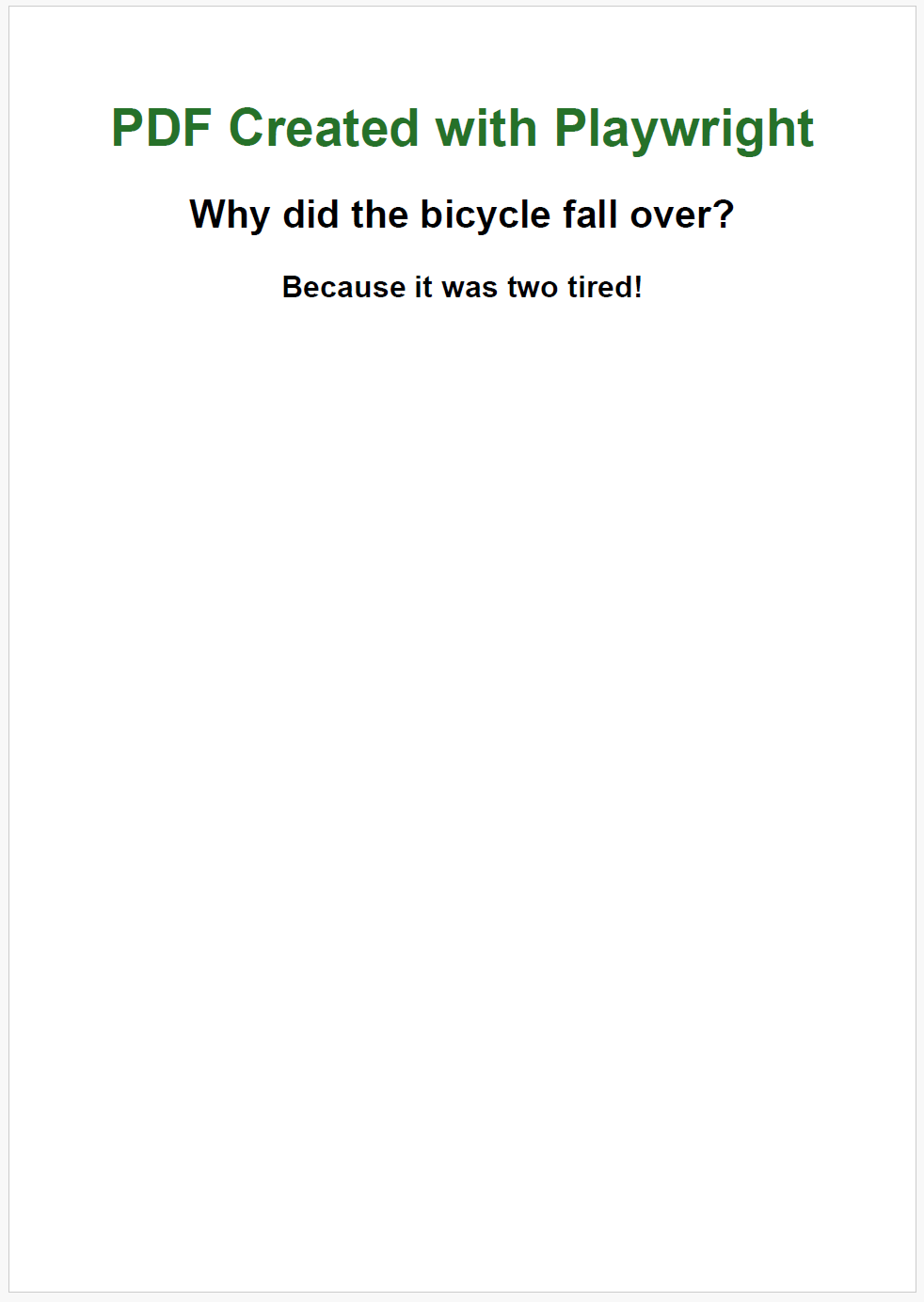
- PDF Preview
const { chromium } = require('playwright');

async function generateDocument() {
  // Launch a browser instance
  const browser = await chromium.launch();
  const context = await browser.newContext();
  const page = await context.newPage();

  // Define your HTML content
  const htmlContent = `
    <html>
      <head>
        <meta charset="utf-8">
        <title>Playwright PDF Example</title>
        <style>
          body { font-family: Helvetica, sans-serif; text-align: center; }
          h1 { color: #267129; }
        </style>
      </head>
      <body>
        <h1>PDF Generated with Playwright</h1>
        <h2>Why did the bicycle fall over?</h2>
        <h3><strong>Because it was two tired!</strong></h3>
      </body>
    </html>
  `;

  // Set the page content
  await page.setContent(htmlContent);

  // Generate PDF
  await page.pdf({
    path: 'playwright-document.pdf',
    format: 'A5',
    printBackground: true,
    margin: {
      top: '50px',
      right: '30px',
      bottom: '30px',
      left: '30px'
    }
  });

  // Close browser
  await browser.close();
}

generateDocument()
For a step-by-step guide on generating an invoice PDF using Playwright, see our article How to Generate PDFs in 2025.
Puppeteer
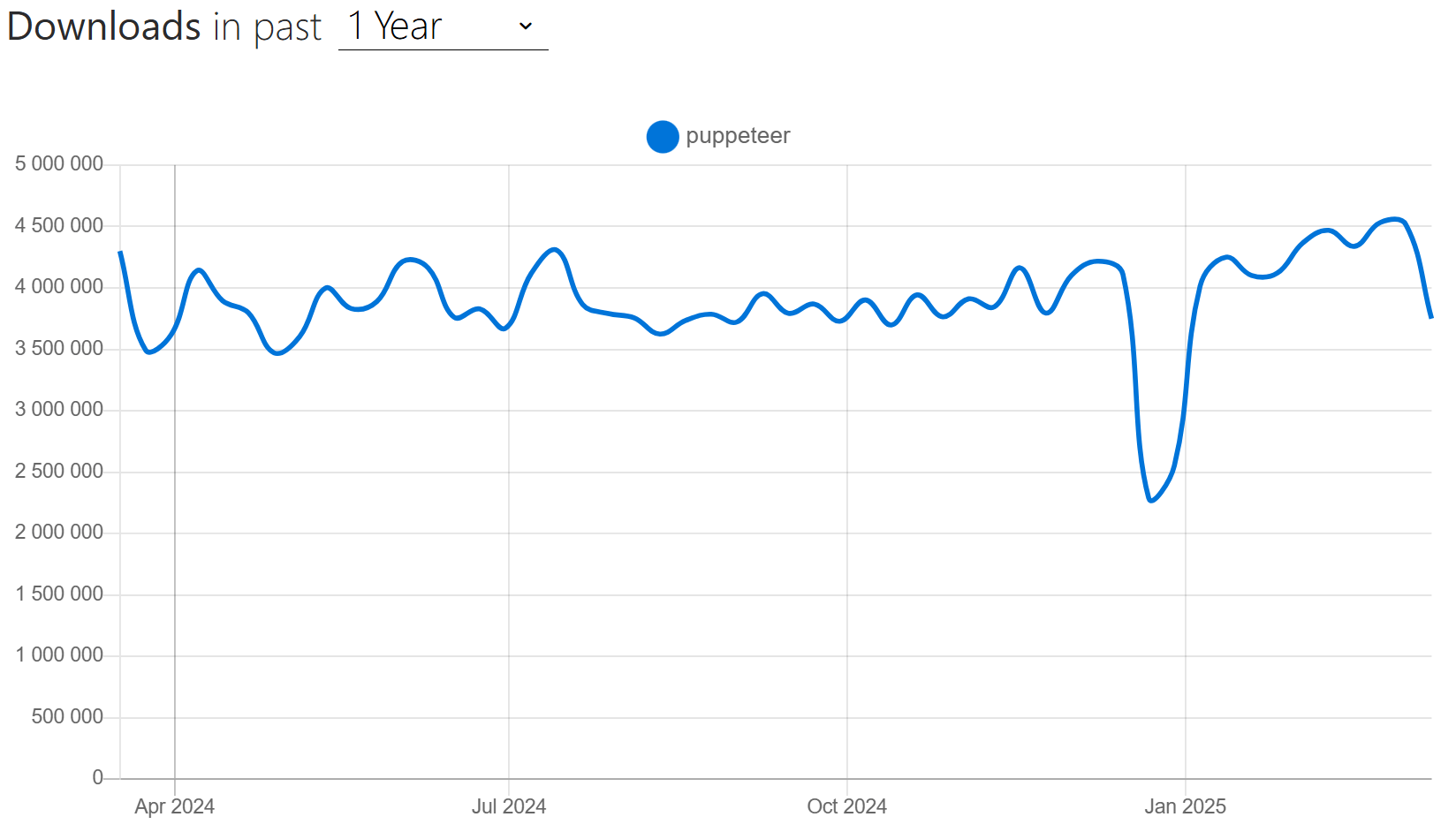
Puppeteer is Google's Node.js library for controlling headless Chrome. It gives you full access to the Chrome DevTools Protocol, so the PDF output matches what you'd see in the browser. For converting HTML to PDF in Node.js, it's one of the most widely used options.
Key Features:
- Chrome/Chromium-based rendering with full HTML/CSS support.
- Support for modern CSS, JavaScript, and web APIs.
- Customizable page settings (margins, format, orientation).
- Header and footer templates.
- Ability to generate PDFs from single-page applications (SPAs).
Installation:
npm install puppeteer
This installs both the API and a compatible version of Chromium.
HTML to PDF Conversion Example:
- Code
- PDF Preview
const puppeteer = require('puppeteer');

async function createPDF() {
  // Launch a headless browser instance
  const browser = await puppeteer.launch();
  const page = await browser.newPage();

  // Define your HTML content
  const htmlContent = `
    <html>
      <head>
        <meta charset="utf-8">
        <title>PDF Document Example</title>
        <style>
          body { font-family: Arial, sans-serif; }
          h1 { color: #0C76C3; }
        </style>
      </head>
      <body>
        <h1>PDF Generated with Puppeteer</h1>
        <h2>What's a computer's favorite snack?</h2>
        <h3>Microchips, of course!</h3>
      </body>
    </html>
  `;

  // Load the HTML into the page
  await page.setContent(htmlContent);

  // Generate and save the PDF
  await page.pdf({
    path: 'puppeteer-document.pdf',
    format: 'A5',
    printBackground: true,
    margin: {
      top: '30px',
      right: '30px',
      bottom: '30px',
      left: '30px'
    }
  });

  // Close browser
  await browser.close();
}

createPDF()

For a deeper dive into Puppeteer's PDF capabilities: Generate PDFs in Node.js Using Puppeteer.
jsPDF
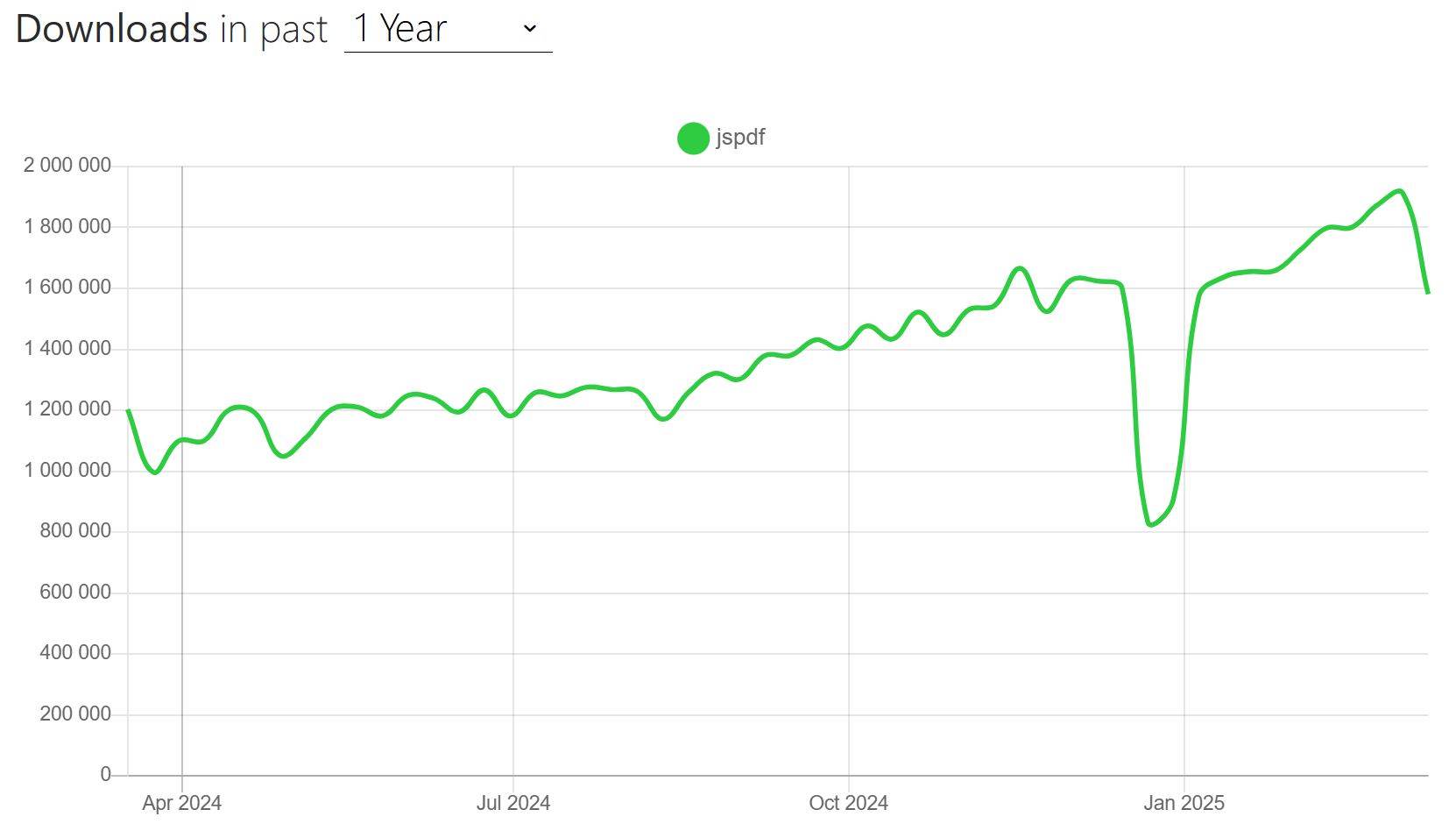
jsPDF started as a client-side PDF generation library for browsers, but it works in Node.js too. If you need the same PDF code to run on both frontend and backend, jsPDF is one of the few libraries that handles both.
Key Features:
- Works in both browser and Node.js environments.
- Lightweight with no native dependencies.
- Text, images, and vector graphics support.
- Plugin architecture for extensibility (e.g., autoTable for tables).
- Support for tables, charts, and other common elements.
Installation:
npm install jspdf
Basic Document Generation:
- Code
- PDF Preview
const { jsPDF } = require('jspdf');

function createPDF() {
    // Create a new document
    const doc = new jsPDF({
        orientation: 'portrait',
        unit: 'mm',
        format: 'a5'
    });

    // Add a title
    doc.setFont('helvetica', 'bold');
    doc.setFontSize(24);
    doc.setTextColor(13, 71, 161);
    doc.text('PDF Generated with jsPDF', 74, 30, { align: 'center' });

    // Add some text
    doc.setFont('helvetica', 'normal');
    doc.setFontSize(16);
    doc.setTextColor(33, 33, 33);
    doc.text('Why don\'t scientists trust atoms?', 74, 60, { align: 'center' });

    doc.setFont('helvetica', 'bold');
    doc.setFontSize(18);
    doc.setTextColor(33, 33, 33);
    doc.text('Because they make up everything!', 74, 80, { align: 'center' });

    // Save the PDF
    doc.save('jspdf-document.pdf');
}

createPDF()
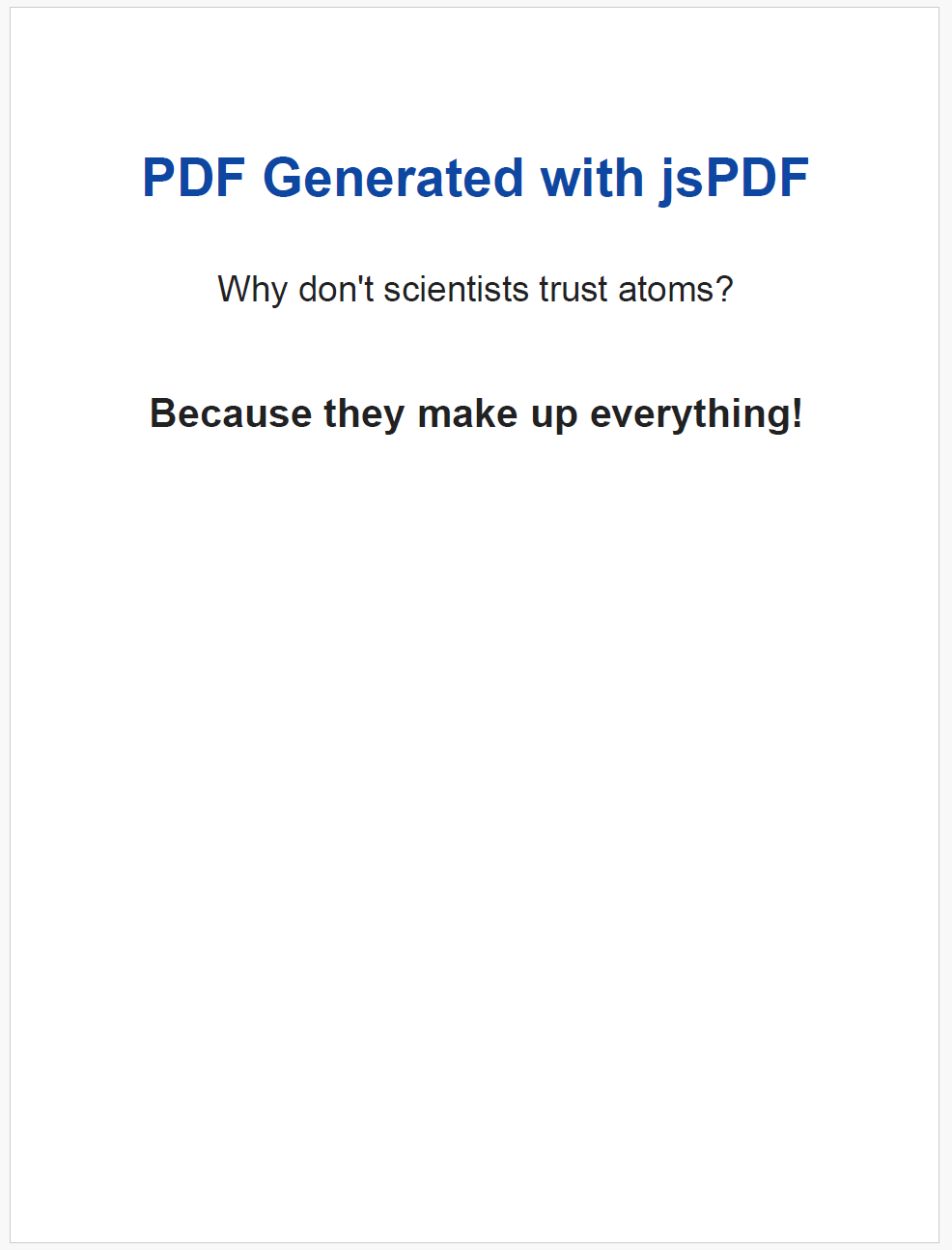
For a full walkthrough on client-side PDF generation with jsPDF: Generate PDFs with jsPDF: A Complete Guide to Client-Side PDF Creation.
PDFMake
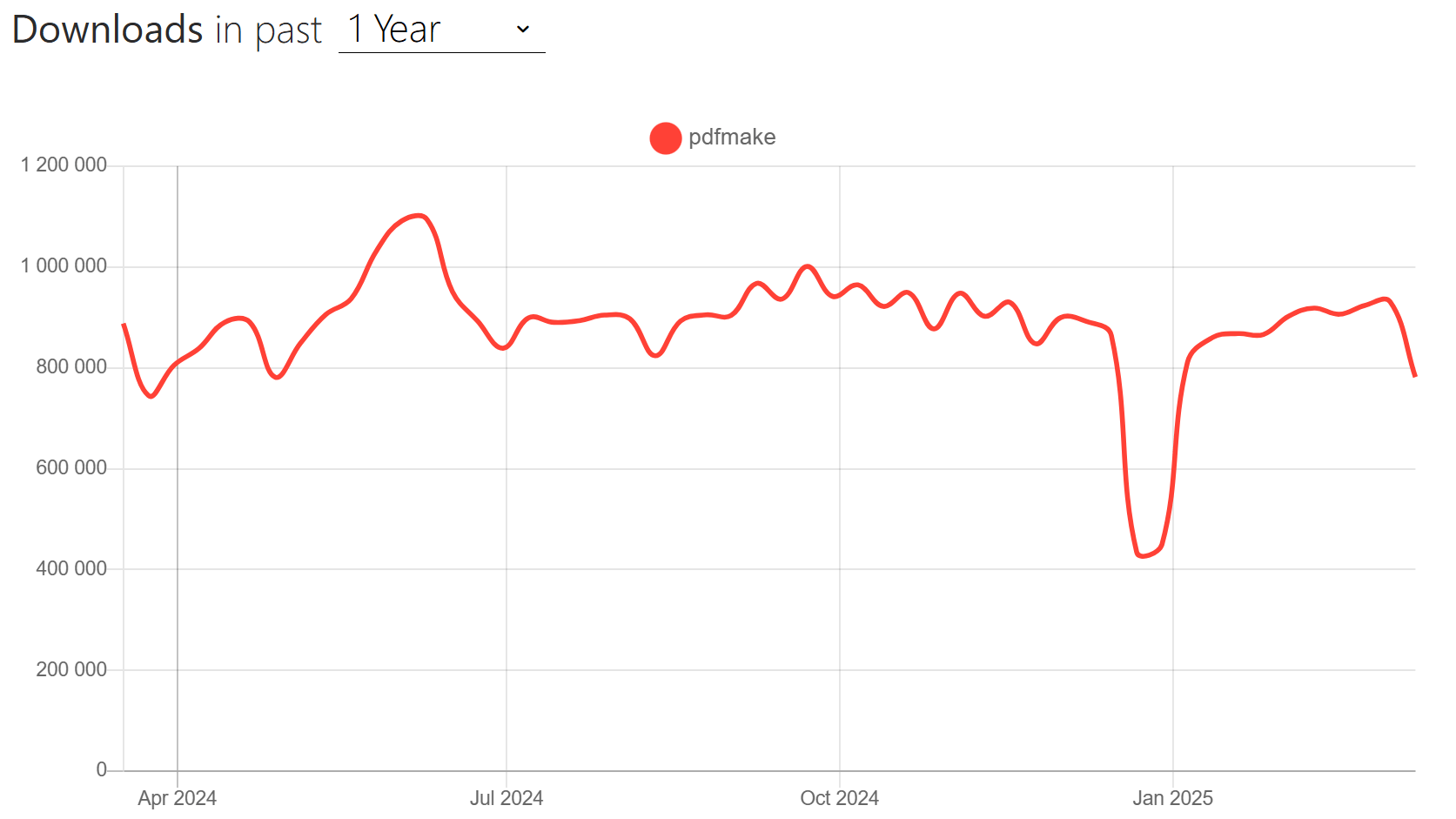
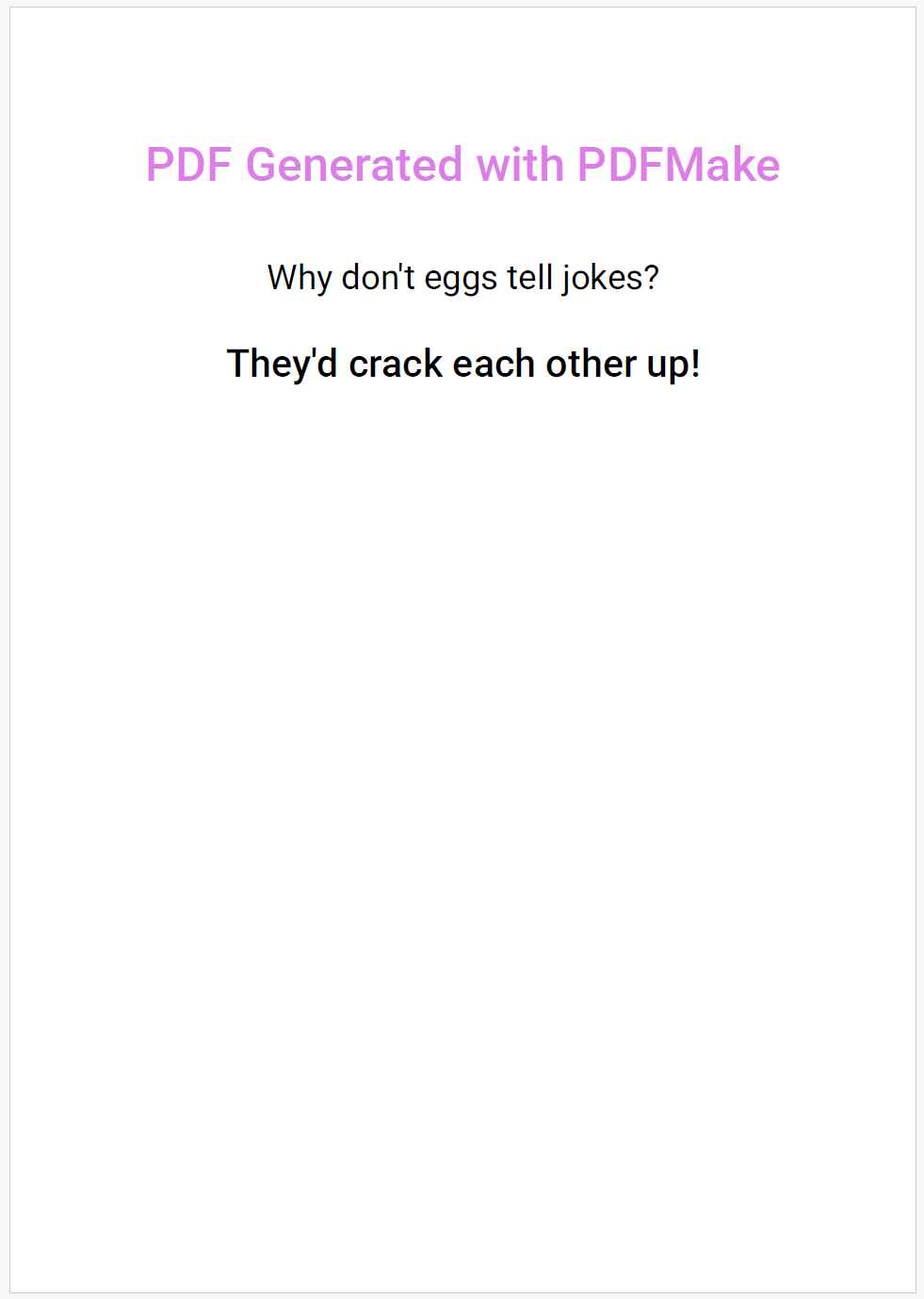
PDFMake takes a different approach to PDF generation in Node.js: you define your document as a JSON object, and the library handles layout, pagination, and styling. It works on both client and server side.
Key Features:
- Declarative document definition syntax.
- Automatic layout with tables, lists, and columns.
- Built-in styling system.
- Automatic page breaking and headers/footers.
- Support for client and server-side usage.
Installation:
npm install pdfmake
Document Creation Example:
- Code
- PDF Preview
const PdfPrinter = require('pdfmake');
const fs = require('fs');

// Define font files (ensure the paths are correct and the font files exist in your project)
const fonts = {
    Roboto: {
        normal: 'fonts/Roboto-Regular.ttf',
        bold: 'fonts/Roboto-Medium.ttf',
        italics: 'fonts/Roboto-Italic.ttf',
    }
};

const printer = new PdfPrinter(fonts);

// Define document structure
const documentDefinition = {
    pageSize: 'A5',
    pageOrientation: 'portrait',
    content: [
        {
            text: 'PDF Generated with PDFMake',
            style: 'header',
            color: '#dd7ee8',
            alignment: 'center'
        },
        {
            text: 'Why don\'t eggs tell jokes?',
            style: 'question',
            alignment: 'center'
        },
        {
            text: 'They\'d crack each other up!',
            style: 'answer',
            alignment: 'center'
        }
    ],
    styles: {
        header: {
            fontSize: 22,
            bold: true,
            margin: [0, 20, 0, 10]
        },
        question: {
            fontSize: 16,
            margin: [0, 20, 0, 10]
        },
        answer: {
            fontSize: 18,
            bold: true,
            margin: [0, 10, 0, 0]
        }
    }
};

// Create the PDF
const pdfDoc = printer.createPdfKitDocument(documentDefinition);
pdfDoc.pipe(fs.createWriteStream('pdfmake-document.pdf'));
pdfDoc.end();
Full tutorial: Generate PDF Using PDFMake in Node.js.
PDFKit
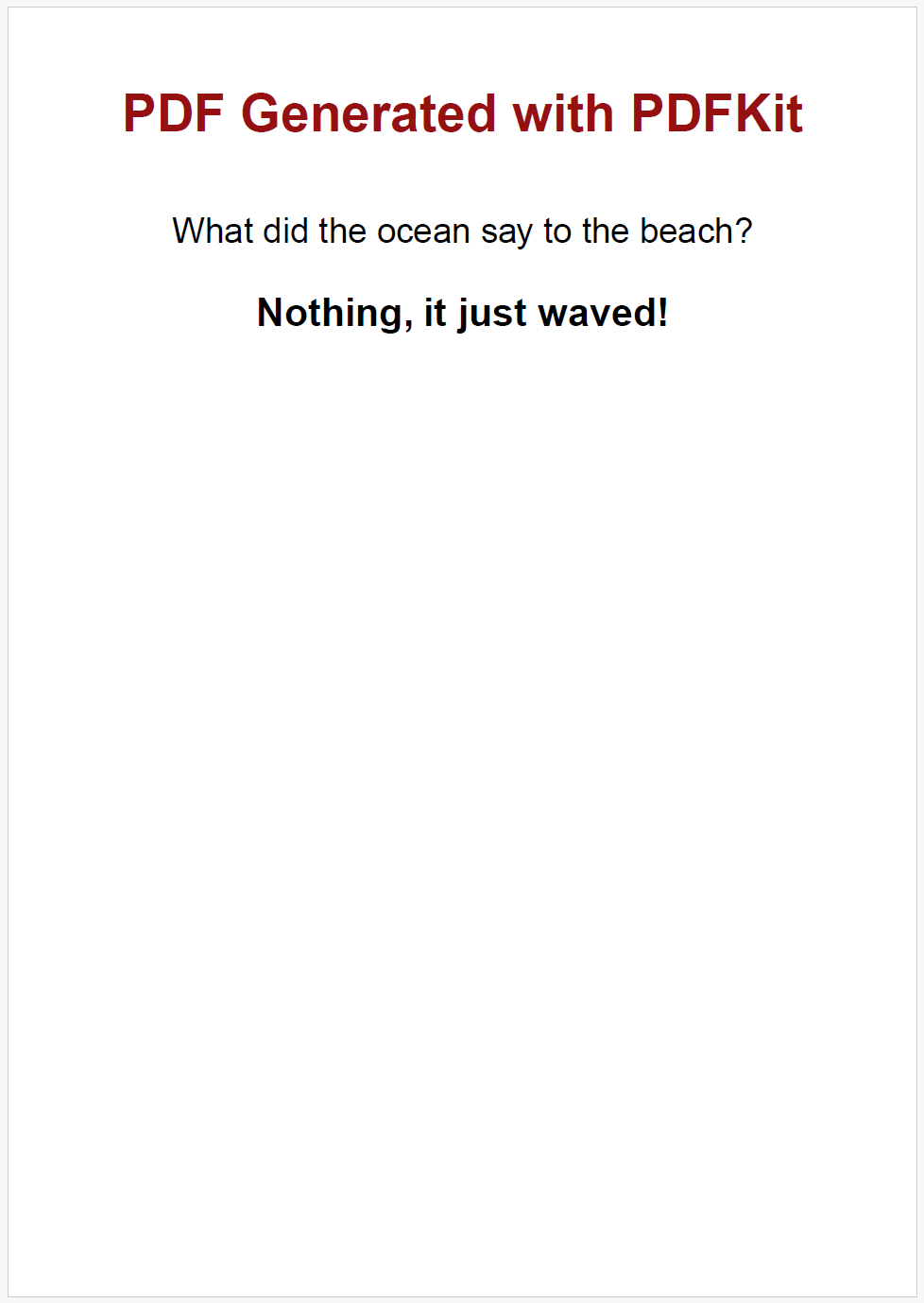
PDFKit uses a canvas-like API to build PDFs from scratch instead of converting HTML. You position every element manually, which gives you full control over the layout. It's a good fit when you need exact placement of text and graphics.
Key Features:
- Build documents from scratch with full layout control.
- Text, vector graphics, and image support.
- Advanced typography and text layout.
- Streaming API for memory-efficient generation of large documents.
- Annotation and form support.
Installation:
npm install pdfkit
Document Creation Example:
- Code
- PDF Preview
const PDFDocument = require('pdfkit');
const fs = require('fs');

function createPDF() {
    // Initialize a new document
    const doc = new PDFDocument({
        size: 'A5',
        margin: 40
    });

    // Set up file output
    doc.pipe(fs.createWriteStream('pdfkit-document.pdf'));

    // Add title
    doc.font('Helvetica-Bold')
        .fontSize(24)
        .fillColor('#951111')
        .text('PDF Generated with PDFKit', {
            align: 'center'
        })
        .moveDown(1);

    // Add some text
    doc.font('Helvetica')
        .fontSize(16)
        .fillColor('black')
        .text('What did the ocean say to the beach?', {
            align: 'center'
        })
        .moveDown(1);

    doc.font('Helvetica-Bold')
        .fontSize(18)
        .fillColor('black')
        .text('Nothing, it just waved!', {
            align: 'center'
        });

    // Finalize the document
    doc.end();
}

createPDF()
For more advanced examples: How to Generate PDF in Node.js Using PDFKit.
Which Library Should You Use?
| Factor | What you need | Best pick |
|---|---|---|
| HTML rendering | Preserve exact HTML/CSS styling | Puppeteer, Playwright |
| Structured documents | Invoices, reports, or other data-driven layouts | PDFMake |
| Low-level control | Exact positioning of every element | PDFKit |
| Browser + server | Same PDF code on frontend and backend | jsPDF |
| High volume | Generating lots of PDFs without managing infrastructure | Cloud API, PDFKit, jsPDF |
| Minimal dependencies | No native binaries, small install size | jsPDF, PDFKit, Cloud API |
When a Cloud PDF API Makes More Sense
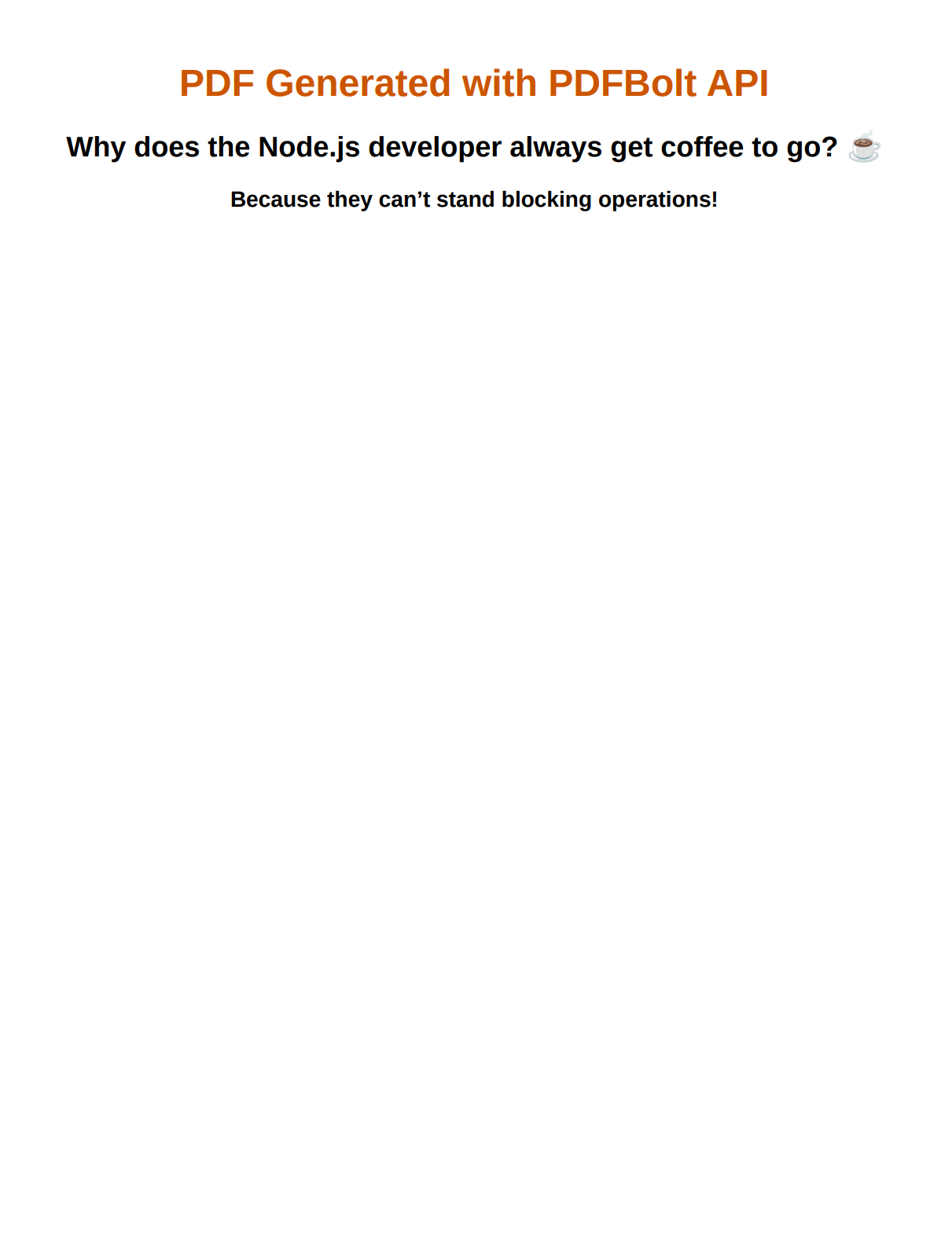
If you'd rather not manage headless browser dependencies on your servers, a cloud HTML to PDF API handles the rendering infrastructure for you. PDFBolt, for example, runs Chromium in the cloud so you just send HTML and get a PDF back over a REST call.
The main reasons developers go this route:
- No browser binaries to install or update on your servers.
- PDF rendering runs on separate infrastructure, keeping your app servers free.
- Scales without you managing browser pools or worker processes.
- Supports reusable templates, so designers and developers can work separately.
For a step-by-step walkthrough, see our guide on how to convert HTML to PDF using an API.
PDF Generation via API:
- Code
- PDF Preview
const fs = require('fs');

async function generatePdf() {
    const htmlContent =  `
    <html>
      <head>
        <meta charset="utf-8">
        <title>PDFBolt PDF Generation Example</title>
        <style>
          body { font-family: Helvetica, sans-serif; text-align: center; }
          h1 { color: #cc5500; }
        </style>
      </head>
      <body>
        <h1>PDF Generated with PDFBolt API</h1>
        <h2>Why does the Node.js developer always get coffee to go? ☕</h2>
        <h3><strong>Because they can't stand blocking operations!</strong></h3>
      </body>
    </html>
    `;

    const base64Html = Buffer.from(htmlContent).toString('base64');

    const response = await fetch('https://api.pdfbolt.com/v1/direct', {
        method: 'POST',
        headers: {
            'Content-Type': 'application/json',
            'API-KEY': 'XXXXXXXX-XXXX-XXXX-XXXX-XXXXXXXXXXXX'
        },
        body: JSON.stringify({
            html: base64Html,
            margin: {
                top: '50px'
            }
        })
    });

    if (!response.ok) {
        const errorText = await response.text();
        throw new Error(`HTTP ${response.status} - ${errorText}`);
    }

    const pdfBuffer = await response.arrayBuffer();
    fs.writeFileSync('document.pdf', Buffer.from(pdfBuffer));
    console.log('PDF generated successfully');
}

generatePdf().catch(console.error);
- Quick Start for Node.js - Setup and usage examples.
- PDF Generation API Docs - Full API documentation.
- Template-Based PDF Generation - Templates overview and use cases.
FAQ
What is the best Node.js library for converting HTML to PDF?
For HTML to PDF conversion, Playwright and Puppeteer are the strongest options. Both use a headless browser to render your HTML and CSS, so the PDF looks exactly like it would in a browser. Playwright supports multiple browser engines (Chromium, Firefox, WebKit), while Puppeteer focuses on Chrome.
Can I generate PDFs in Node.js without a headless browser?
Yes. Libraries like PDFKit, PDFMake, and jsPDF generate PDFs programmatically without needing a browser. They're much lighter and faster to run. The tradeoff is that they can't render HTML/CSS. You build the document using their JavaScript API instead.
Which Node.js PDF library has the smallest install size?
jsPDF and PDFKit have the smallest footprints, both under a few MB. PDFMake is similarly lightweight. By contrast, Puppeteer and Playwright require downloading a Chromium binary (150-400MB), which makes them significantly heavier. For serverless or containerized environments where bundle size matters, the programmatic libraries are a better fit.
Is Puppeteer or Playwright better for PDF generation?
Both produce high-quality PDFs. Playwright has higher download numbers, multi-browser support, and more active development. Puppeteer has a larger ecosystem of tutorials and community resources. For new projects, Playwright is generally the safer bet. If you're already using Puppeteer and it works fine, there's no urgent reason to switch.
Conclusion
Here's the short version: use Puppeteer or Playwright when you need to render real HTML/CSS into a PDF. They produce the most accurate output because they run an actual browser engine. PDFMake works well for structured documents like invoices and reports where you'd rather define content as JSON than write HTML. PDFKit gives you low-level control when you need to place every element by hand. jsPDF is the pick if your PDF code needs to run in both browsers and Node.js.
For PDF libraries in other languages, see our comparisons for Python, Java, C#, and PHP.
If managing browser infrastructure isn't worth the hassle for your project, a cloud HTML to PDF API handles that for you.
Now stop comparing and start generating! 📄