Print-Ready PDF Generation: PDF/X-1a and PDF/X-4 via API

Sending a regular PDF to a commercial printer is a gamble. Colors shift because RGB doesn't translate cleanly to ink on paper. Fonts render differently or go missing. Transparent elements break at the RIP stage, leaving white boxes where gradients should be. Print shops deal with these problems daily. The fix is a set of ISO standards called PDF/X that enforce strict rules about color spaces, fonts, and transparency. This article covers what PDF/X-1a and PDF/X‑4 are, when to use each, and how to generate compliant files programmatically through an API.
Why Standard PDFs Fail in Print
A PDF that looks perfect on screen can produce unusable output on a commercial press. Three problems come up over and over:
Color space mismatch. Screens display RGB (red, green, blue). Printers use CMYK (cyan, magenta, yellow, K for black). Without explicit conversion, the printer's RIP makes its own guess about how to map colors. Blues turn purple. Reds go muddy. Brand colors end up wrong.
RGB vs CMYK Color Shift
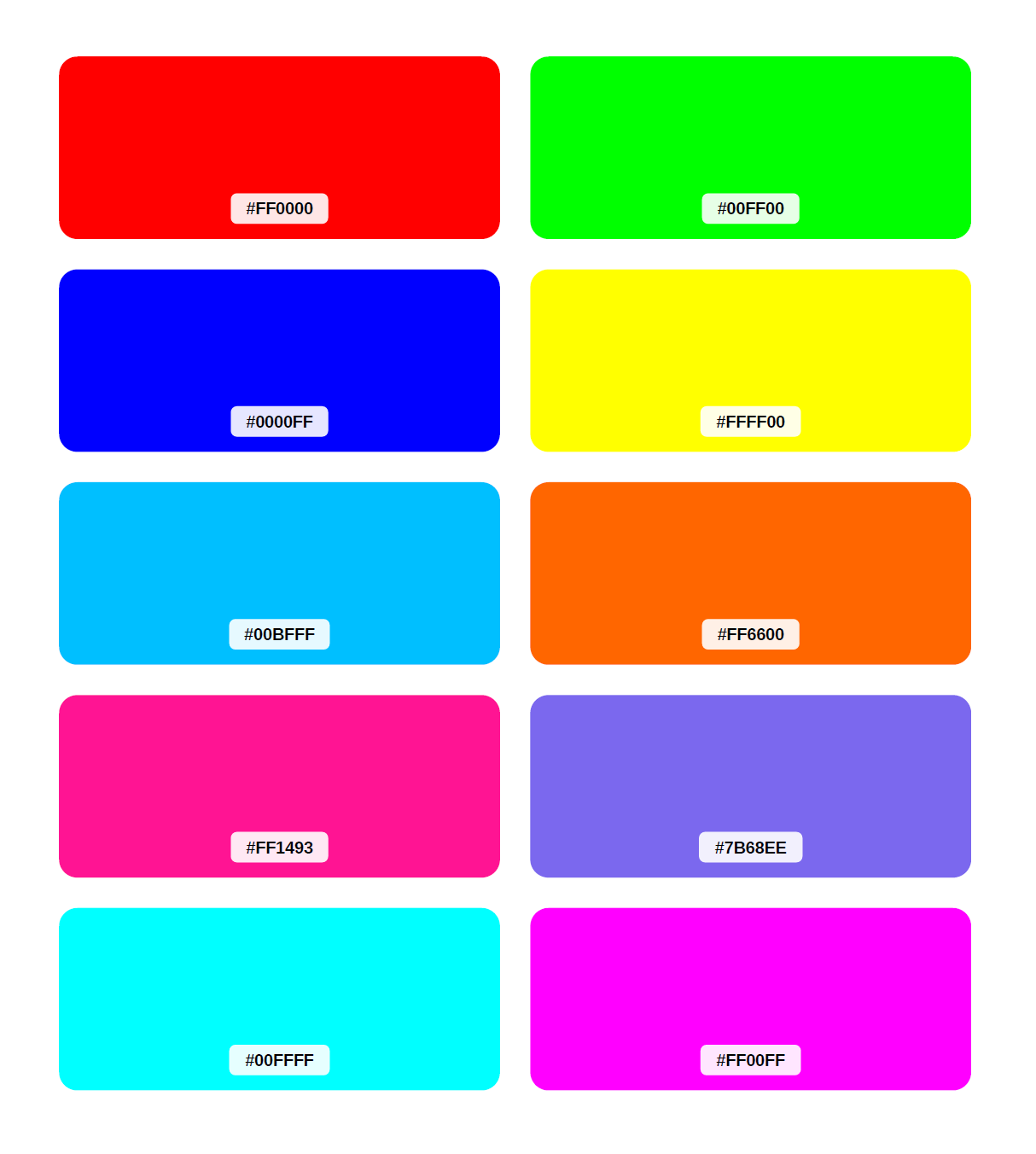
Vibrant colors as designed for digital display
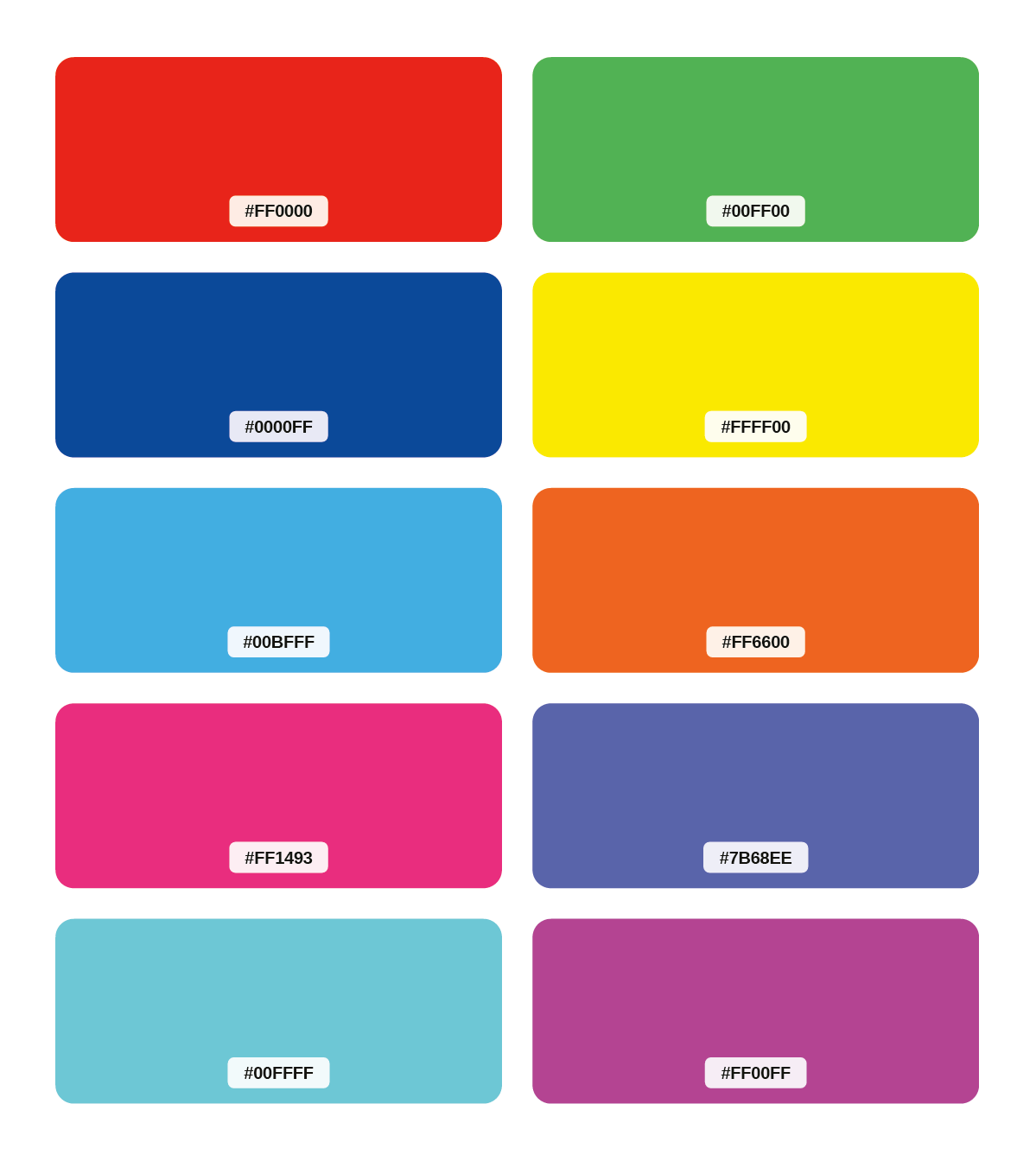
Color shift after conversion
Missing or substituted fonts. If a font isn't embedded in the PDF, the RIP substitutes whatever is available. Line breaks shift, tables misalign, and the final print doesn't match the design.
Transparency and layers. PDF supports transparency blending modes, soft masks, and optional content groups (layers). Older RIP software can't process these features. The result is missing elements, white rectangles, or corrupted output.
Reprinting a 10,000-copy run because of a color profile mismatch is expensive. PDF/X standards exist specifically to prevent these failures by restricting what a PDF file is allowed to contain. For tips on structuring your source HTML to produce better output, see optimizing HTML for PDF conversion.
What is PDF/X?
PDF/X is a family of ISO 15930 standards designed for reliable exchange of print-ready files. The "X" stands for exchange. Each standard defines a subset of PDF features that are safe for prepress workflows, and bans features that cause problems.
All PDF/X standards share these requirements:
- All fonts must be embedded (no external font references).
- A TrimBox or ArtBox must define the intended page boundaries.
- An output intent must declare the target color profile.
- No encryption or password protection.
The two standards used in modern print production are PDF/X-1a and PDF/X-4. They differ significantly in what they allow.
PDF/X-1a vs PDF/X-4: Which Standard to Use
PDF/X-1a
PDF/X-1a, defined in ISO 15930-1:2001 and ISO 15930-4:2003, is the strictest print standard. It was designed for maximum compatibility with legacy printing equipment and traditional offset workflows.
Rules:
- Color space: CMYK and spot colors only. No RGB, no Lab.
- Transparency: not allowed. All transparency must be flattened before the file is created.
- Layers (OCG): not allowed.
- PDF version: 1.3 (2001 standard) or 1.4 (2003 standard). Neither version permits transparency or layer features.
- JavaScript and forms: not allowed.
Because everything is pre-flattened and pre-converted to CMYK, the RIP has minimal work to do. This makes PDF/X-1a the safest choice when you don't know what equipment will process the file.
PDF/X-4
PDF/X-4, defined in ISO 15930-7, is the modern standard. It supports features that PDF/X-1a prohibits while still enforcing the core requirements for reliable printing.
Rules:
- Color space: CMYK, RGB, Lab, and spot colors all allowed (with mandatory ICC profiles).
- Transparency: allowed. Live transparency is preserved, not flattened.
- Layers (OCG): allowed.
- PDF version: 1.6 (supports OpenType fonts, JPEG2000 compression, 16-bit images).
PDF/X-4 trusts the RIP to handle color conversion and transparency rendering at output time. Modern digital presses and current-generation RIP software handle this well.
Comparison Table
| Feature | PDF/X-1a | PDF/X-4 |
|---|---|---|
| Color spaces | CMYK + spot only | CMYK, RGB, Lab, spot |
| Transparency | Flattened (prohibited) | Live (preserved) |
| Layers | Removed | Preserved |
| PDF version | 1.3 / 1.4 | 1.6 |
| File size | Larger (flattened content) | Smaller (vector preserved) |
| Text searchability | May be lost on flattened pages | Always preserved |
| RIP compatibility | Maximum (legacy + modern) | Modern RIPs only |
Use PDF/X-4 for modern print workflows, digital presses, and when your print provider supports it. Use PDF/X-1a when working with legacy equipment, when a print shop explicitly requires it, or when maximum compatibility matters more than file size.
How to Generate Print-Ready PDFs via API
PDFBolt generates PDF/X-1a and PDF/X-4 compliant files through a single API parameter. The conversion from HTML or URL to a print-ready PDF happens server-side using a proprietary algorithm that handles color conversion, transparency processing, and standard compliance automatically.
The printProduction parameter controls all print-related settings:
{
  "url": "https://your-site.com/invoice",
  "printBackground": true,
  "printProduction": {
    "pdfStandard": "pdf-x-4",
    "colorSpace": "cmyk",
    "iccProfile": "fogra39",
    "preserveBlack": true
  }
}
Setting pdfStandard to "pdf-x-4" or "pdf-x-1a" automatically triggers CMYK color conversion with the specified ICC profile. If you omit iccProfile, it defaults to FOGRA39.
Node.js Example
const fs = require("fs");

async function generatePrintReadyPDF() {
  const response = await fetch("https://api.pdfbolt.com/v1/direct", {
    method: "POST",
    headers: {
      "Content-Type": "application/json",
      "API-KEY": "YOUR_API_KEY",
    },
    body: JSON.stringify({
      url: "https://example.com",
      printBackground: true,
      format: "A4",
      printProduction: {
        pdfStandard: "pdf-x-4",
        colorSpace: "cmyk",
        iccProfile: "fogra51",
      },
    }),
  });

  if (!response.ok) throw new Error(`HTTP ${response.status}`);

  const pdf = await response.arrayBuffer();
  fs.writeFileSync("print-output.pdf", Buffer.from(pdf));
  console.log("PDF saved as print-output.pdf");
}

generatePrintReadyPDF().catch(console.error);
This produces a PDF/X-4 file with CMYK colors converted using the FOGRA51 profile, ready for European commercial printing.
Python Example
import requests
import json

url = "https://api.pdfbolt.com/v1/direct"
headers = {
    "API-KEY": "YOUR_API_KEY",
    "Content-Type": "application/json"
}

data_json = '''{
    "url": "https://example.com",
    "printBackground": true,
    "format": "A4",
    "printProduction": {
        "pdfStandard": "pdf-x-1a",
        "colorSpace": "cmyk",
        "iccProfile": "swop",
        "preserveBlack": true
    }
}'''

data = json.loads(data_json)

try:
    response = requests.post(url, headers=headers, json=data)
    response.raise_for_status()

    with open("print-output.pdf", "wb") as f:
        f.write(response.content)
    print("PDF saved as print-output.pdf")

except requests.exceptions.HTTPError as e:
    print(f"HTTP {response.status_code}")
    print(f"Error Message: {response.text}")
except requests.exceptions.RequestException as e:
    print(f"Error: {e}")
This produces a PDF/X-1a file with CMYK colors converted using the SWOP profile, suitable for North American web offset printing.
See the full list of print production parameters in the conversion parameters documentation. For endpoint options (direct, sync, async), see the API endpoints reference. For code examples in multiple languages, see the quick start guide.
Experiment with print production settings in the PDFBolt Playground before writing any code. If you already have a PDF file and need a one-off conversion, try the free PDF/X converter.
ICC Profiles for Print Production
An ICC profile defines how colors map between devices. When converting RGB to CMYK, the profile determines the exact ink percentages for each color. Using the wrong profile means your blues, reds, and greens will look different in print than on screen.
PDFBolt supports four industry-standard ICC profiles:
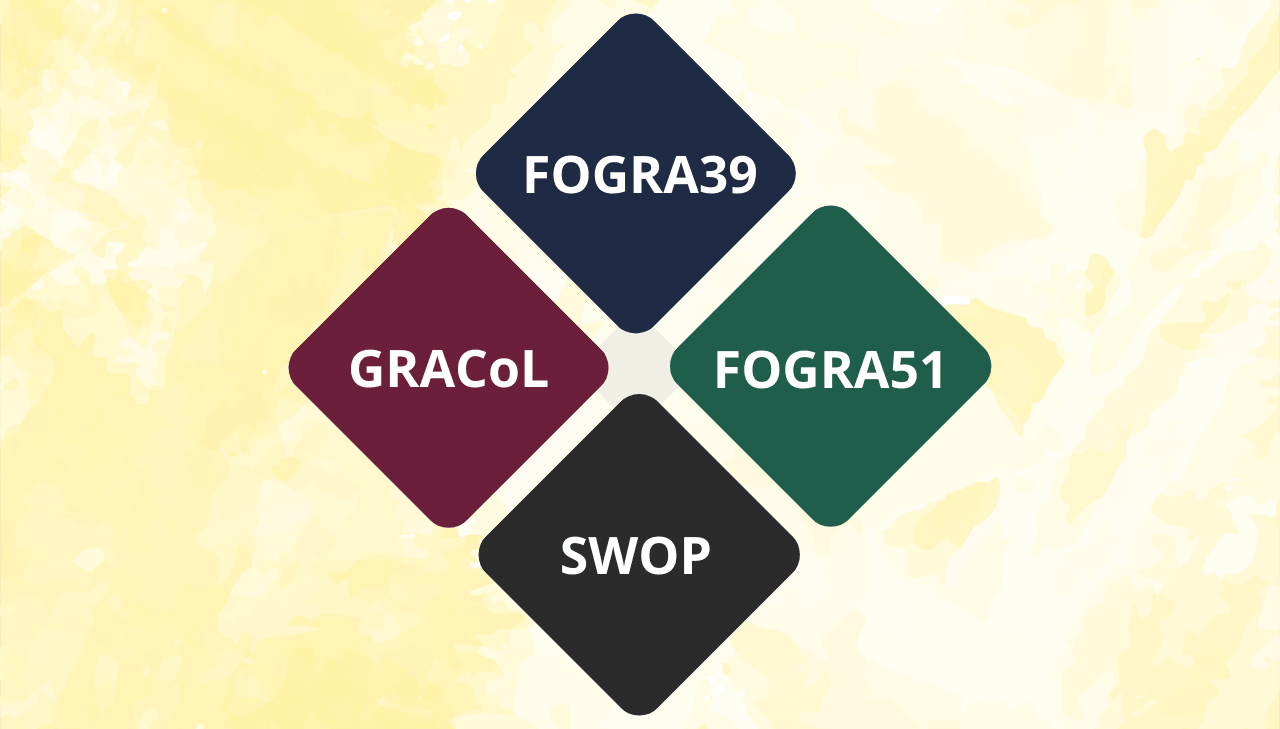
| Profile | Standard | Region | Use case |
|---|---|---|---|
| FOGRA39 | Coated FOGRA39 (ISO 12647-2:2004) | Europe | Offset printing on coated paper. Most widely used European profile. |
| FOGRA51 | PSO Coated v3 | Europe | Based on ISO 12647-2:2013. Better color accuracy than FOGRA39. |
| SWOP | SWOP 2006 Coated 5 | North America | Web offset printing. Magazines, catalogs, large-volume runs. |
| GRACoL | GRACoL 2006 Coated 1 | North America | Commercial sheet-fed printing on coated paper. |
- Printing in Europe? Start with
fogra51for new projects. Usefogra39if your print shop or workflow specifically requires it. - Printing in North America? Use
gracolfor commercial sheet-fed work (business cards, brochures, books). Useswopfor web offset runs (magazines, catalogs). - Not sure? Ask your print provider which profile they calibrate against.
Black Handling with preserveBlack
When converting RGB to CMYK, pure black (#000000) can be mapped two ways:
- preserveBlack: true (default): Pure black becomes 0% C, 0% M, 0% Y, 100% K. This produces sharp, crisp black text because only one ink is used. No registration issues on press.
- preserveBlack: false: Pure black goes through the ICC profile and becomes a "rich black" (roughly 50-60% C, 40-50% M, 40-50% Y, 100% K). This produces deeper, denser black for large solid areas like backgrounds and banners.
For most documents with text, keep the default (true). Set it to false only for designs with large black background areas where you want maximum ink density.
K-only Black vs Rich Black
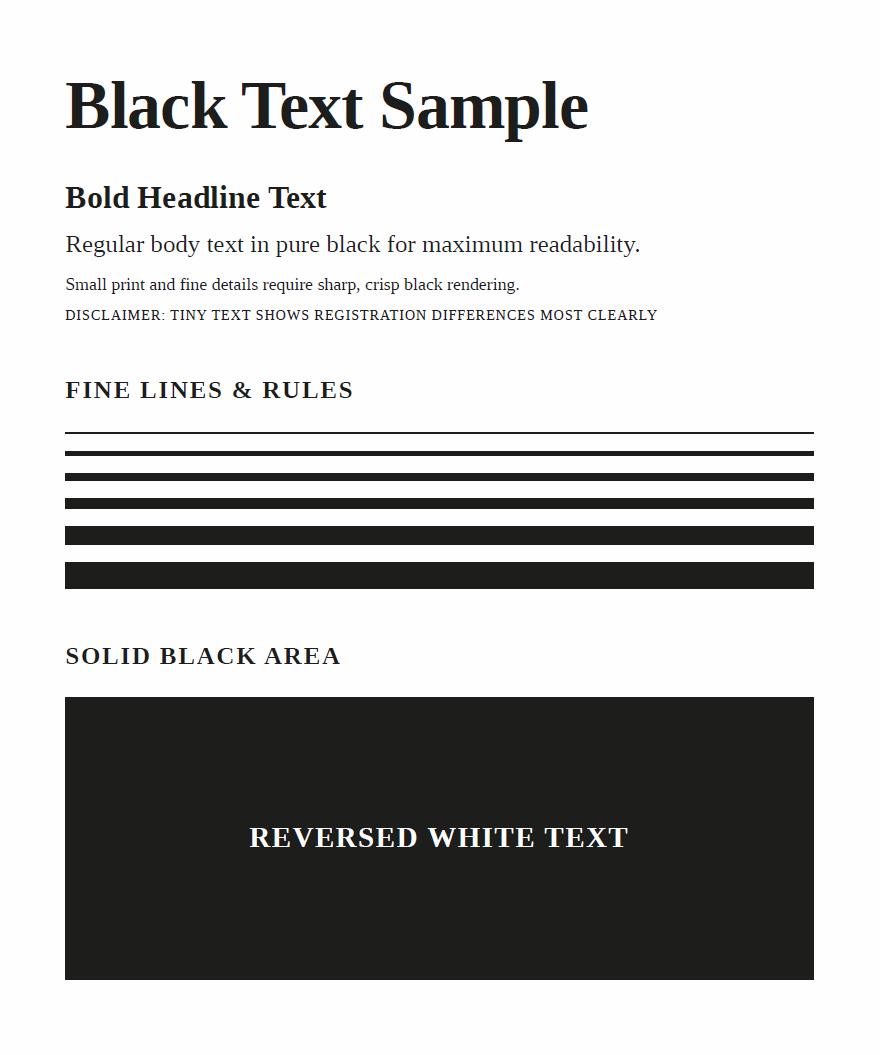
K-only (0,0,0,100) – sharp text and fine lines
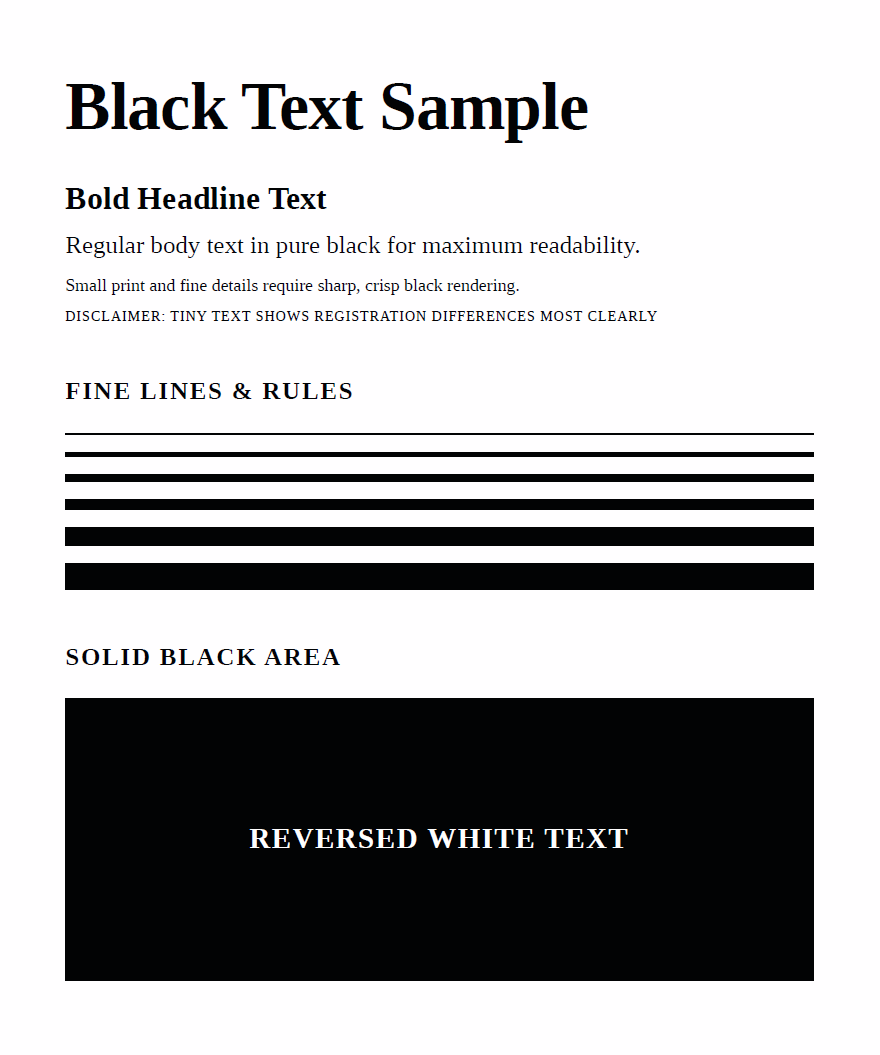
Rich black (C+M+Y+K) – deeper solids, potential registration issues
Real-World Print-Ready PDF Use Cases
| Use case | Recommended standard | ICC profile | Notes |
|---|---|---|---|
| Marketing brochures | PDF/X-4 | FOGRA51 or GRACoL | Transparency and gradients preserved |
| Book printing | PDF/X-1a | FOGRA39 or SWOP | Maximum press compatibility |
| Packaging and labels | PDF/X-1a | Depends on substrate | Print shops often require X-1a for packaging |
| Magazine advertisements | PDF/X-4 | SWOP | Standard for North American magazine publishers |
| Large format posters | PDF/X-4 | FOGRA51 or GRACoL | Preserves high-resolution gradients |
| Business cards | PDF/X-4 | GRACoL | Small format, modern presses handle X-4 well |
Always confirm the required PDF/X standard and ICC profile with your print provider before submitting files. Some shops have specific profiles or standards they calibrate against.
PDF/X Generation vs Manual Prepress Workflow
Traditionally, creating print-ready PDFs means using desktop software like Adobe InDesign or Illustrator, manually configuring export settings, running preflight checks, and fixing issues. This works for one-off designs but breaks down when you need to generate documents programmatically.
| Aspect | Manual (Acrobat/InDesign) | API (PDFBolt) |
|---|---|---|
| Color conversion | Configure export presets per file | Automatic CMYK conversion with ICC profile |
| Transparency | Manual flattening or export settings | Handled automatically based on standard |
| Font embedding | Must verify per document | All fonts embedded by default |
| Output intent | Set manually in export dialog | Embedded automatically |
| Batch processing | Scripting required (JSX, AppleScript) | Single API call per document |
| Template reuse | Copy/paste or master pages | Handlebars templates with dynamic data |
| Integration | Export-then-upload workflow | Direct API call from any application |
For automated workflows where documents are generated from data (invoices, certificates, reports, catalogs), an API approach removes the manual prepress step entirely.
Validating Print-Ready Output
After generating a PDF/X file, you can verify compliance using several methods:
- Adobe Acrobat Pro preflight: Built-in preflight profiles check against PDF/X-1a and PDF/X-4 standards. Open the file, go to Print Production > Preflight, and select the appropriate profile.
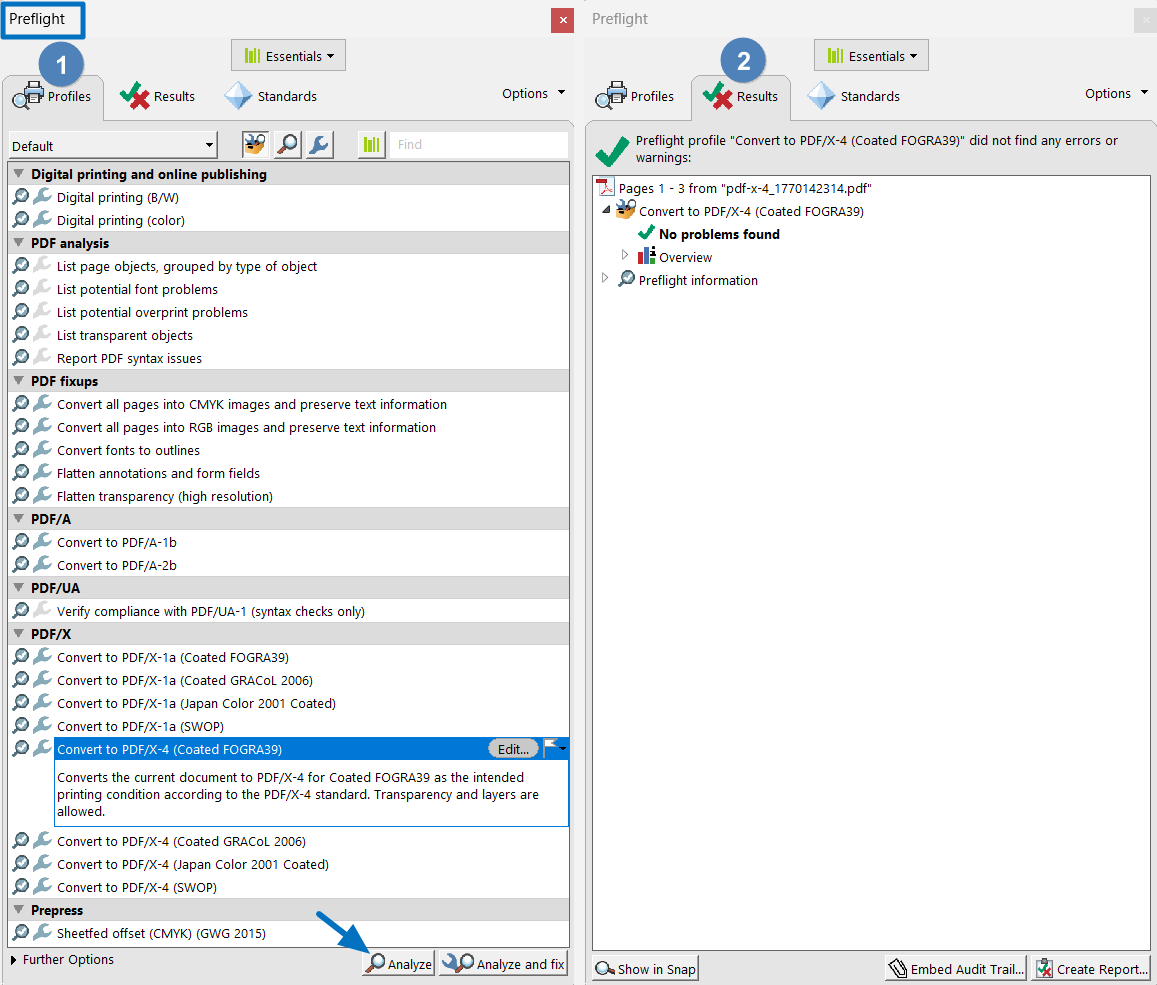
-
Command-line tools: callas pdfToolbox can validate PDF/X compliance in automated pipelines. Its preflight engine is also licensed by Adobe for use in Acrobat Pro.
-
PDF metadata inspection: A compliant file contains an output intent dictionary and XMP metadata identifying the PDF/X version. You can inspect these with
pdfinfoor any PDF analysis tool.
PDFBolt's proprietary algorithm handles compliance requirements during generation, so the output passes standard preflight checks without manual correction.
For existing PDF files, the free PDF/X converter converts uploaded PDFs to PDF/X-4 or PDF/X-1a and validates the result before download.
Frequently Asked Questions
What is PDF/X-1a?
PDF/X-1a is an ISO standard (ISO 15930) for print-ready PDF files. It requires all colors to be in CMYK or spot color spaces, all fonts to be embedded, and all transparency to be flattened. It is based on PDF version 1.3 (ISO 15930-1:2001) or 1.4 (ISO 15930-4:2003), making it compatible with virtually all printing equipment.
What is the difference between PDF/X-1a and PDF/X-4?
PDF/X-1a is stricter: CMYK only, no transparency, PDF 1.3/1.4. PDF/X-4 is more flexible: supports RGB with ICC profiles, preserves live transparency and layers, and uses PDF 1.6. PDF/X-4 produces smaller files and preserves text searchability, but requires a modern RIP.
Which ICC profile should I use for printing?
It depends on your region and printing method. For European offset printing, use FOGRA51 (modern) or FOGRA39 (legacy). For North American web offset (magazines, catalogs), use SWOP. For North American commercial printing (brochures, books), use GRACoL. When in doubt, ask your print provider.
Can I generate PDF/X files from HTML?
Yes. PDFBolt converts HTML or URLs to PDF/X-1a or PDF/X-4 files via API. Set the pdfStandard parameter to "pdf-x-1a" or "pdf-x-4" in the printProduction object. The API handles RGB-to-CMYK conversion, font embedding, and standard compliance automatically.
Does PDF/X-1a support transparency?
No. PDF/X-1a prohibits transparency. Any transparent elements in the source document are flattened during PDF/X-1a generation. If you need to preserve transparency (for gradients, drop shadows, or opacity effects), use PDF/X-4 instead.
What does preserveBlack do in CMYK conversion?
When preserveBlack is true (the default), pure black (#000000) is converted to 100% K ink only. This keeps text and fine lines sharp. When set to false, black goes through the ICC profile and becomes "rich black" (a mix of C, M, Y, and K inks), which produces deeper blacks for large solid areas but can cause registration issues with small text.
Can I use PDF/X for digital-only distribution?
You can, but it's unnecessary. PDF/X standards restrict features to ensure print compatibility, which means larger file sizes (especially PDF/X-1a) and CMYK colors that display differently on screens. For digital distribution, a standard PDF with RGB colors produces better on-screen results with smaller files.
Conclusion
PDF/X-1a and PDF/X-4 solve the unpredictability of sending regular PDFs to commercial printers. PDF/X-1a offers maximum compatibility with strict CMYK-only, no-transparency rules. PDF/X-4 supports modern workflows with live transparency and ICC-based color management.
When choosing between the two, consider your print provider's capabilities and requirements. Most modern commercial printers handle PDF/X-4 well, but legacy equipment or specific packaging workflows may require PDF/X-1a. For ICC profiles, match your target region: FOGRA profiles for Europe, SWOP or GRACoL for North America.
With PDFBolt, generating compliant files is a single API call with the printProduction parameter. Pick your standard, choose an ICC profile, and the conversion happens automatically. The same parameters work for both HTML to PDF and URL to PDF conversions.
Keep calm and CMYK on! 🎨