Top HTML Template Engines for Dynamic PDF Generation

Building dynamic, data-driven websites means generating HTML from live data. Template engines handle this by combining HTML layouts with variables, loops, and conditionals. This article covers what template engines are, how they work, their benefits, and the most popular options for Node.js, Python, Java, PHP, and Ruby.
Template engines are also useful for PDF generation – you design an HTML template once and fill it with different data to produce reports, invoices, contracts, and other business documents.
What Are Template Engines?
Template engines are software components that combine templates (HTML files with special placeholders) with data to produce dynamic web pages. They sit between your data and presentation layers, so you can keep business logic separate from HTML markup.
Instead of manually concatenating HTML strings with data variables, template engines give you a cleaner way to create dynamic content – with readable syntax, reusable layouts, and easier maintenance.
How Template Engines Work
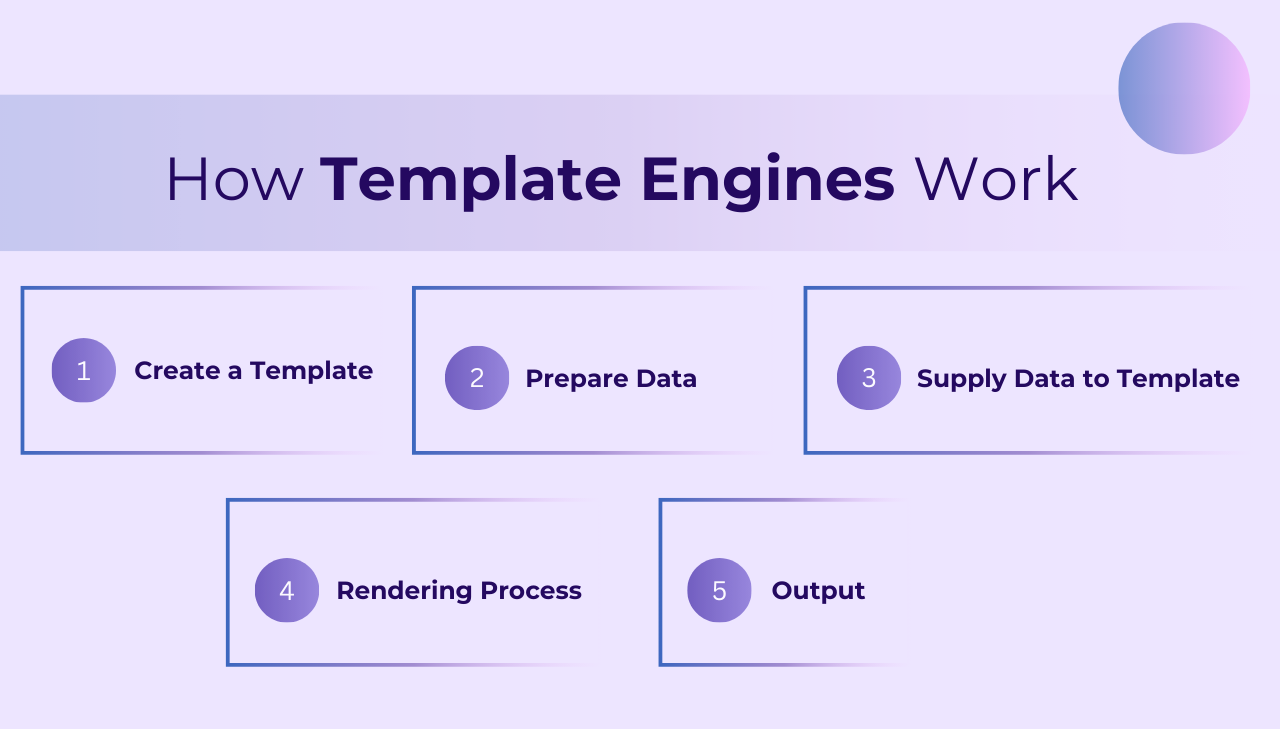
The basic workflow of a template engine typically involves these steps:
-
Create a template: Developers write HTML markup with special syntax for variables, conditionals, loops, and other programming constructs. These templates serve as reusable blueprints for your pages.
-
Prepare data: Data can come from various sources:
- Database queries.
- API responses.
- User input.
- Configuration files.
- In-memory objects.
This data is typically structured as JSON objects, arrays, or key-value pairs that match the variables expected in your template.
-
Supply data to template: The application passes this structured data to the template engine, establishing the context in which the template will be rendered.
-
Rendering process: The template engine performs several operations:
- Parses the template syntax.
- Identifies placeholders, logic blocks, and expressions.
- Evaluates conditions and loops.
- Replaces variables with their corresponding values from the data.
- Processes any helper functions or filters.
- Output: The final result is a complete HTML document that can be sent to the client's browser or further processed.
For example, here's a simple template using Handlebars syntax:
<html>
<body>
  <h1>Hello, {{name}}!</h1>
  <ul>
    {{#each items}}
      <li>{{this}}</li>
    {{/each}}
  </ul>
</body>
</html>
When this Handlebars template is combined with a data object like:
{
  name: "John",
  items: ["Apple", "Banana", "Orange"]
}
The rendering process would:
- Replace
{{name}}with "John". - Process the
{{#each items}}loop to iterate through the array. - For each iteration, replace
{{this}}with the current array item.
The final rendered HTML would be:
<html>
<body>
  <h1>Hello, John!</h1>
  <ul>
    <li>Apple</li>
    <li>Banana</li>
    <li>Orange</li>
  </ul>
</body>
</html>
Benefits of Using Template Engines
I recently came across an interesting question on Reddit, where a developer asked: "Why do we need template engines exactly?"
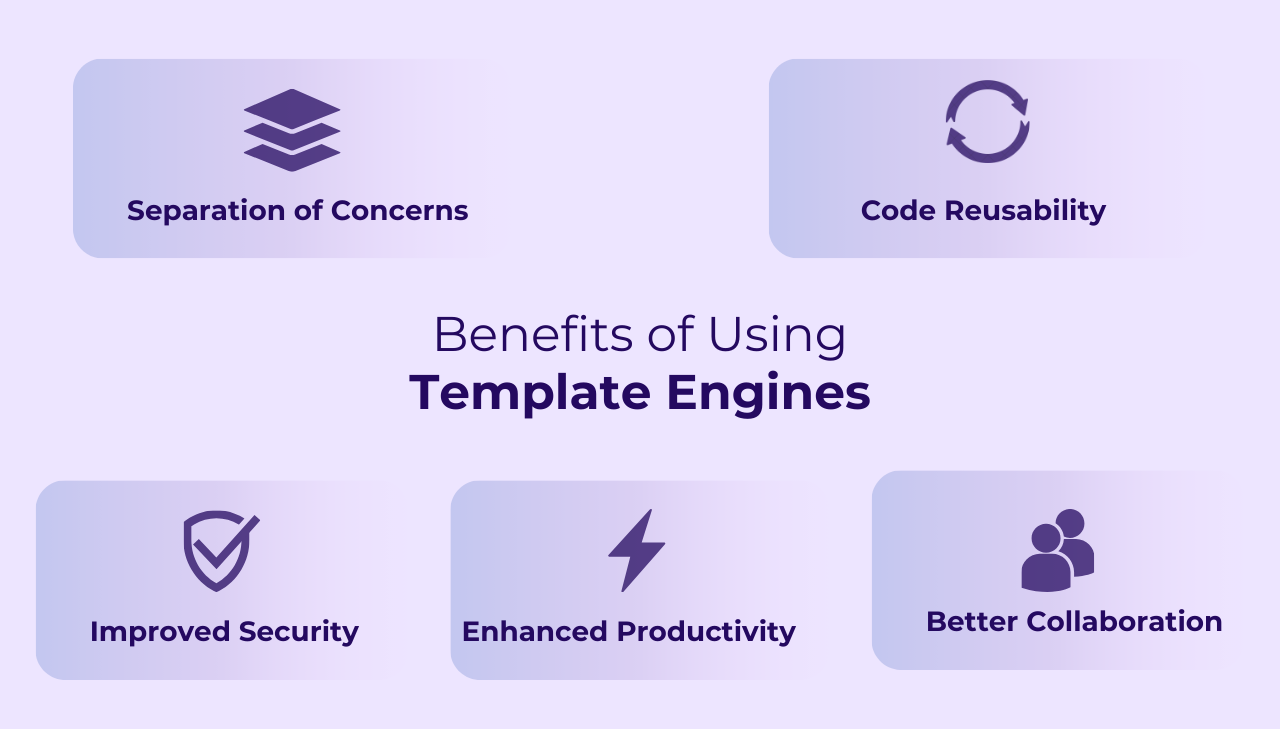
Good question. Here are the practical benefits:
1. Separation of Concerns
Template engines separate business logic from presentation logic, which makes your code easier to maintain. This fits the MVC (Model-View-Controller) pattern that most web frameworks follow.
2. Code Reusability
Most template engines support partials or includes – define a component once and reuse it across multiple pages. This cuts duplication and makes updates easier.
3. Improved Security
Template engines typically include automatic HTML escaping, which helps prevent cross-site scripting (XSS) attacks by default.
4. Faster Development
Features like inheritance, partials, helpers, and filters speed up building complex layouts. They provide shorthand methods for common operations, so you write less boilerplate.
5. Better Collaboration
Separating HTML templates from application code lets designers and developers work on the same project without stepping on each other's toes.
Common Use Cases for Template Engines
Here are the most common scenarios where template engines are used:
Dynamic Web Content
Most commonly, template engines power dynamic websites and web applications by injecting data into reusable layouts.
PDF Template Generation
Template engines work well for creating structured HTML that gets converted to PDF:
- Business reports and analytics dashboards.
- Invoices, receipts, and financial statements.
- Contracts and legal documents.
- Marketing materials and product catalogs.
- Certificates and personalized documents.
Because data and layout are separate, you can reuse the same PDF template with different data for each document.
Email Templates
Marketing and transactional emails use template engines to personalize content while keeping brand consistency.
Below are the most popular template engines grouped by programming language.
Cross-Language Template Engines
While many template engines are designed for specific programming languages, some engines are available across multiple languages, offering consistent syntax and functionality regardless of your backend technology.
1. Mustache
Mustache is a logic-less template system available in dozens of programming languages, which makes it practical for teams that work across multiple stacks.
Key features:
- Truly logic-less templates.
- Consistent syntax across all languages.
- Focus on simplicity and minimal logic.
- Great for teams working with multiple programming languages.
Implementations across languages:
- JavaScript: Mustache.js
- Java: Mustache.java and JMustache
- PHP: Mustache.php
- Python: Pystache and chevron
- Ruby: Mustache
- Rust: Rustache
- Go: Mustache
- C#/.NET: Stubble
Example syntax:
<h1>{{title}}</h1>
<ul>
  {{#users}}
    <li>{{name}}</li>
  {{/users}}
</ul>
2. Handlebars
While Handlebars started in JavaScript, its syntax and approach have inspired implementations across many languages.
Key features:
- Extends Mustache with more powerful features.
- Consistent syntax across language implementations.
- Familiar syntax for developers switching between languages.
- Widely adopted across programming languages.
Implementations across languages:
- JavaScript: Handlebars.js
- Java: Handlebars.java
- C#/.NET: Handlebars.Net
- Rust: Handlebars-rust
- Go: Raymond
Example syntax:
<h1>{{title}}</h1>
<ul>
  {{#each users}}
    <li>{{this.name}}</li>
  {{/each}}
</ul>
PDFBolt uses Handlebars syntax for its PDF template engine, so you can create PDF documents with the same familiar templating patterns across different programming languages. Generate templates with AI or write HTML manually – the choice is yours.
3. Liquid
Liquid was created by Shopify for Ruby and has since been ported to many other languages.
Key features:
- Secure by design (no arbitrary code execution).
- Balance between logic-less and programming capabilities.
- Used in e-commerce platforms like Shopify.
- Well-documented.
Implementations across languages:
- Ruby: Original Liquid (by Shopify)
- JavaScript/Node.js: LiquidJS
- PHP: PHP-Liquid
- .NET/C#: DotLiquid
- Python: python-liquid
- Java: Liqp
- Go: liquid
Example syntax:
<h1>{{ title }}</h1>
<ul>
  {% for user in users %}
    <li>{{ user.name }}</li>
  {% endfor %}
</ul>
JavaScript and Node.js Template Engines
JavaScript has a rich ecosystem of template engines for both browser and server-side rendering with Node.js.
Top Node.js PDF Generation Libraries – if you need to convert your templates to PDF.
1. Pug (formerly Jade)
Pug offers a concise syntax that reduces template code through indentation-based nesting and shorthand notations.
Key features:
- Whitespace-sensitive syntax.
- Mixins for reusable blocks.
- Includes and extends for template inheritance.
- Filters for inline processing.
- Rich expression support.
Example syntax:
h1= title
ul
  each user in users
    li= user.name
2. EJS (Embedded JavaScript)
EJS provides a simple way to embed JavaScript code directly within HTML templates. It's lightweight and straightforward, making it a popular choice for Node.js applications.
Key features:
- Fast compilation and rendering.
- Simple syntax with familiar JavaScript code.
- Client-side and server-side support.
- Includes, partials, and layouts.
- Easy to set up with Express.js.
Example syntax:
<h1><%= title %></h1>
<ul>
  <% users.forEach(function(user){ %>
    <li><%= user.name %></li>
  <% }); %>
</ul>
3. Nunjucks
Nunjucks is a powerful templating engine for JavaScript inspired by Jinja2, developed by Mozilla. It offers rich features while maintaining a clean, readable syntax.
Key features:
- Powerful template inheritance system.
- Rich set of built-in filters.
- Asynchronous control when needed.
- Macros for reusable template fragments.
- Autoescaping for security.
- Extensibility through custom filters and extensions.
Example syntax:
<h1>{{ title }}</h1>
<ul>
  {% for user in users %}
    <li>{{ user.name }}</li>
  {% endfor %}
</ul>
Python Template Engines
Python has several template engines with different approaches to syntax and functionality.
Top Python HTML to PDF Libraries Compared – for converting Jinja2 or Django templates to PDF.
1. Jinja2
Jinja2 is the most widely used template engine in the Python ecosystem, powering Flask and many other frameworks.
Key features:
- Expressive language with Python-like syntax.
- Template inheritance.
- Automatic HTML escaping.
- Rich filters and tests.
- Sandboxed execution.
Example syntax:
<h1>{{ title }}</h1>
<ul>
  {% for user in users %}
    <li>{{ user.name }}</li>
  {% endfor %}
</ul>
2. Django Templates
Django Templates is Django's built-in template system that provides a secure and flexible way to generate HTML content in Django applications.
Key features:
- Simple and restrictive syntax by design.
- Template inheritance.
- Automatic HTML escaping.
- Custom template tags and filters.
- Integration with Django's ORM.
Example syntax:
<h1>{{ title }}</h1>
<ul>
  {% for user in users %}
    <li>{{ user.name }}</li>
  {% endfor %}
</ul>
3. Mako
Mako is a high-performance template library that supports embedded Python code within templates.
Key features:
- Python-like syntax with full Python expressions.
- Template inheritance.
- Reusable components with defs.
- High performance.
- Text filters.
Example syntax:
<h1>${title}</h1>
<ul>
  % for user in users:
    <li>${user.name}</li>
  % endfor
</ul>
Java Template Engines
Java offers several mature template engines, each suited to different enterprise use cases.
Top Java PDF Generation Libraries – for turning Thymeleaf or FreeMarker output into PDF.
1. Thymeleaf
Thymeleaf is a modern server-side template engine for Java applications, particularly well-suited for Spring MVC.
Key features:
- Natural templates that display correctly in browsers.
- Integration with Spring.
- Dialect extensibility.
- Layout system.
- Fragment inclusion.
Example syntax:
<h1 th:text="${title}">Default Title</h1>
<ul>
  <li th:each="user : ${users}" th:text="${user.name}">User Name</li>
</ul>
2. FreeMarker
FreeMarker is a versatile template engine focused on generating text output based on templates.
Key features:
- Powerful template language.
- Macros and functions.
- Template inheritance.
- No external dependencies.
- High performance.
Example syntax:
<h1>${title}</h1>
<ul>
  <#list users as user>
    <li>${user.name}</li>
  </#list>
</ul>
3. Velocity
Velocity is a mature template engine that has been part of the Java ecosystem for decades.
Key features:
- Simple and intuitive syntax.
- Reference notation for accessing Java objects.
- Macros for reusable template code.
- Directives for control flow.
- Extensible.
Example syntax:
<h1>$title</h1>
<ul>
  #foreach($user in $users)
    <li>$user.name</li>
  #end
</ul>
PHP Template Engines
PHP has evolved from being a template language itself to offering full-featured template engines.
Top PHP PDF Generation Libraries – for generating PDFs from Blade or Twig templates.
1. Blade (Laravel)
Blade is Laravel's built-in templating engine with a clean, expressive syntax.
Key features:
- Template inheritance.
- Sections and components.
- Directives for control structures.
- Template caching.
- Easy integration with Laravel's ecosystem.
Example syntax:
<h1>{{ $title }}</h1>
<ul>
  @foreach($users as $user)
    <li>{{ $user->name }}</li>
  @endforeach
</ul>
2. Twig
Twig is a flexible, fast, and secure template engine for PHP, used by Symfony and many other frameworks.
Key features:
- Expressive syntax.
- Template inheritance.
- Automatic HTML escaping.
- Extensible with custom filters and functions.
- Sandbox mode for added security.
Example syntax:
<h1>{{ title }}</h1>
<ul>
  {% for user in users %}
    <li>{{ user.name }}</li>
  {% endfor %}
</ul>
3. Smarty
Smarty is one of the oldest and most established PHP template engines, focusing on separating PHP from HTML.
Key features:
- Variable modifiers.
- Caching system.
- Template inheritance.
- Custom functions and modifiers.
- Plugin architecture.
Example syntax:
<h1>{$title}</h1>
<ul>
  {foreach $users as $user}
    <li>{$user.name}</li>
  {/foreach}
</ul>
Ruby Template Engines
Ruby offers several template engines, with ERB and Haml being the most widely used in Rails applications.
Top Ruby & Rails PDF Generation Libraries – for converting ERB or Haml output to PDF.
1. ERB (Embedded Ruby)
ERB is Ruby's standard library template system and is the default for Ruby on Rails.
Key features:
- Embedded Ruby code in HTML.
- Simple and straightforward.
- No additional dependencies.
- Fast processing.
- Tight integration with Rails.
Example syntax:
<h1><%= title %></h1>
<ul>
  <% users.each do |user| %>
    <li><%= user.name %></li>
  <% end %>
</ul>
2. Haml
Haml is a markup language that's designed to avoid writing inline code in HTML and reduce template size.
Key features:
- Clean, indentation-based syntax.
- Reduces markup by eliminating closing tags.
- Ruby code evaluation.
- HTML generation.
- CSS-like ID and class declaration.
Example syntax:
%h1= title
%ul
  - users.each do |user|
    %li= user.name
3. Slim
Slim is a lightweight template engine that strips syntax down to the bare minimum without losing flexibility.
Key features:
- Minimal syntax.
- Speed and performance.
- Safety with automatic HTML escaping.
- Logic less mode.
- Configurable shortcut tags.
Example syntax:
h1 = title
ul
  - users.each do |user|
    li = user.name
Choosing the Right Template Engine
For more options, check out the Awesome Template Engine repository on GitHub.
When selecting a template engine, consider these factors:
- Language compatibility – does it work well with your framework?
- Performance – rendering speed and memory usage.
- Learning curve – syntax complexity and documentation quality.
- Community support – active development and available resources.
- Features – inheritance, partials, filters, and other functionality you need.
- Security – built-in protection against XSS and other vulnerabilities.
- PDF output quality – if you are converting HTML to PDF, check how the engine handles page breaks, print CSS, and precise layouts.
- Styling capabilities – support for CSS frameworks and custom styling that translate well to PDF and other document formats.
Convert HTML to PDF with a simple API call. PDFBolt PDF Generation API handles rendering with headless Chrome and returns PDFs via a REST endpoint.
Conclusion
Template engines give you structure, reusability, and separation of concerns – whether you are rendering web pages or generating PDF documents from HTML. Each programming language has multiple options with different trade-offs between simplicity, performance, and features.
If you are also looking into PDF generation from HTML templates, check out the language-specific library comparisons for your stack.
May your templates compile and your variables interpolate – nobody likes seeing {{ name }} on their document! 😉