Best C# and .NET PDF Libraries to Create & Generate PDFs

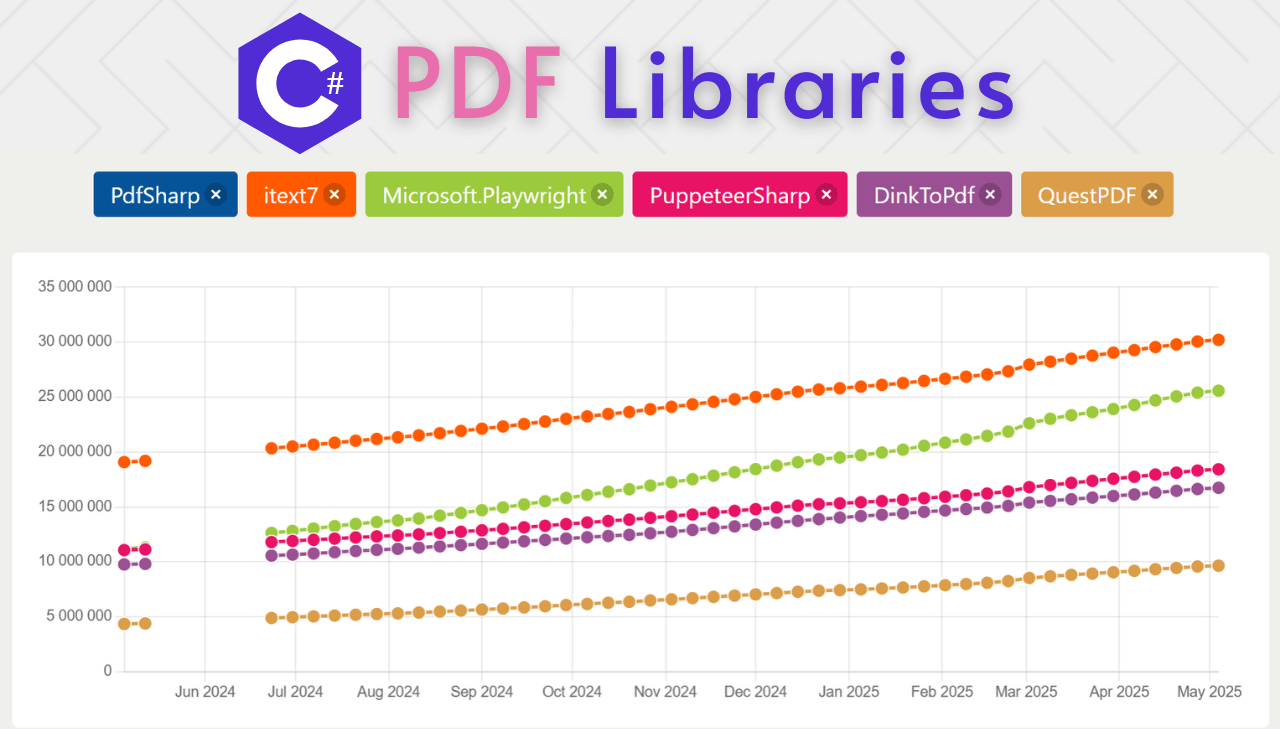
The .NET ecosystem offers a rich variety of libraries for PDF generation. From creating documents from scratch to converting HTML to PDF or generating reports with complex layouts, C# developers have several proven options to pick from. This article covers the most popular PDF libraries available for C# and .NET, with download statistics, key features, installation guides, and practical code examples to help you choose the right tool for your project.
PDFBolt's HTML to PDF API wraps the same Chrome engine behind a REST endpoint – call it with any .NET HTTP client like HttpClient or RestSharp in a few lines. No license fees, no NuGet packages with native binary dependencies, no version drift across .NET releases. 100 free conversions per month, no credit card required.
Most Popular C# PDF Generation Libraries: NuGet Download Statistics
Here's a comparison of NuGet download statistics for the PDF generation libraries available on NuGet. These numbers reflect the community's trust and adoption, giving insight into which libraries developers prefer for PDF creation and HTML to PDF conversion in C# applications:
| Library | Total Downloads | Per Day Average |
|---|---|---|
| PDFsharp | 34.9M | 7.0K |
| iText7 | 30.3M | 9.7K |
| Microsoft.Playwright | 25.6M | 17.7K |
| PuppeteerSharp | 18.5M | 6.7K |
| DinkToPdf | 16.8M | 5.7K |
| QuestPDF | 9.7M | 5.9K |
Download Trends for C# PDF Libraries
Below are charts illustrating the download trends for the C# PDF generation libraries. These visualizations help identify the most popular libraries along with emerging trends and momentum shifts in the .NET ecosystem.
Long-Term Popularity Trends of C# PDF Libraries – Last 10 Years
The following chart shows the download trends for C# PDF libraries over the past decade, sourced from NuGet Trends:
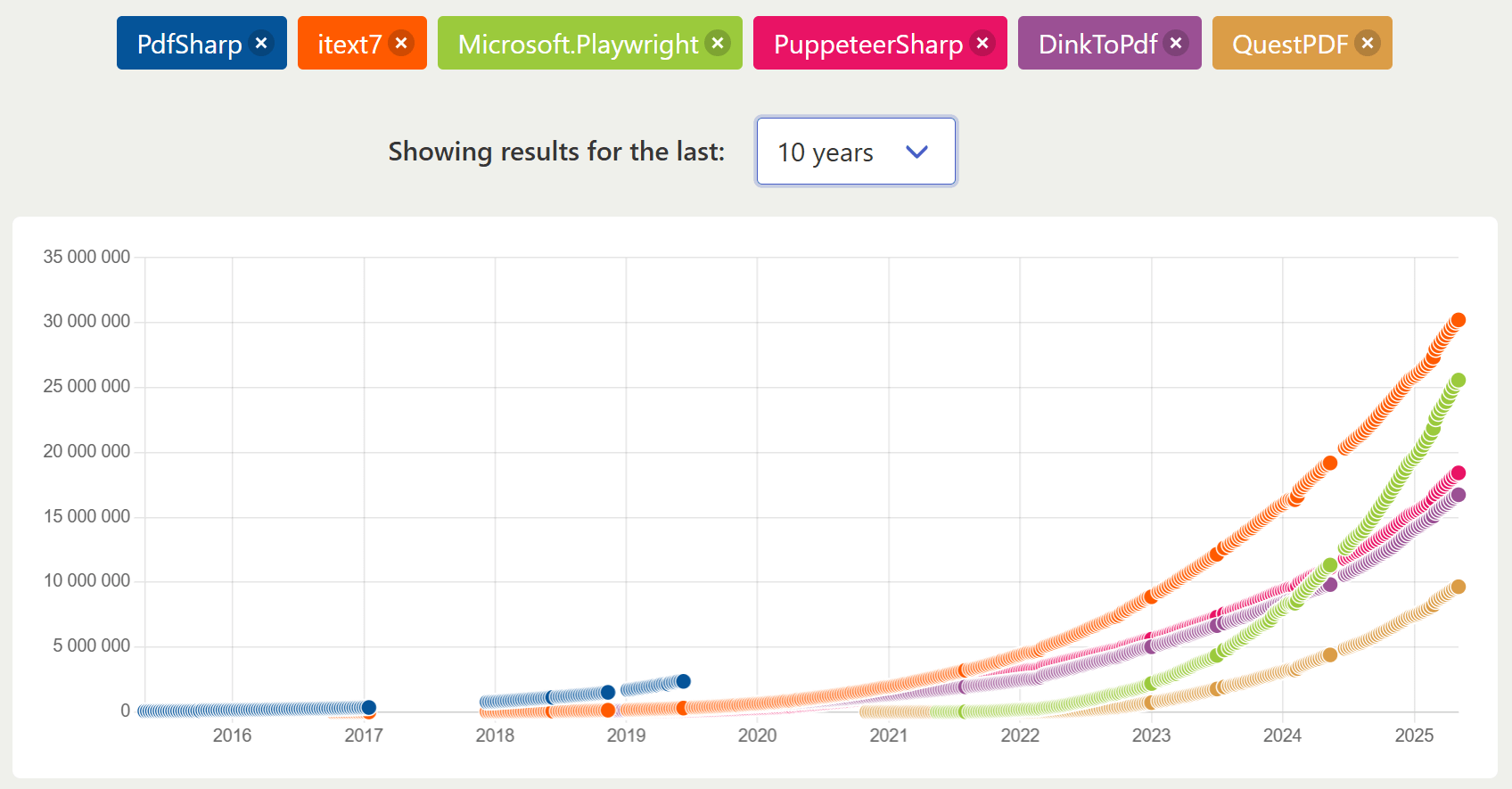
This long-term view reveals key shifts in library adoption patterns:
-
Microsoft.Playwright – rapid rise since 2021, accumulating ~25M downloads.
-
iText7 – consistent growth since 2018, reaching ~30M downloads by 2025.
-
PDFsharp – early adoption with apparent tracking issues in the visualization after 2019, despite its continued popularity (actual total: 34.9M downloads).
-
PuppeteerSharp and DinkToPdf following similar trajectories since 2020-2021.
-
QuestPDF showing strong momentum despite being the newest library.
Overall acceleration in PDF library adoption from 2021 onward, reflecting increased demand for document generation in modern .NET applications.
Usage Trends of C# PDF Libraries – Last 12 Months
For a closer look at current momentum, the chart below displays download trends over the past year:
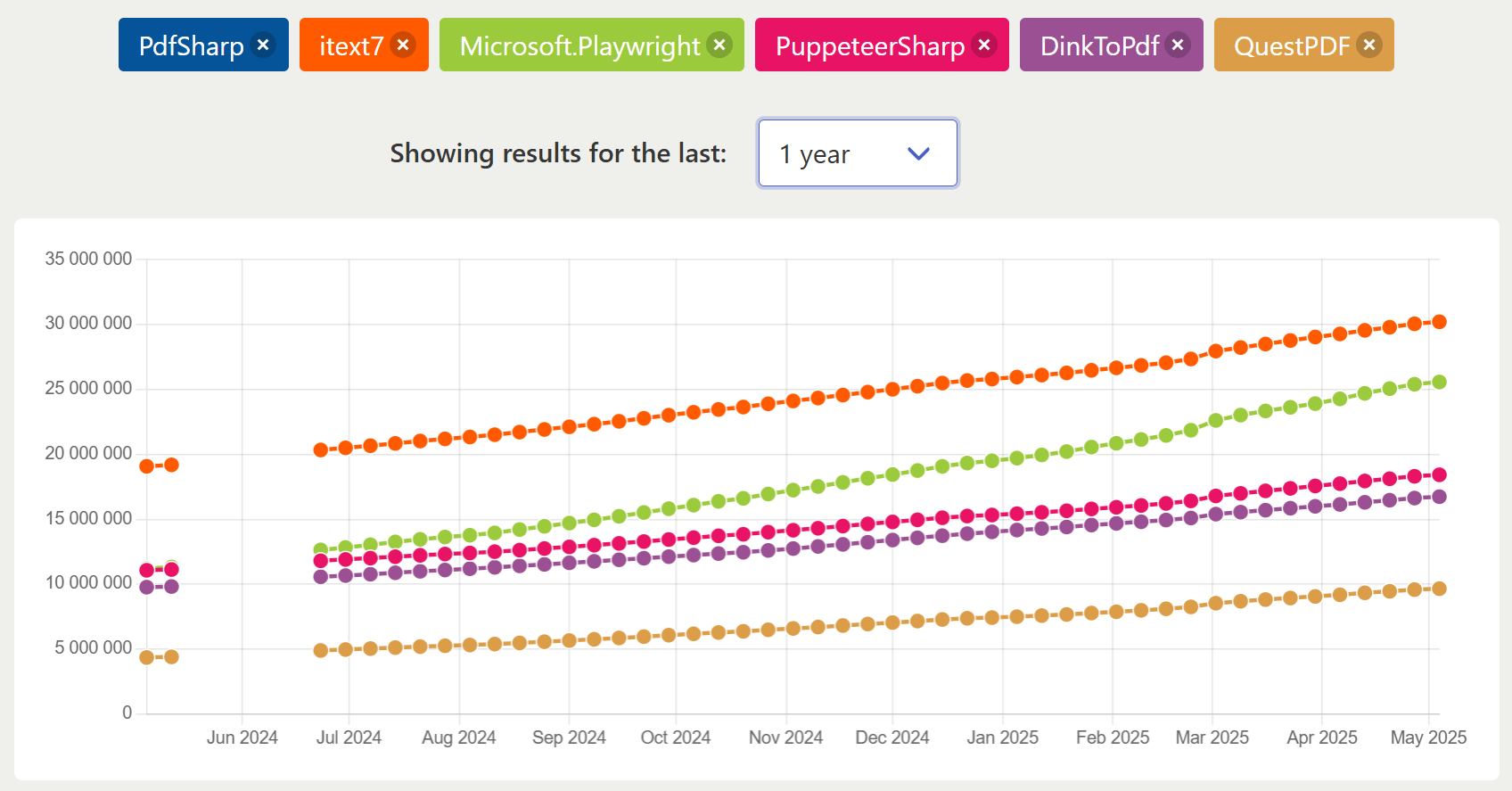
The 12-month chart reveals consistent growth across all tracked C# PDF libraries. iText maintains the top position while Microsoft.Playwright shows the steepest growth curve. PuppeteerSharp and DinkToPdf follow similar moderate growth patterns, and QuestPDF demonstrates steady adoption despite being newer. This recent data highlights Microsoft.Playwright's accelerating momentum, suggesting increasing developer preference for browser-based PDF generation solutions in the .NET ecosystem.
Detailed Review of Top C# PDF Generation Libraries
PDFsharp

PDFsharp is an open-source library for creating and processing PDF documents entirely with C# code. It provides a full-featured API for programmatic PDF generation from scratch with precise control over layout and content.
➡️ Key Features:
- Full control over page layout and content positioning.
- Text, vector graphics, and image support.
- Document manipulation (merging, splitting).
- Low-level PDF structure access.
- Compatible with .NET Framework and .NET Core/.NET 5+.
➡️ Key Constraints:
- No HTML to PDF conversion capability.
- Requires manual positioning of all elements.
- Steeper learning curve for complex layouts.
➡️ Installation:
dotnet add package PDFsharp
➡️ Basic Document Creation:
- Code
- PDF Preview
using PdfSharp.Pdf;
using PdfSharp.Drawing;

// Create a new PDF document
PdfDocument document = new PdfDocument();
document.Info.Title = "PDFsharp Example";
document.Info.Author = "Your Name";

// Create a new page
PdfPage page = document.AddPage();

// Get an XGraphics object for drawing on the page
XGraphics gfx = XGraphics.FromPdfPage(page);

// Create fonts for our text
XFont titleFont = new XFont("Arial", 28, XFontStyleEx.Bold);
XFont normalFont = new XFont("Arial", 22, XFontStyleEx.Regular);

// Draw text on the page
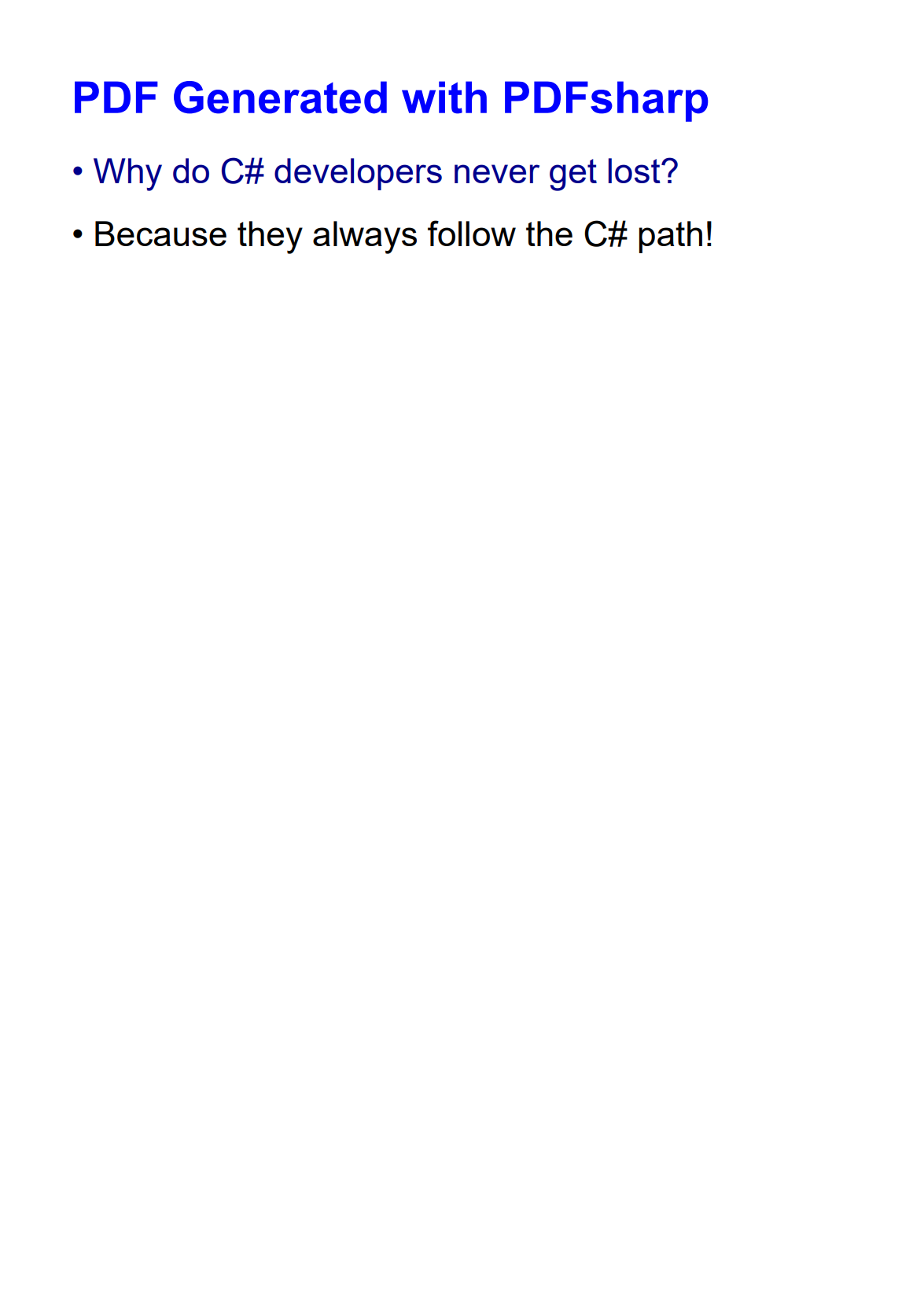
gfx.DrawString("PDF Generated with PDFsharp", titleFont, XBrushes.Blue,
    new XPoint(50, 50), XStringFormats.TopLeft);

gfx.DrawString("• Why do C# developers never get lost?", normalFont, XBrushes.DarkBlue,
    new XPoint(50, 100), XStringFormats.TopLeft);

gfx.DrawString("• Because they always follow the C# path!", normalFont, XBrushes.Black,
    new XPoint(50, 140), XStringFormats.TopLeft);

// Save the document
const string filename = "PDFsharpExample.pdf";
document.Save(filename);

Console.WriteLine($"PDF created successfully: {filename}");
For a full guide on using PDFsharp, check our detailed tutorial: How to Generate PDF in C#/.NET with PDFsharp.
iText 7

iText 7 is a mature PDF library for .NET that enables full document processing with an intuitive object-oriented architecture. As the modern successor to iTextSharp, it provides enhanced capabilities for creating, manipulating, and processing PDF documents programmatically. It also offers HTML to PDF conversion through its pdfHTML add-on, allowing developers to convert web content into PDF documents.
➡️ Key Features:
- High-performance PDF generation.
- Advanced text and layout capabilities.
- HTML to PDF conversion.
- Digital signatures and encryption.
- PDF/A compliance for archiving.
- Form filling and creation.
➡️ Key Constraints:
- Commercial licensing required for commercial business applications.
- HTML to PDF requires additional pdfHTML add-on.
- More complex API compared to newer alternatives.
➡️ Installation:
dotnet add package itext7
For HTML to PDF conversion, add the pdfHTML add-on:
dotnet add package itext7.pdfhtml
➡️ HTML to PDF Conversion Example:
- Code
- PDF Preview
using iText.Html2pdf;
using iText.Kernel.Geom;
using iText.Kernel.Pdf;

class Program
{
    // Main entry point of the program
    static void Main()
    {
        ConvertHtmlToPdf();
        Console.WriteLine("PDF has been generated successfully.");
    }

    // Method to convert HTML to PDF
    static void ConvertHtmlToPdf()
    {
        // Define HTML content
        string htmlContent = @"
        <!DOCTYPE html>
        <html>
        <head>
            <title>iText 7 HTML to PDF</title>
            <style>
                body { font-family: Arial, sans-serif; text-align: center; }
                h1 { color: darkorange; }
                p { margin: 20px 0; font-size: 26px; }
            </style>
        </head>
        <body>
            <h1>PDF Generated with iText 7</h1>
            <p>Why was the C# developer always calm?</p>
            <p><strong>Because they had a good `Try` and always `Catch` themselves.</strong></p>
        </body>
        </html>";

        // Create output file stream
        using (FileStream pdfDest = new FileStream("itext7-document.pdf", FileMode.Create))
        {
            // Initialize PDF document
            PdfWriter writer = new PdfWriter(pdfDest);
            PdfDocument pdf = new PdfDocument(writer);
            pdf.SetDefaultPageSize(PageSize.A4);

            // Convert HTML to PDF
            ConverterProperties converterProperties = new ConverterProperties();
            HtmlConverter.ConvertToPdf(htmlContent, pdf, converterProperties);
        }
    }
}

Explore our detailed guide: HTML to PDF in C#/.NET with iText 7.
Playwright for .NET

Playwright for .NET is Microsoft's browser automation library that provides a unified API to control Chromium, Firefox, and WebKit browsers. Originally developed for Node.js and later ported to the .NET ecosystem, it gives C# developers a reliable tool for browser automation and PDF generation. Playwright converts dynamic web pages into high-fidelity PDFs with excellent support for modern CSS and JavaScript, which works well for capturing interactive content.
➡️ Key Features:
- Modern web standards compliance.
- Excellent handling of dynamic content.
- Support for responsive designs with custom viewports.
- Ability to capture screenshots and generate PDFs.
- Headless and headed browser mode options.
➡️ Key Constraints:
- Requires Chromium browser installation.
- Higher resource consumption.
➡️ Installation:
dotnet add package Microsoft.Playwright
➡️ PDF Generation Example:
- Code
- PDF Preview
using Microsoft.Playwright;

class Program
{
    // Main entry point of the program
    static async Task Main()
    {
        try
        {
            await GeneratePdfAsync();
            Console.WriteLine("PDF has been generated successfully.");
        }
        catch (Exception ex)
        {
            Console.WriteLine($"Error generating PDF: {ex.Message}");
        }
    }

    // Method to generate PDF using Playwright
    static async Task GeneratePdfAsync()
    {
        // Initialize Playwright
        using var playwright = await Playwright.CreateAsync();

        // Launch a Chromium browser
        await using var browser = await playwright.Chromium.LaunchAsync();

        // Create a new page
        var page = await browser.NewPageAsync();

        // HTML content to render
        string htmlContent = @"
        <!DOCTYPE html>
        <html>
        <head>
            <meta charset='utf-8'>
            <title>Playwright PDF Example</title>
            <style>
                body { font-family: Arial, sans-serif; text-align: center; margin: 40px; }
                h1 { color: olive; }
                p { margin: 20px 0; font-size: 26px; }
        </style>

        </head>
        <body>
            <h1>PDF Generated with Playwright</h1>
            <p>What do you call a function that doesn't return?</p>
            <p><strong>A void!</strong></p>
        </body>
        </html>";

        // Set the page content
        await page.SetContentAsync(htmlContent);

        // Generate PDF
        await page.PdfAsync(new PagePdfOptions
        {
            Path = "playwright-document.pdf",
            Format = "a4"
        });
    }
}
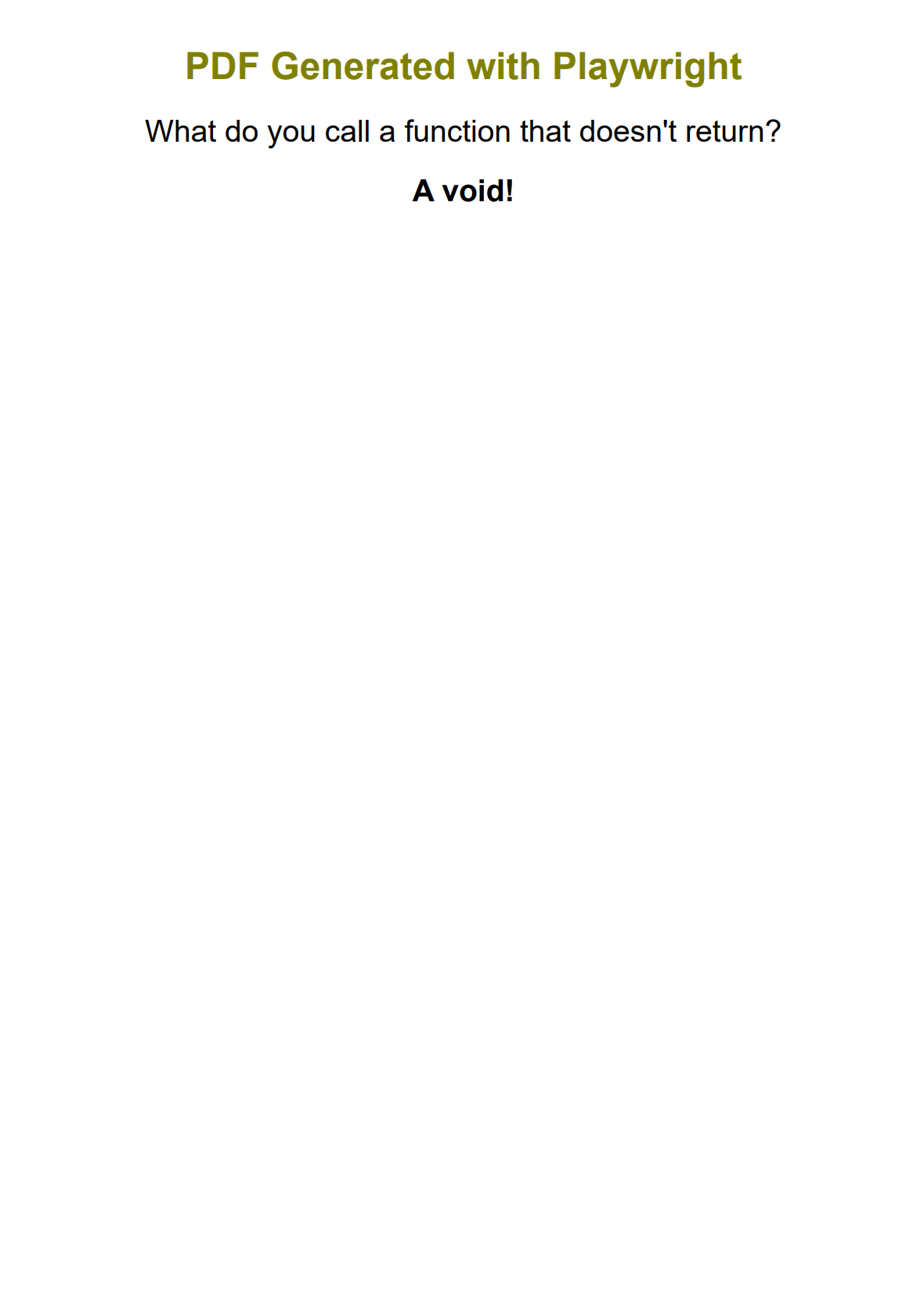
For an in-depth tutorial on using Playwright for PDF generation, check our guide: How to Generate PDF from HTML Using Playwright in C# and .NET.
PuppeteerSharp

PuppeteerSharp is a .NET port of the popular Puppeteer JavaScript library, allowing C# developers to control headless Chrome browsers for tasks including HTML to PDF conversion. It's ideal for converting modern, JavaScript-heavy web pages to PDF documents with high fidelity and accurate rendering of interactive content.
➡️ Key Features:
- Headless Chrome browser automation.
- Excellent rendering of modern web standards.
- Support for dynamic content and JavaScript.
- Precise control over page settings and format.
- Screenshot and PDF generation capabilities.
➡️ Key Constraints:
- Requires Chrome installation and management.
- Heavier resource usage than native libraries.
➡️ Installation:
dotnet add package PuppeteerSharp
➡️ HTML to PDF Conversion Example:
- Code
- PDF Preview
using PuppeteerSharp;
using PuppeteerSharp.Media;

class Program
{
    // Main entry point of the program
    static async Task Main()
    {
        try
        {
            await ConvertHtmlToPdf();
            Console.WriteLine("PDF has been generated successfully.");
        }
        catch (Exception ex)
        {
            Console.WriteLine($"Error generating PDF: {ex.Message}");
        }
    }

    // Method to convert HTML to PDF using PuppeteerSharp
    static async Task ConvertHtmlToPdf()
    {
        // Download the Chromium browser if not already present
        var browserFetcher = new BrowserFetcher();
        await browserFetcher.DownloadAsync();

        // Launch the browser
        using var browser = await Puppeteer.LaunchAsync(new LaunchOptions { Headless = true });

        // Create a new page
        using var page = await browser.NewPageAsync();

        // HTML content to render
        string htmlContent = @"
        <!DOCTYPE html>
        <html>
        <head>
            <meta charset='utf-8'>
            <title>PuppeteerSharp PDF Example</title>
            <style>
                body { font-family: Arial, sans-serif; text-align: center; margin: 40px; }
                h1 { color: #D83F87; }
                p { margin: 25px 0; font-size: 26px; }
            </style>
        </head>
        <body>
            <h1>PDF Generated with PuppeteerSharp</h1>
            <p>Why did the C# developer go broke?</p>
            <p><strong>Because he lost his inheritance!</strong></p>
        </body>
        </html>";

        // Set the page content
        await page.SetContentAsync(htmlContent);

        // Generate PDF
        await page.PdfAsync("puppeteersharp-document.pdf", new PdfOptions
        {
            Format = PaperFormat.A4,
            PrintBackground = true,
            MarginOptions = new MarginOptions
            {
                Top = "30px",
                Right = "30px",
                Bottom = "30px",
                Left = "30px"
            }
        });
    }
}
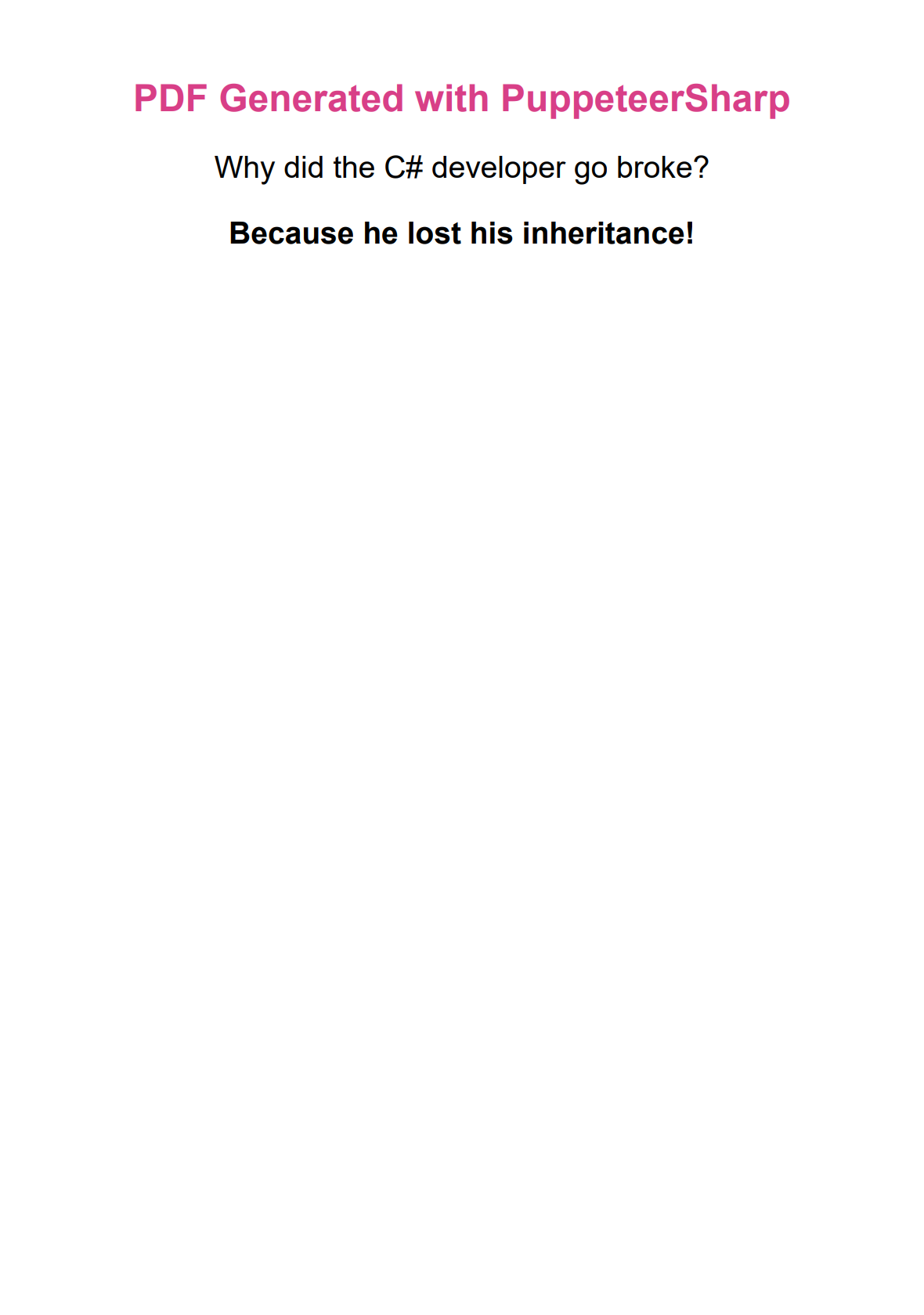
For a step-by-step tutorial on using PuppeteerSharp, check our detailed guide: HTML to PDF Conversion with PuppeteerSharp in C#/.NET.
DinkToPdf

DinkToPdf is a cross-platform wrapper for the popular wkhtmltopdf library, enabling HTML to PDF conversion in .NET applications. It uses the WebKit rendering engine to produce PDFs from HTML content with good CSS compatibility and layout preservation.
➡️ Key Features:
- WebKit-based rendering.
- Basic CSS compatibility.
- Header and footer customization.
- Table of contents generation.
- Easily integrates into .NET applications.
➡️ Key Constraints:
- Native library dependencies create cross-platform challenges.
- Limited JavaScript and modern CSS support.
- Less active maintenance than alternatives.
➡️ Installation:
dotnet add package DinkToPdf
DinkToPdf requires the native wkhtmltopdf libraries for your target platform. These must be included in your project's directory. The libraries aren't included in the NuGet package and need to be downloaded separately from the wkhtmltopdf download page.
➡️ HTML to PDF Conversion Example:
- Code
- PDF Preview
using System.Runtime.InteropServices;
using DinkToPdf;

class Program
{
    // Main entry point of the program
    static void Main()
    {
        try
        {
            ConvertHtmlToPdf();
            Console.WriteLine("PDF has been generated successfully.");
        }
        catch (Exception ex)
        {
            Console.WriteLine($"Error generating PDF: {ex.Message}");
        }
    }

    // Method to convert HTML to PDF using DinkToPdf
    static void ConvertHtmlToPdf()
    {
        // Define path to native library based on the operating system
        // - Windows: libwkhtmltox.dll
        // - Linux: libwkhtmltox.so
        // - macOS: libwkhtmltox.dylib
        string libraryPath;

        if (RuntimeInformation.IsOSPlatform(OSPlatform.Windows))
        {
            libraryPath = Path.Combine(
                AppDomain.CurrentDomain.BaseDirectory,
                "libwkhtmltox",
                "libwkhtmltox.dll");
        }
        else if (RuntimeInformation.IsOSPlatform(OSPlatform.Linux))
        {
            libraryPath = Path.Combine(
                AppDomain.CurrentDomain.BaseDirectory,
                "libwkhtmltox",
                "libwkhtmltox.so");
        }
        else if (RuntimeInformation.IsOSPlatform(OSPlatform.OSX))
        {
            libraryPath = Path.Combine(
                AppDomain.CurrentDomain.BaseDirectory,
                "libwkhtmltox",
                "libwkhtmltox.dylib");
        }
        else
        {
            throw new PlatformNotSupportedException("Current platform is not supported by DinkToPdf.");
        }

        Console.WriteLine($"Using native library: {libraryPath}");

        // Initialize converter with the specified library path
        var context = new CustomAssemblyLoadContext();
        context.LoadUnmanagedLibrary(libraryPath);
        var converter = new SynchronizedConverter(new PdfTools());

        // HTML content to convert
        var htmlContent = @"
        <!DOCTYPE html>
        <html>
        <head>
            <meta charset='utf-8'>
            <title>DinkToPdf Example</title>
            <style>
                body { font-family: Arial, sans-serif; text-align: center; margin: 20px; }
                h1 { color: #8A2BE2; font-size: 40px; }
                p { margin: 25px 0; font-size: 30px; }
            </style>
        </head>
        <body>
            <h1>PDF Generated with DinkToPdf</h1>
            <p>Why don't C# developers need glasses?</p>
            <p><strong>Because they C#!</strong></p>
        </body>
        </html>";

        // Set conversion settings
        var doc = new HtmlToPdfDocument()
        {
            GlobalSettings =
            {
                ColorMode = ColorMode.Color,
                PaperSize = PaperKind.A4,
                Margins = new MarginSettings { Top = 20, Right = 10, Bottom = 10, Left = 20 }
            },
            Objects =
            {
                new ObjectSettings
                {
                    HtmlContent = htmlContent,
                    WebSettings = { DefaultEncoding = "utf-8" }
                }
            }
        };

        // Perform conversion
        byte[] pdfBytes = converter.Convert(doc);

        // Save to file
        File.WriteAllBytes("dinktopdf-document.pdf", pdfBytes);
    }
}

// Custom assembly load context for loading native libraries
public class CustomAssemblyLoadContext : System.Runtime.Loader.AssemblyLoadContext
{
    public IntPtr LoadUnmanagedLibrary(string absolutePath)
    {
        return LoadUnmanagedDll(absolutePath);
    }

    protected override IntPtr LoadUnmanagedDll(string unmanagedDllName)
    {
        return NativeLibrary.Load(unmanagedDllName);
    }
}
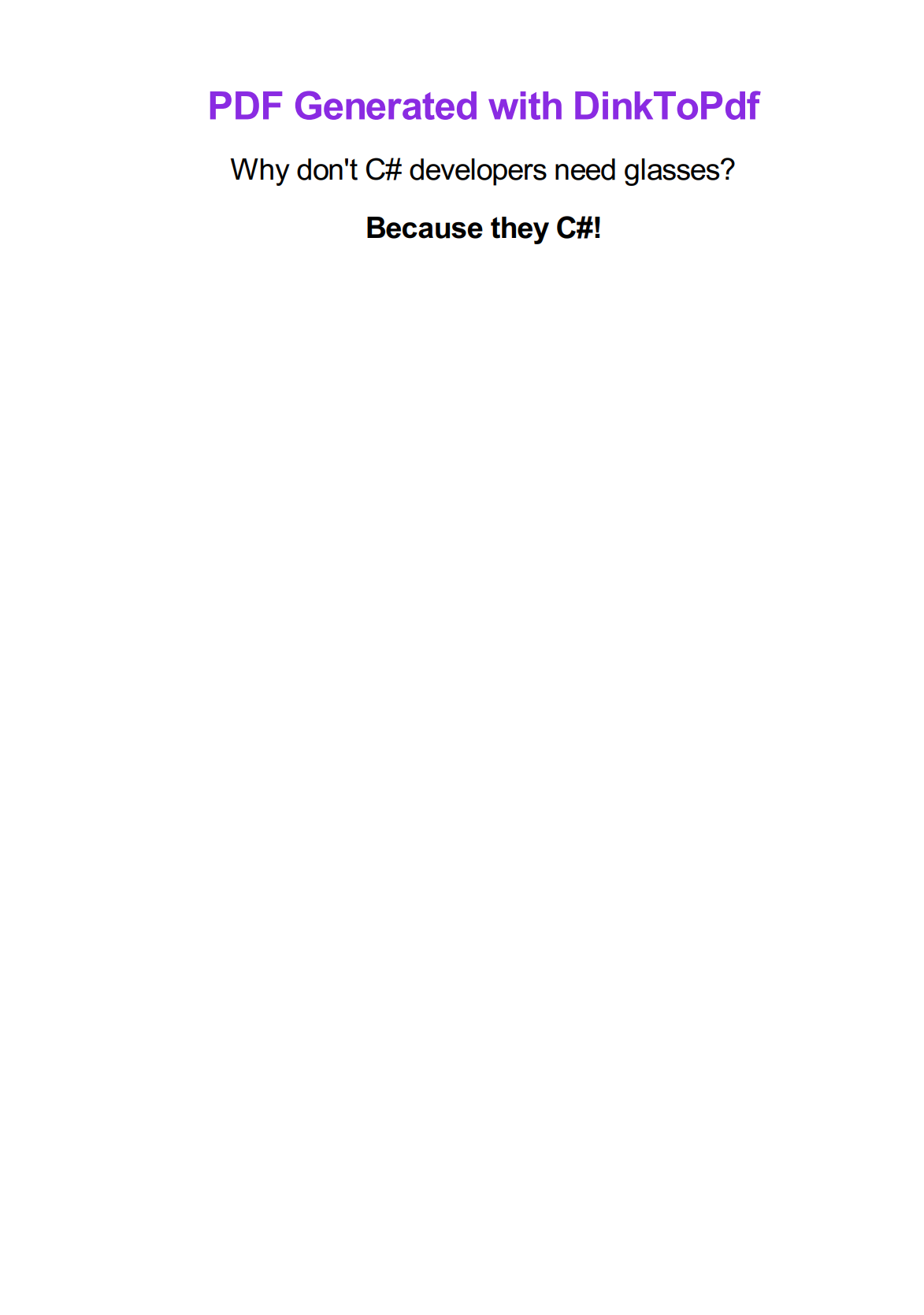
For a detailed guide on DinkToPdf, read our tutorial: How to Convert HTML to PDF in C# and .NET Using DinkToPdf.
QuestPDF

QuestPDF is a modern, open-source library for programmatic PDF generation in C# that offers a fluent API for document creation. It stands out for its elegant design, which makes complex document layouts easier to implement and maintain. With its declarative approach to document definition, QuestPDF simplifies creating reports, invoices, and other document types directly through code.
➡️ Key Features:
- Fluent, code-first API.
- Responsive layout engine.
- Dynamic content arrangement.
- Paging and headers/footers support.
- Complex table layouts.
- Rich text formatting.
- SVG and image support.
➡️ Key Constraints:
- No HTML to PDF conversion.
- Community MIT license free for companies with annual gross revenue under $1M USD. Professional or Enterprise license required for companies exceeding this threshold.
- Requires programmatic definition of all document elements.
➡️ Installation:
dotnet add package QuestPDF
➡️ Document Creation Example:
- Code
- PDF Preview
using QuestPDF.Fluent;
using QuestPDF.Helpers;
using QuestPDF.Infrastructure;

class Program
{
    // Main entry point of the program
    static void Main()
    {
        try
        {
            CreatePdf();
            Console.WriteLine("PDF has been generated successfully.");
        }
        catch (Exception ex)
        {
            Console.WriteLine($"Error generating PDF: {ex.Message}");
        }
    }

    // Method to create PDF using QuestPDF
    static void CreatePdf()
    {
        // Configure QuestPDF
        QuestPDF.Settings.License = LicenseType.Community;

        // Create and save the document
        Document.Create(container =>
            {
                container.Page(page =>
                {
                    // Configure page settings
                    page.Size(PageSizes.A4);
                    page.Margin(40);

                    // Add content
                    page.Content()
                        .PaddingVertical(20)
                        .Column(column =>
                        {
                            // Title
                            column.Item().AlignCenter().Text("PDF Generated with QuestPDF")
                                .FontSize(28)
                                .FontColor(Colors.Yellow.Darken3)
                                .Bold();

                            column.Spacing(30);

                            // Some content
                            column.Item().AlignCenter().Text("What's a C# developer's favorite breakfast?")
                                .FontSize(22);

                            column.Spacing(15);

                            column.Item().AlignCenter().Text("Threads and classes!")
                                .FontSize(22)
                                .Bold();
                        });
                });
            })
            .GeneratePdf("questpdf-document.pdf");
    }
}
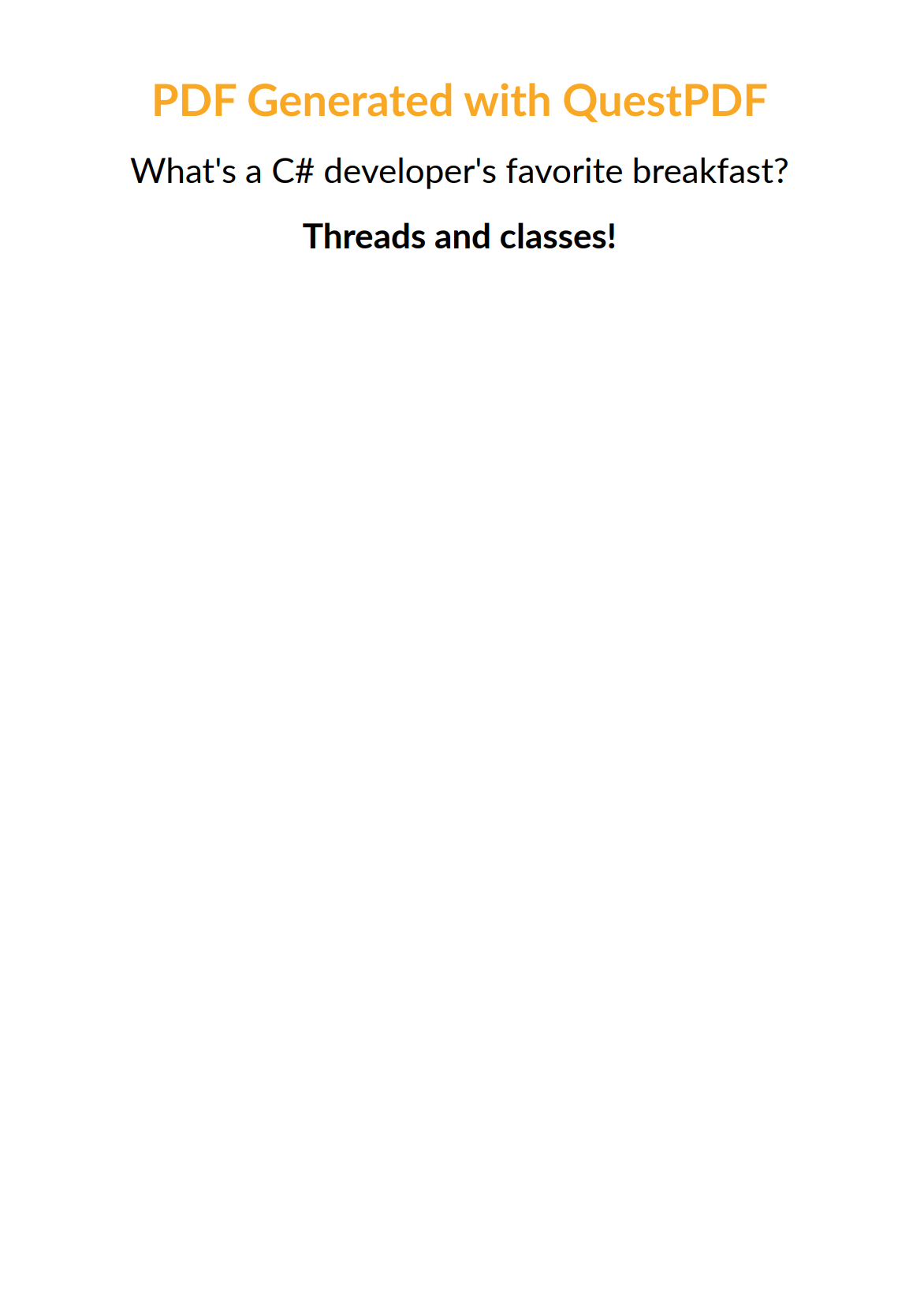
For an in-depth exploration of QuestPDF, read our detailed article: PDF Generation in C#/.NET Using QuestPDF.
Side-by-Side Comparison of the Best C# PDF Generation Libraries
Now that we've explored each library individually, a side-by-side comparison shows how these solutions stack up against each other across critical features and capabilities.
| Feature | PDFsharp | iText7 | Playwright | PuppeteerSharp | DinkToPdf | QuestPDF |
|---|---|---|---|---|---|---|
| HTML to | No | Yes – with add-on | Yes | Yes | Yes | No |
| CSS Support | N/A | Moderate | Excellent | Excellent | Basic | N/A |
| JavaScript Support | N/A | Limited | Excellent | Excellent | Limited | N/A |
| Rendering Engine | Custom | Custom | Chromium | Chromium | WebKit | Custom |
| Performance | High | High | Moderate | Moderate | Moderate | High |
| Memory Usage | Low | Moderate | High | High | Moderate | Low |
| License | MIT | AGPL/ Commercial | Apache 2.0 | MIT | MIT | MIT/ Commercial |
| Dynamic Content | No | Limited | Yes | Yes | Limited | Yes – code-based |
| Headers/ Footers | Manual | Yes | Yes | Yes | Yes | Yes |
| Tables Support | Manual | Yes | Yes (HTML) | Yes (HTML) | Yes (HTML) | Yes – fluent API |
| Active Development | Moderate | High | High | High | Low | High |
Which C# PDF Library Should You Choose? A Practical Selection Guide
With a clear picture of each library's technical specifications, let's match these tools to specific development scenarios you're likely to encounter in real-world projects.
| Use Case | Recommended Libraries | Reasoning |
|---|---|---|
| Static Documents | QuestPDF, PDFsharp | Strong layout control, efficient rendering, code-based approach. |
| Template Engine Compatible Documents | DinkToPdf, Playwright, PuppeteerSharp, iText7 | Excellent integration with HTML template systems for dynamic content generation. |
| Dynamic Web Content | Playwright, PuppeteerSharp | Best rendering of modern CSS/JS, interactive content support. |
| High-Volume PDF Generation | PDFsharp, QuestPDF, iText7 | Better performance, lower resource consumption. |
| Enterprise Requirements | iText7 | Advanced security, digital signatures, PDF/A compliance. |
| Form Processing | iText7 | Superior form creation, filling, and extraction capabilities. |
Key Factors to Consider When Choosing a C# PDF Library
- Rendering requirements: Consider whether you need to handle dynamic web content, JavaScript, or modern CSS.
- Performance needs: Evaluate throughput capabilities for your expected document generation volume.
- Document complexity: Assess whether you need support for structured layouts or complex formatting.
- Cross-platform compatibility: Verify support for your deployment environments.
- Licensing restrictions: Review the license terms and potential commercial implications.
- HTML support: Determine if you need HTML to PDF conversion capabilities.
- Integration options: Consider compatibility with your existing technology stack.
- Maintenance status: Check how actively the library is being developed and supported.
Alternative: Cloud-Based HTML to PDF API Services
For developers seeking alternatives to self-hosted solutions, cloud-based HTML to PDF API services like PDFBolt provide simplified integration without the complexities of managing browser dependencies or native libraries.
These services typically offer:
- Easy REST API implementation with just a few lines of C# code.
- Consistent rendering across platforms.
- Scalable infrastructure for high-volume document generation.
- Advanced features like headers/footers, page formatting, and print-ready PDF/X output.
- No need to install or manage Chromium or WebKit.
➡️ HTML to PDF Conversion Example:
- Code
- PDF Preview
using System;
using System.Net.Http;
using System.IO;
using System.Threading.Tasks;
using System.Text.Json;

public class PDFBoltExample {
    public static async Task Main(string[] args) {
        using var client = new HttpClient();

        // HTML content to convert
        string htmlContent = @"
        <!DOCTYPE html>
        <html>
        <head>
            <title>PDFBolt C# Example</title>
            <style>
                body { font-family: Arial, sans-serif; text-align: center; margin: 60px 40px; }
                h1 { color: #2563eb; }
                p { font-size: 24px; margin: 30px 0; }
            </style>
        </head>
        <body>
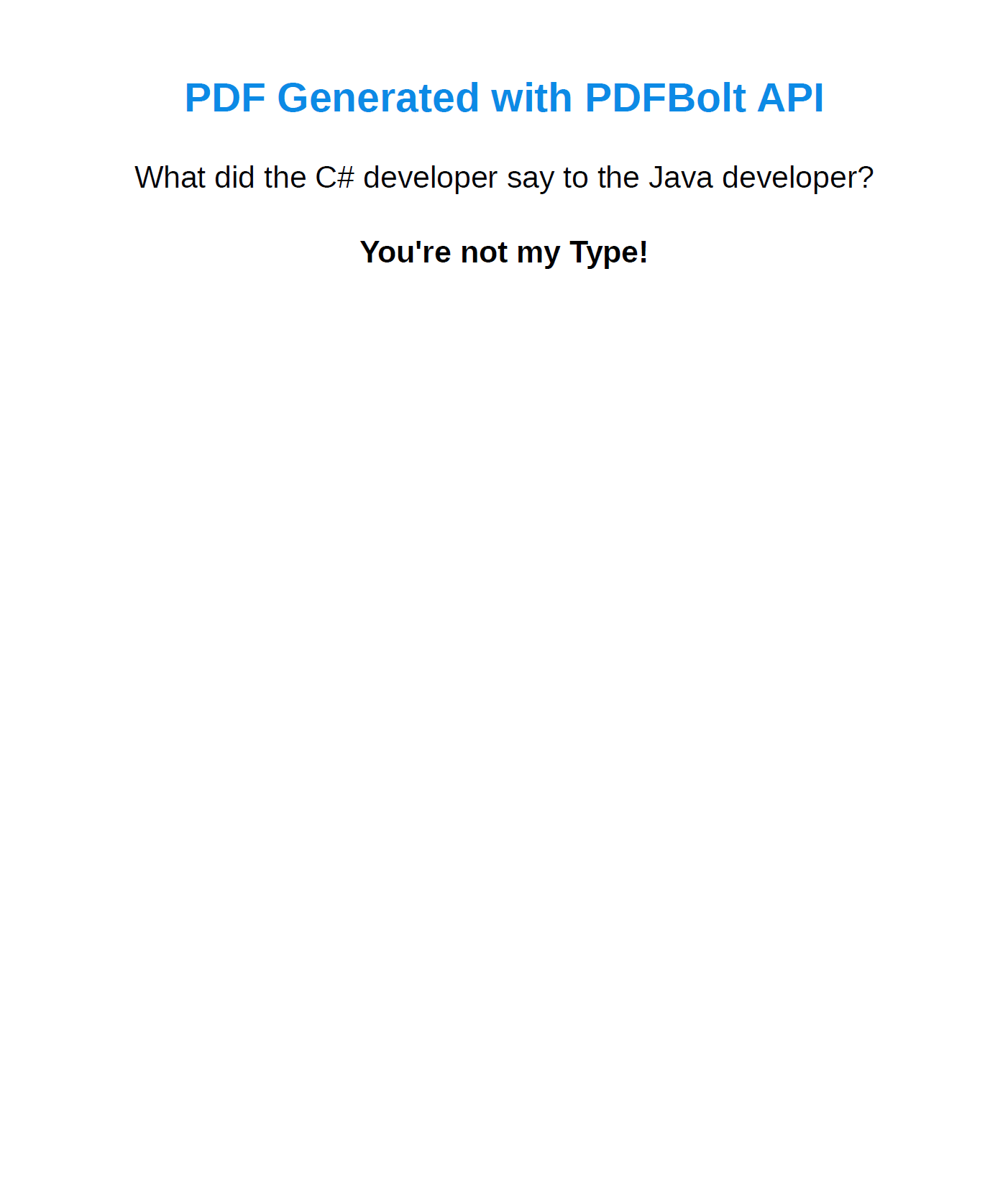
            <h1>PDF Generated with PDFBolt API</h1>
            <p>What did the C# developer say to the Java developer?</p>
            <p><strong>You're not my Type!</strong></p>
        </body>
        </html>";

        // Convert HTML to Base64
        string base64Html = Convert.ToBase64String(
            System.Text.Encoding.UTF8.GetBytes(htmlContent));

        var requestData = new {
            html = base64Html,
            format = "A4",
            printBackground = true
        };

        var request = new HttpRequestMessage {
            Method = HttpMethod.Post,
            RequestUri = new Uri("https://api.pdfbolt.com/v1/direct"),
            Content = new StringContent(
                JsonSerializer.Serialize(requestData),
                System.Text.Encoding.UTF8,
                "application/json"
            )
        };

        request.Headers.Add("API-KEY", "XXXXXXXX-XXXX-XXXX-XXXX-XXXXXXXXXXXX");

        try {
            using var response = await client.SendAsync(request);

            if (!response.IsSuccessStatusCode) {
                var errorContent = await response.Content.ReadAsStringAsync();
                Console.WriteLine($"HTTP {(int)response.StatusCode}");
                Console.WriteLine($"Error Message: {errorContent}");
                return;
            }

            var pdfBytes = await response.Content.ReadAsByteArrayAsync();
            await File.WriteAllBytesAsync("pdfbolt-example.pdf", pdfBytes);
            Console.WriteLine("PDF generated successfully");
        } catch (Exception ex) {
            Console.WriteLine($"Error: {ex.Message}");
        }
    }
}
For a practical walkthrough, see our guide on how to convert HTML to PDF using an API.
- HTML to PDF API – All conversion options including direct HTML, URL, and template-based PDF generation.
- API Documentation – Complete reference with all endpoints and parameters.
- C# Quick Start Guide – Ready-to-use code snippets for C#.
- Template Management Guide – Step-by-step template design tutorial.
Frequently Asked Questions About C# and .NET PDF Generation
How do you create a PDF in C#?
.NET has no built-in PDF type, so you use a library. For documents built in code (invoices, reports, tables), PDFsharp and QuestPDF are common choices. If you already have HTML, render it with a Chrome-based library like Playwright for .NET or PuppeteerSharp, or call a hosted HTML to PDF API. In each case you install the NuGet package, build the document, then save it to a file or stream.
What is the best C# / .NET PDF library?
It depends on the task – see the comparison table above. PDFsharp is mature and MIT-licensed for drawing PDFs from code; QuestPDF offers a modern fluent layout API; iText 7 renders HTML and CSS; and Playwright or PuppeteerSharp drive headless Chrome when you need browser-accurate HTML rendering. Match the library to whether your source is C# code or existing HTML.
How do you generate a PDF from HTML in C#?
For accurate HTML and CSS, use a headless-Chrome library – Playwright for .NET or PuppeteerSharp – or iText 7 with its pdfhtml add-on. DinkToPdf wraps the older wkhtmltopdf engine. To avoid installing browsers and native binaries on your servers, a hosted HTML to PDF API renders the HTML remotely and returns the PDF.
Is there a free C# PDF library?
Yes. PDFsharp is open-source under the MIT license. QuestPDF has a free Community license for individuals, non-profits, open-source projects, and companies under $1M in annual revenue. iText 7 is free under the AGPL for open-source projects but needs a paid license for closed-source apps. Playwright for .NET and PuppeteerSharp are open-source too.
Conclusion
The C# ecosystem has a solid set of PDF generation libraries. For rendering web content, browser-based tools like Playwright and PuppeteerSharp handle modern CSS and JavaScript well. For structured documents built in code, QuestPDF and PDFsharp give you direct control over layout. And for enterprise needs like digital signatures or PDF/A compliance, iText 7 covers those use cases.
Pick the library that fits your rendering needs, performance budget, and licensing constraints – the comparison table and selection guide above should help narrow it down. If you are also evaluating PDF libraries for other languages, check out our comparison articles for Node.js, Java, Python, and PHP.
Time to commit your PDF skills to production. Stay sharp! 🧠