Best Java PDF Libraries to Create & Generate PDFs

Java applications frequently need to produce PDF files – invoices, reports, contracts, shipping labels. The library you pick determines how much code you write, what web standards you can use, and what license restrictions apply. The Java ecosystem has several approaches, from low-level programmatic construction to browser-based HTML to PDF conversion. Below are code examples, feature tables, and recommendations for the most popular Java PDF libraries – from programmatic PDF builders to HTML to PDF converters.
PDFBolt's HTML to PDF API wraps the same Chrome engine behind a REST endpoint – call it with any Java HTTP client like HttpClient or OkHttp in a few lines. No license fees, no JVM-level browser bridges, no binary maintenance. 100 free conversions per month.
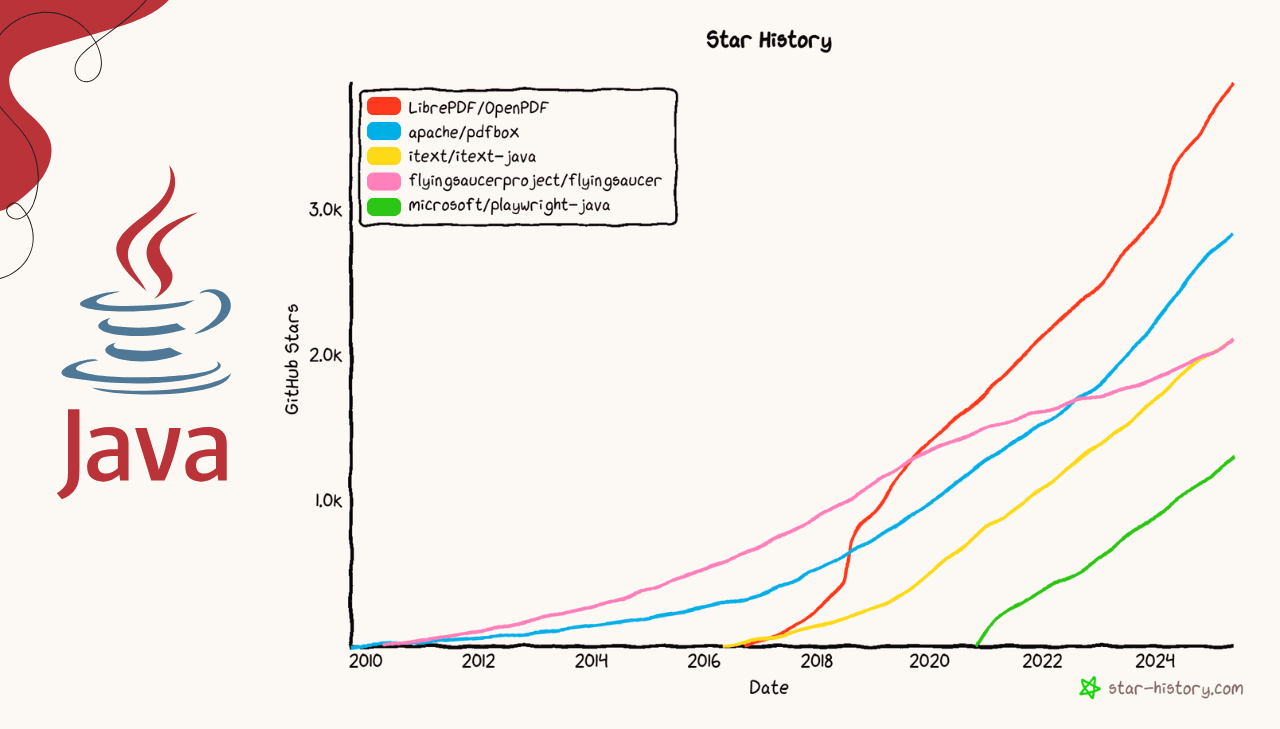
GitHub Statistics for Java PDF Libraries
GitHub metrics help reveal patterns in library adoption and developer interest:
| Library | GitHub Stars | Watchers | Forks |
|---|---|---|---|
| OpenPDF | 3.9k ⭐ | 76 | 642 |
| Apache PDFBox | 2.8k ⭐ | 92 | 898 |
| iText | 2.1k ⭐ | 86 | 460 |
| Flying Saucer | 2.1k ⭐ | 109 | 569 |
| Playwright | 1.3k ⭐ | 35 | 232 |
Key Insights:
- Apache PDFBox leads in forks (898), indicating active contribution.
- OpenPDF shows strong developer interest as a popular open-source iText alternative.
- Playwright demonstrates rapid growth despite being newer to the Java PDF ecosystem.
Search Interest Trends for Java PDF Libraries
Search interest patterns help gauge real-world developer curiosity and adoption trends beyond GitHub metrics. The following Google Trends data shows search volume patterns for Java PDF libraries over the past 12 months:
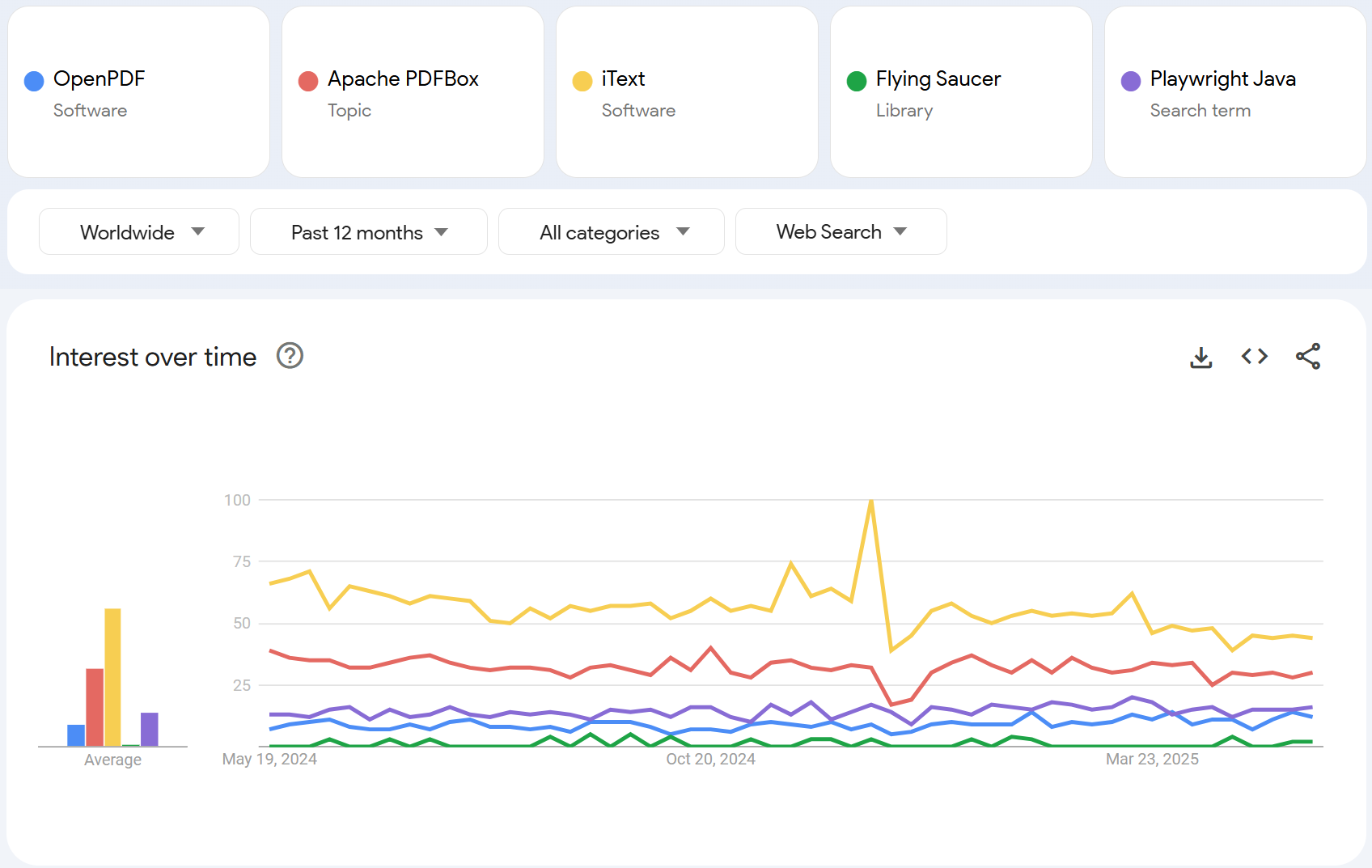
The search data reveals that iText maintains significant mindshare despite licensing changes, while Apache PDFBox shows steady interest. OpenPDF and Flying Saucer maintain lower but consistent search volumes, while Playwright Java shows modest interest as developers explore modern browser-based PDF generation approaches.
Google Trends should be interpreted carefully as search patterns may not reflect actual library usage. Established libraries often generate fewer searches due to existing documentation and developer familiarity.
In-Depth Review of Each Java PDF Generation Library
Below is a detailed look at each library with practical code examples, feature analysis, and implementation guidance to help you decide which one fits your use case.
iText

iText is a full-featured PDF library for Java that provides both programmatic PDF creation and HTML to PDF conversion capabilities. Originally open-source under MPL/LGPL, iText transitioned to a dual-licensing model with AGPL for open-source use and commercial licenses for proprietary applications.
➡️ Key Features:
- Create, modify, and manipulate PDF documents.
- Advanced form creation and manipulation.
- Digital signatures and encryption capabilities.
- HTML to PDF conversion with pdfHTML add-on.
- Professional typography and precise layout control.
- Extensive documentation and enterprise support.
➡️ Key Constraints:
- AGPL license requires source code disclosure for any distributed applications.
- Commercial license required for proprietary software.
- More complex setup compared to lightweight alternatives.
➡️ Maven Dependency:
<dependency>
    <groupId>com.itextpdf</groupId>
    <artifactId>html2pdf</artifactId>
    <version>6.2.0</version>
</dependency>
➡️ HTML to PDF Conversion Example:
- Code
- PDF Preview
package org.example;

import com.itextpdf.html2pdf.ConverterProperties;
import com.itextpdf.html2pdf.HtmlConverter;

import java.io.FileOutputStream;
import java.io.IOException;

public class ITextExample {

    public static void main(String[] args) {
        try {
            generatePdfFromHtml();
            System.out.println("PDF generated successfully with iText!");
        } catch (IOException e) {
            System.err.println("Error generating PDF: " + e.getMessage());
        }
    }

    public static void generatePdfFromHtml() throws IOException {
        // Define HTML content
        String htmlContent = """
            <!DOCTYPE html>
            <html>
            <head>
                <meta charset="UTF-8">
                <title>iText PDF Example</title>
                <style>
                   body { font-family: Arial, sans-serif; text-align: center; margin: 20px; }
                   h1 { color: #d89c34; }
                   p { margin: 25px 0; font-size: 26px; }
                </style>
            </head>
            <body>
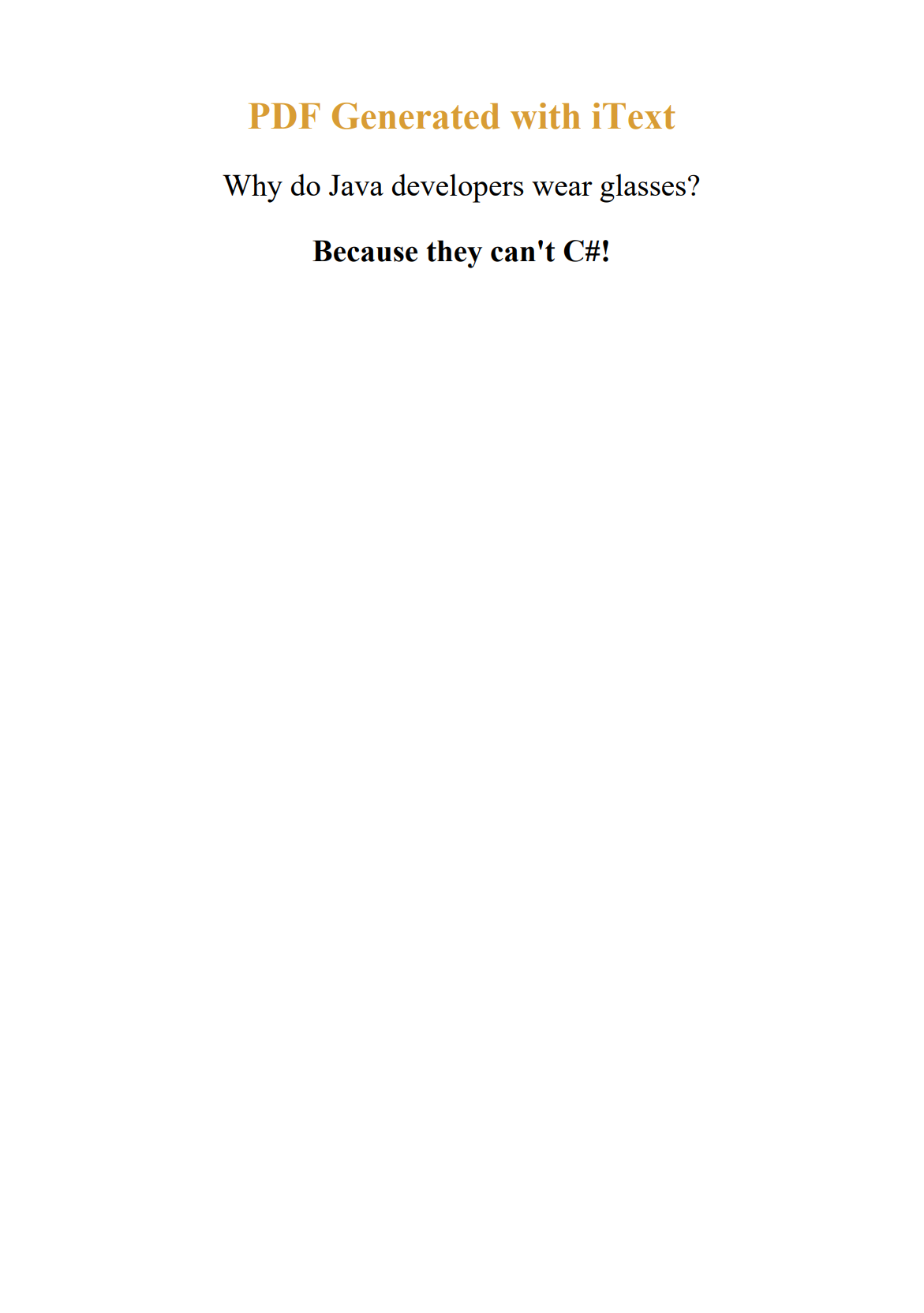
                <h1>PDF Generated with iText</h1>
                <p>Why do Java developers wear glasses?</p>
                <p><strong>Because they can't C#!</strong></p>
            </body>
            </html>
            """;

        // Create output file stream
        try (FileOutputStream outputStream = new FileOutputStream("itext-example.pdf")) {
            // Configure converter properties
            ConverterProperties converterProperties = new ConverterProperties();

            // Convert HTML to PDF
            HtmlConverter.convertToPdf(htmlContent, outputStream, converterProperties);
        }
    }
}
Explore our detailed guide: Creating Professional PDFs with iText and FreeMarker in Java.
Apache PDFBox

Apache PDFBox is a pure Java library for working with PDF documents. It provides low-level access to PDF structure, making it ideal for applications requiring precise control over document creation and manipulation.
➡️ Key Features:
- Programmatic PDF creation and document editing.
- Text extraction and metadata retrieval.
- Digital signatures and document encryption.
- Interactive form generation and processing.
- Document splitting and merging operations.
- HTML parsing integration with libraries like JSoup for content conversion.
➡️ Key Constraints:
- No direct HTML to PDF support.
- Requires manual positioning of all elements.
- Lower-level API demands more code for complex document structures.
- Limited built-in layout helpers.
➡️ Maven Dependency:
<dependency>
    <groupId>org.apache.pdfbox</groupId>
    <artifactId>pdfbox</artifactId>
    <version>3.0.5</version>
</dependency>
➡️ Programmatic PDF Creation Example:
- Code
- PDF Preview
package org.example;

import org.apache.pdfbox.pdmodel.PDDocument;
import org.apache.pdfbox.pdmodel.PDPage;
import org.apache.pdfbox.pdmodel.PDPageContentStream;
import org.apache.pdfbox.pdmodel.font.PDType1Font;
import org.apache.pdfbox.pdmodel.font.Standard14Fonts;

import java.awt.Color;
import java.io.IOException;

public class PDFBoxExample {

    public static void main(String[] args) {
        try {
            createPdfDocument();
            System.out.println("PDF generated successfully with Apache PDFBox!");
        } catch (IOException e) {
            System.err.println("Error generating PDF: " + e.getMessage());
        }
    }

    public static void createPdfDocument() throws IOException {
        // Create a new document
        try (PDDocument document = new PDDocument()) {
            // Create a new page
            PDPage page = new PDPage();
            document.addPage(page);

            // Create content stream for writing
            try (PDPageContentStream contentStream = new PDPageContentStream(document, page)) {

                // Start text block
                contentStream.beginText();
                contentStream.newLineAtOffset(100, 700);

                // Add title
                contentStream.setFont(new PDType1Font(Standard14Fonts.FontName.HELVETICA_BOLD), 24);
                contentStream.setNonStrokingColor(Color.BLUE);
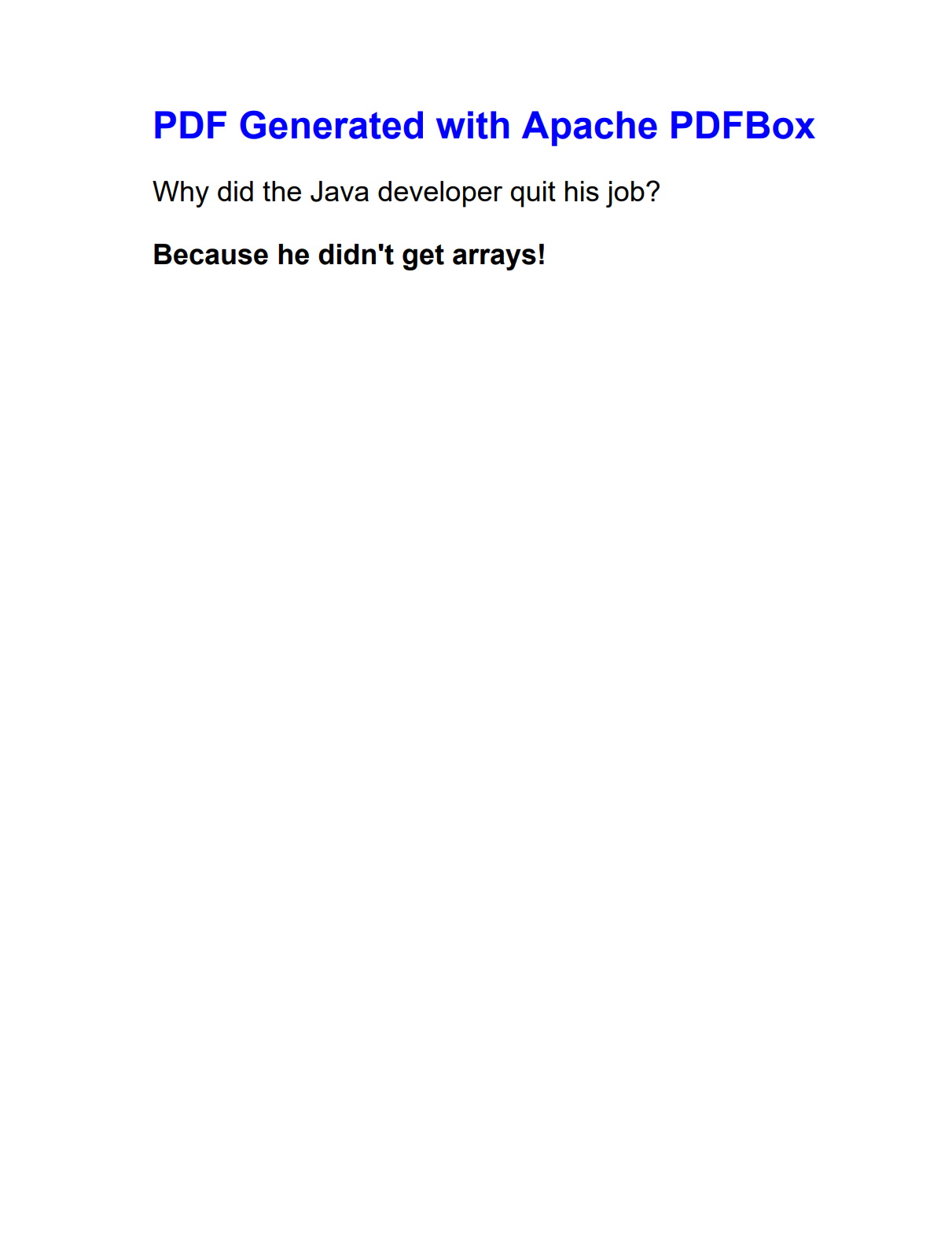
                contentStream.showText("PDF Generated with Apache PDFBox");

                // Add some content
                contentStream.newLineAtOffset(0, -40);
                contentStream.setFont(new PDType1Font(Standard14Fonts.FontName.HELVETICA), 18);
                contentStream.setNonStrokingColor(Color.BLACK);
                contentStream.showText("Why did the Java developer quit his job?");

                contentStream.newLineAtOffset(0, -40);
                contentStream.setFont(new PDType1Font(Standard14Fonts.FontName.HELVETICA_BOLD), 18);
                contentStream.showText("Because he didn't get arrays!");

                // End text block
                contentStream.endText();
            }

            // Save the document
            document.save("pdfbox-example.pdf");
        }
    }
}
Dive deeper with our tutorial: Apache PDFBox Java Tutorial: How to Generate PDFs.
OpenPDF

OpenPDF is a free, open-source Java library forked from iText version 4, created when iText changed to restrictive licensing. It provides the same familiar API as classic iText but with business-friendly LGPL/MPL licensing, allowing commercial use without obligating you to open-source your entire application.
➡️ Key Features:
- Creating and manipulating PDF documents programmatically.
- Text and font support with various styles and extraction capabilities.
- Graphics, images, and table creation.
- Document encryption and security features.
- Page layout control with size and orientation options.
- HTML content parsing integration with libraries like JSoup.
➡️ Key Constraints:
- Based on iText 4 architecture with limited modern PDF standards support.
- No built-in HTML-to-PDF conversion (
HTMLWorkerclass is deprecated). - Requires Java 17+ for current versions (2.0.x).
➡️ Maven Dependency:
<dependency>
    <groupId>com.github.librepdf</groupId>
    <artifactId>openpdf</artifactId>
    <version>2.0.4</version>
</dependency>
➡️ Document Creation Example:
- Code
- PDF Preview
package org.example;

import com.lowagie.text.*;
import com.lowagie.text.Font;
import com.lowagie.text.pdf.PdfWriter;

import java.awt.*;
import java.io.IOException;
import java.nio.file.Files;
import java.nio.file.Paths;

public class OpenPDFExample {

    public static void main(String[] args) {
        try {
            createPdfDocument();
            System.out.println("PDF generated successfully with OpenPDF!");
        } catch (Exception e) {
            System.err.println("Error generating PDF: " + e.getMessage());
        }
    }

    public static void createPdfDocument() throws DocumentException, IOException {
        // Create document with A4 size
        Document document = new Document(PageSize.A4);
        PdfWriter.getInstance(document, Files.newOutputStream(Paths.get("openpdf-example.pdf")));

        document.open();

        // Create title
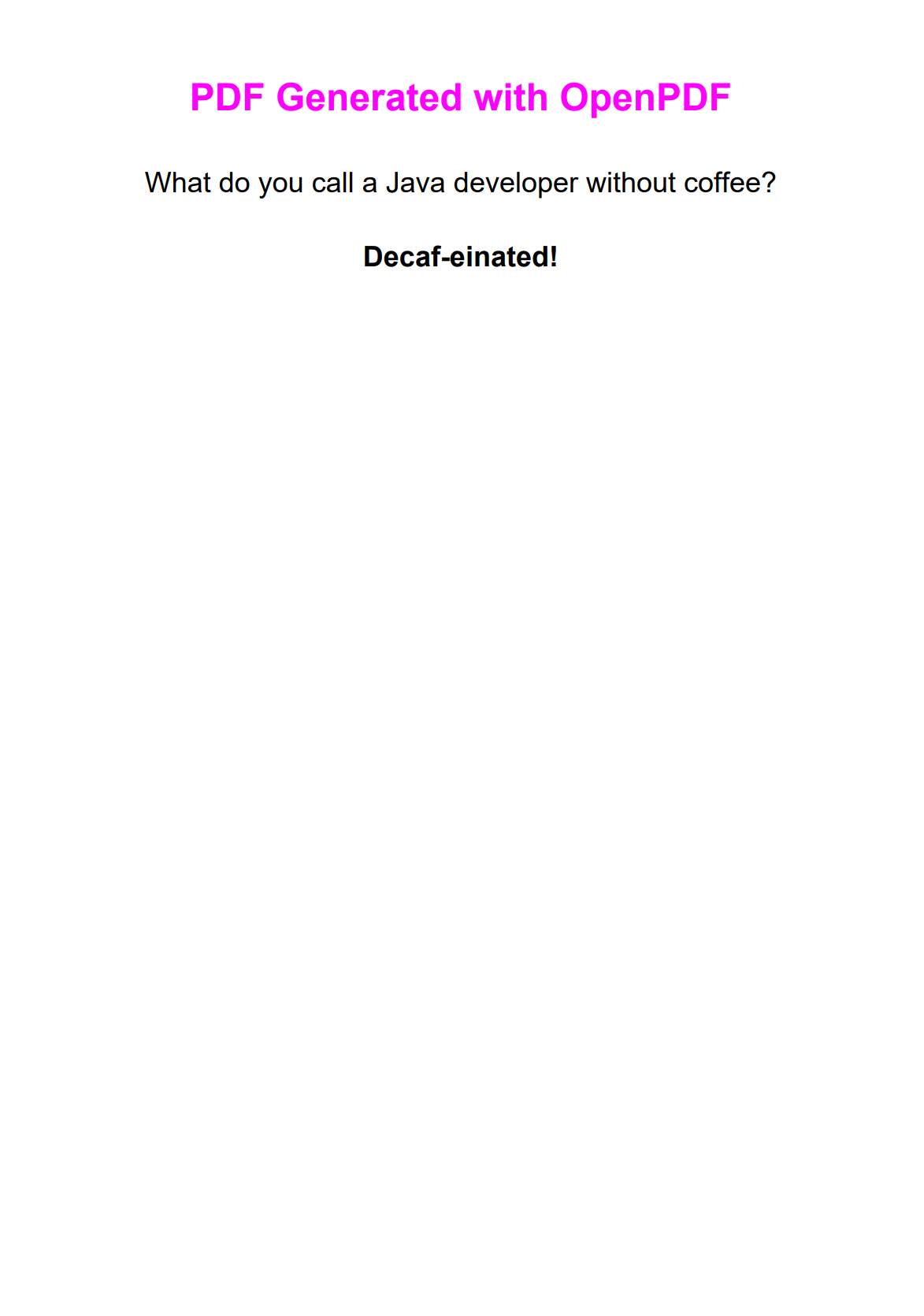
        Font titleFont = new Font(Font.HELVETICA, 24, Font.BOLD, Color.MAGENTA);
        Paragraph title = new Paragraph("PDF Generated with OpenPDF", titleFont);
        title.setAlignment(Element.ALIGN_CENTER);
        title.setSpacingAfter(25);
        document.add(title);

        // Add some content
        Font questionFont = new Font(Font.HELVETICA, 18, Font.NORMAL, Color.BLACK);
        Paragraph question = new Paragraph("What do you call a Java developer without coffee?", questionFont);
        question.setAlignment(Element.ALIGN_CENTER);
        question.setSpacingAfter(20);
        document.add(question);

        Font answerFont = new Font(Font.HELVETICA, 18, Font.BOLD, Color.BLACK);
        Paragraph answer = new Paragraph("Decaf-einated!", answerFont);
        answer.setAlignment(Element.ALIGN_CENTER);
        document.add(answer);

        document.close();
    }
}
Check our detailed guide: OpenPDF in Java: How to Generate PDFs.
Flying Saucer

Flying Saucer (xhtmlrenderer) is a pure Java library for rendering well-formed XML/XHTML with CSS into PDF format. It provides a bridge between web technologies and PDF generation without requiring external browser dependencies.
➡️ Key Features:
- CSS 2.1 support with select CSS 3 features.
- Direct XHTML to PDF conversion without preprocessing.
- Print-specific CSS support including
@pagerules. - Custom font embedding and typography management.
- Lightweight rendering with minimal memory footprint.
➡️ Key Constraints:
- Requires strictly well-formed XHTML input (malformed HTML will fail).
- Limited modern CSS support (no Flexbox, Grid, or advanced selectors).
- No JavaScript execution or dynamic content processing.
➡️ Maven Dependency:
<dependency>
    <groupId>org.xhtmlrenderer</groupId>
    <artifactId>flying-saucer-pdf</artifactId>
    <version>9.12.0</version>
</dependency>
➡️ XHTML to PDF Conversion Example:
- Code
- PDF Preview
package org.example;

import org.xhtmlrenderer.pdf.ITextRenderer;
import com.lowagie.text.DocumentException;

import java.io.FileOutputStream;
import java.io.IOException;

public class FlyingSaucerExample {

    public static void main(String[] args) {
        try {
            convertXhtmlToPdf();
            System.out.println("PDF generated successfully with Flying Saucer!");
        } catch (Exception e) {
            System.err.println("Error generating PDF: " + e.getMessage());
        }
    }

    public static void convertXhtmlToPdf() throws DocumentException, IOException {
        // Well-formed XHTML content
        String xhtmlContent = """
            <?xml version="1.0" encoding="UTF-8"?>
            <!DOCTYPE html PUBLIC "-//W3C//DTD XHTML 1.0 Strict//EN"
                "http://www.w3.org/TR/xhtml1/DTD/xhtml1-strict.dtd">
            <html xmlns="http://www.w3.org/1999/xhtml">
            <head>
                <title>Flying Saucer PDF Example</title>
                <style type="text/css">
                    @page { size: A4; }
                    body { text-align: center; margin: 40px; }
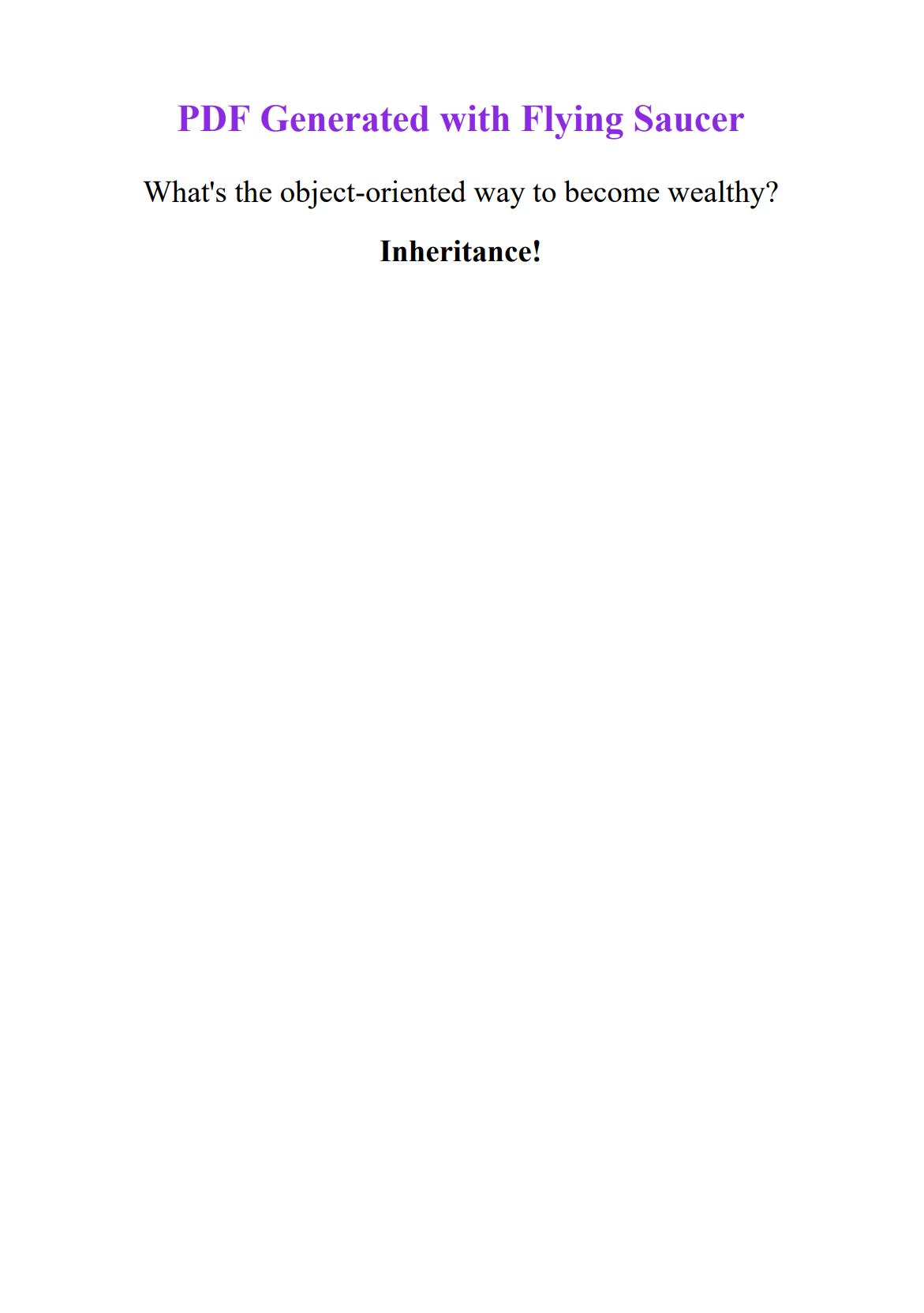
                    h1 { color: #8A2BE2; margin-bottom: 30px; }
                    p { font-size: 26px; margin: 20px 0; }
                </style>
            </head>
            <body>
                <h1>PDF Generated with Flying Saucer</h1>
                <p>What's the object-oriented way to become wealthy?</p>
                <p><strong>Inheritance!</strong></p>
            </body>
            </html>
            """;

        // Generate PDF from XHTML
        try (FileOutputStream outputStream = new FileOutputStream("flying-saucer-example.pdf")) {
            ITextRenderer renderer = new ITextRenderer();
            renderer.setDocumentFromString(xhtmlContent);
            renderer.layout();
            renderer.createPDF(outputStream);
        }
    }
}
Explore our detailed tutorial: How to Generate PDF from HTML in Java Using Flying Saucer.
Playwright for Java

Playwright for Java brings Microsoft's browser automation library to the Java ecosystem. It uses real browser engines to convert HTML to PDF with full CSS3 and JavaScript support, producing results that match what you see in the browser.
➡️ Key Features:
- Complete modern web standards support (HTML5, CSS3).
- Dynamic content rendering with JavaScript execution.
- Accurate CSS rendering including modern layout systems.
- Advanced PDF generation options (custom margins, headers, footers).
- Headless browser operation mode for PDF generation.
➡️ Key Constraints:
- Requires browser binary installation and management.
- Higher resource consumption compared to lightweight PDF libraries.
- PDF generation exclusively supported in Chromium browser engine.
➡️ Maven Dependency:
<dependency>
    <groupId>com.microsoft.playwright</groupId>
    <artifactId>playwright</artifactId>
    <version>1.52.0</version>
</dependency>
Install browser binaries:
mvn exec:java -e -D exec.mainClass=com.microsoft.playwright.CLI -D exec.args="install chromium"
➡️ HTML to PDF Conversion Example:
- Code
- PDF Preview
package org.example;

import com.microsoft.playwright.*;

import java.nio.file.Paths;

public class PlaywrightExample {

    public static void main(String[] args) {
        try {
            generatePdf();
            System.out.println("PDF generated successfully with Playwright!");
        } catch (Exception e) {
            System.err.println("Error generating PDF: " + e.getMessage());
        }
    }

    public static void generatePdf() {
        try (Playwright playwright = Playwright.create()) {
            Browser browser = playwright.chromium().launch(new BrowserType.LaunchOptions().setHeadless(true));
            Page page = browser.newPage();

            // Simple HTML content
            String htmlContent = """
                <!DOCTYPE html>
                <html>
                <head>
                    <title>Playwright PDF Example</title>
                    <style>
                        body { font-family: Arial, sans-serif; text-align: center; margin: 60px 40px; }
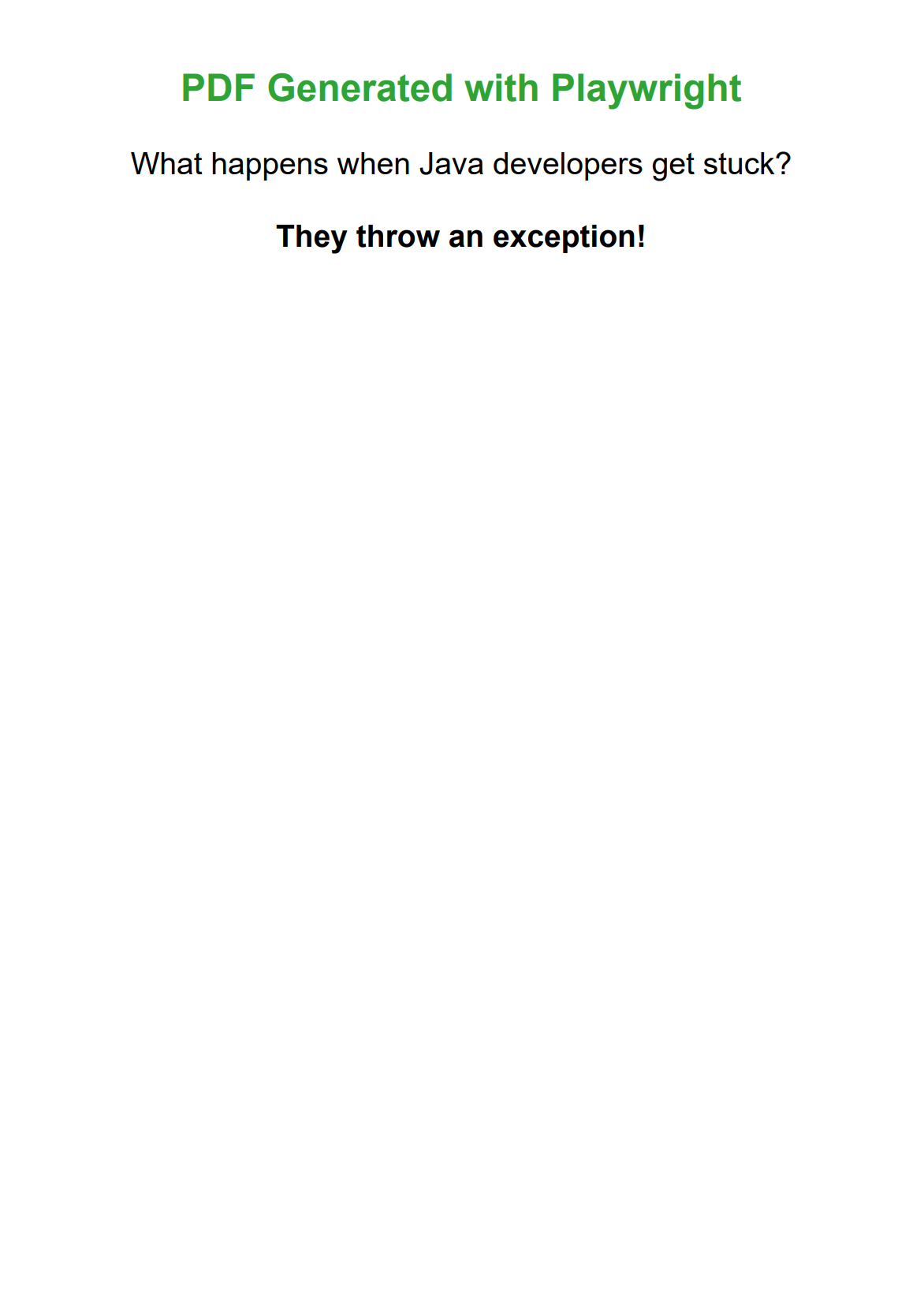
                        h1 { color: #30a336; }
                        p { font-size: 26px; margin: 30px 0; }
                    </style>
                </head>
                <body>
                    <h1>PDF Generated with Playwright</h1>
                    <p>What happens when Java developers get stuck?</p>
                    <p><strong>They throw an exception!</strong></p>
                </body>
                </html>
                """;

            // Generate PDF
            page.setContent(htmlContent);
            page.pdf(new Page.PdfOptions().setPath(Paths.get("playwright-example.pdf")).setFormat("A4"));

            browser.close();
        }
    }
}
Master Playwright with our guide: Convert HTML to PDF in Java Using Playwright and Thymeleaf.
Side-by-Side Comparison of Java PDF Generation Libraries
Here's how the five libraries compare across the features that matter most when picking a Java PDF library.
| Feature | iText | Apache PDFBox | OpenPDF | Flying Saucer | Playwright |
|---|---|---|---|---|---|
| HTML to PDF | Yes with add-on | No | No | Yes | Yes |
| CSS Support | Good | N/A | N/A | CSS 2.1 + select CSS 3 | Excellent |
| JavaScript | No | No | No | No | Full Support |
| License | AGPL/Commercial | Apache 2.0 | LGPL/MPL | LGPL | Apache 2.0 |
| Cost | Free/Paid Options | Free | Free | Free | Free |
| Performance | High | High | High | Moderate | Moderate |
| Memory Usage | Moderate | Low | Low | Low | High |
| Font Support | Excellent | Good | Good | Good | Excellent |
| Form Support | Excellent | Good | Good | Limited | Limited |
| Digital Signatures | Yes | Yes | Yes | No | No |
| Browser Dependencies | No | No | No | No | Yes |
| Community Support | High | High | High | Moderate | High |
How to Choose the Best Java PDF Generation Library for Your Project
Selecting the right Java PDF library depends on your specific project requirements, technical constraints, and business needs. Use this practical guide to match common development scenarios with the most suitable library solutions.
| Use Case | Recommended Libraries | Reasoning |
|---|---|---|
| Open Source Projects | • Apache PDFBox • OpenPDF • Flying Saucer | Permissive licensing, no commercial restrictions. |
| HTML Template Conversion | • Flying Saucer • Playwright | Direct HTML/CSS support, familiar web technologies. |
| Dynamic Web Content | • Playwright | Full JavaScript support, modern CSS features. |
| High-Volume Generation | • Apache PDFBox • OpenPDF | Efficient performance, lower memory footprint. |
| Complex Layouts | • iText • Playwright | Advanced layout engines, full formatting control. |
| Simple Document Creation | • OpenPDF | Simple API, easy setup. |
Key Factors to Consider When Selecting a Java PDF Library
✅ Licensing requirements and commercial usage restrictions.
✅ HTML/CSS conversion needs vs programmatic document creation.
✅ Performance and memory constraints for expected document volume.
✅ Advanced features required (digital signatures, forms, encryption).
✅ Team expertise with web technologies vs Java PDF APIs.
✅ Browser dependencies and deployment complexity.
✅ Integration approach with existing application architecture.
Cloud-Based Alternative: HTML to PDF API for Java
If managing browser binaries and library updates isn't worth the overhead, a cloud-based HTML to PDF API can handle Java PDF generation without the infrastructure work.
Services like PDFBolt HTML to PDF API provide:
- Zero Infrastructure Management: No browser binaries, memory optimization, or scaling concerns.
- Modern Web Standards: Full HTML/CSS/JS and web font support without library limitations.
- Consistent Output: Guaranteed rendering consistency across environments and versions.
- Scalable Architecture: Automatic scaling to handle traffic spikes without provisioning.
- Maintenance-Free: No library updates, security patches, or compatibility management.
➡️ HTML to PDF Conversion Example:
No external dependencies needed – Java's built-in HttpClient handles the API call.
- Code
- PDF Preview
package org.example;

import java.net.http.HttpClient;
import java.net.http.HttpRequest;
import java.net.http.HttpResponse;
import java.net.URI;
import java.nio.file.Files;
import java.nio.file.Paths;
import java.util.Base64;

public class PDFBoltExample {

    public static void main(String[] args) {
        try {
            generatePdf();
            System.out.println("PDF generated successfully with PDFBolt!");
        } catch (Exception e) {
            System.err.println("Error generating PDF: " + e.getMessage());
        }
    }

    public static void generatePdf() throws Exception {
        // HTML content
        String htmlContent = """
                <!DOCTYPE html>
                <html>
                <head>
                    <title>PDFBolt Java Example</title>
                    <style>
                        body { font-family: Arial, sans-serif; text-align: center; margin: 60px 40px; }
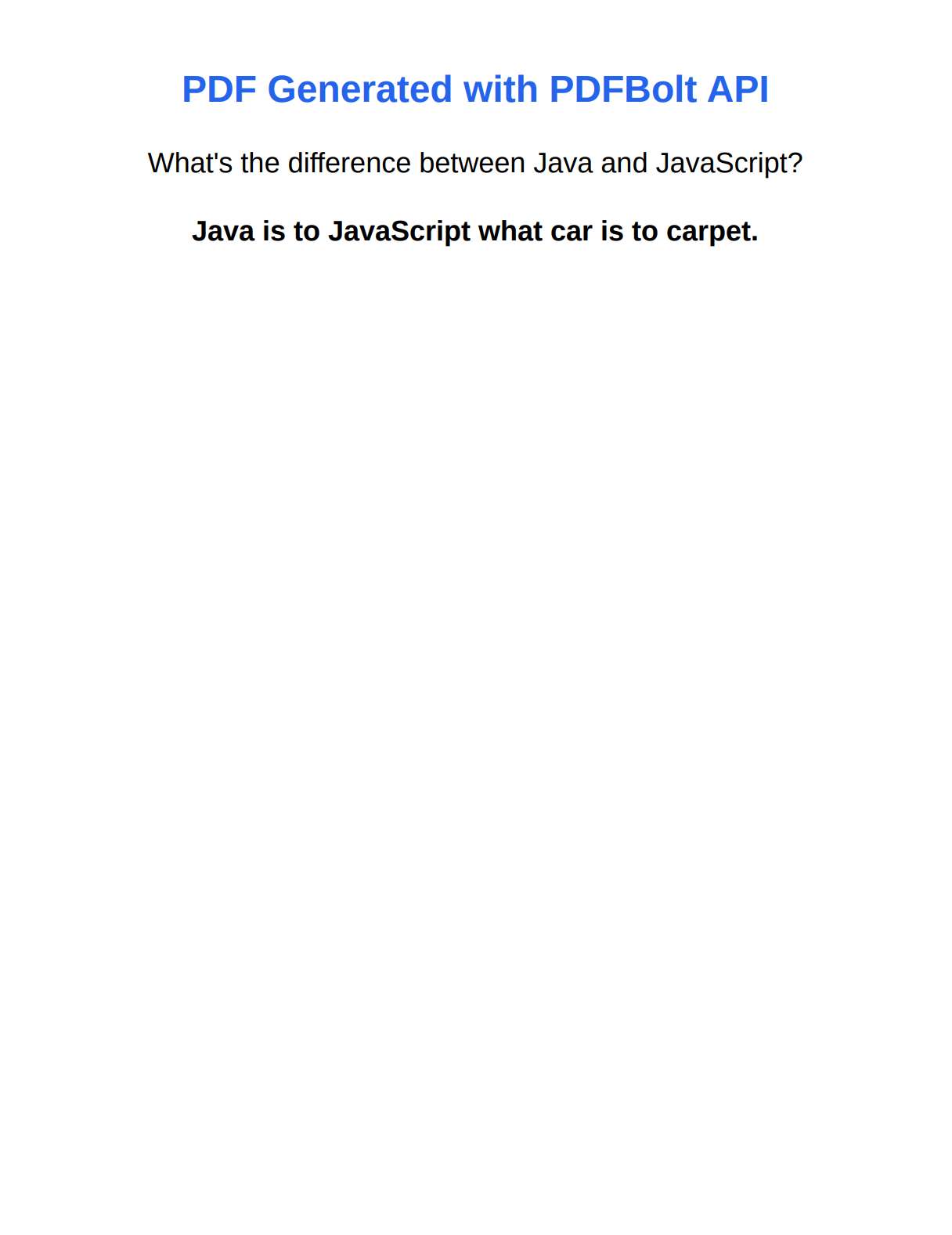
                        h1 { color: #2563eb; }
                        p { font-size: 24px; margin: 30px 0; }
                    </style>
                </head>
                <body>
                    <h1>PDF Generated with PDFBolt API</h1>
                    <p>What's the difference between Java and JavaScript?</p>
                    <p><strong>Java is to JavaScript what car is to carpet.</strong></p>
                </body>
                </html>
                """;

        // Convert HTML to Base64
        String base64Html = Base64.getEncoder().encodeToString(htmlContent.getBytes());

        // Create JSON request body
        String jsonBody = """
                {
                    "html": "%s"
                }
                """.formatted(base64Html);

        // Send POST request to PDFBolt API
        var client = HttpClient.newHttpClient();
        var request = HttpRequest.newBuilder()
                .uri(URI.create("https://api.pdfbolt.com/v1/direct"))
                .header("Content-Type", "application/json")
                .header("API-KEY", "XXXXXXXX-XXXX-XXXX-XXXX-XXXXXXXXXXXX")
                .POST(HttpRequest.BodyPublishers.ofString(jsonBody))
                .build();

        var response = client.send(request, HttpResponse.BodyHandlers.ofByteArray());

        if (response.statusCode() == 200) {
            Files.write(Paths.get("pdfbolt-example.pdf"), response.body());
        } else {
            System.err.println("HTTP " + response.statusCode());
            System.err.println("Error: " + new String(response.body()));
        }
    }
}
Explore advanced features in the documentation: PDFBolt API Documentation.
Conclusion
The right Java PDF library comes down to what you're building and how you want to build it.
Apache PDFBox and OpenPDF give you programmatic control with permissive licenses (Apache 2.0 and LGPL/MPL respectively) – good picks when you need to construct documents element by element without licensing headaches. iText has the most features but ships under AGPL, which forces source code disclosure unless you buy a commercial license.
For HTML to PDF conversion in Java, Flying Saucer handles XHTML/CSS 2.1 without external dependencies, while Playwright renders modern HTML5/CSS3 through a real browser engine. If you'd rather skip the infrastructure entirely, a cloud-based HTML to PDF API like PDFBolt handles the rendering for you.
Remember, good code is like a good joke – if you need to explain it, it’s probably not that good. 🎯