Apache PDFBox Java: HTML to PDF Tutorial with Examples


Most Java HTML to PDF libraries rely on browser engines to render content. But if you need full control over layout, fonts, positioning, and structure – especially for invoices, reports, or certificates – Apache PDFBox offers a code-driven alternative. Rather than converting web pages, PDFBox lets you programmatically construct PDF documents from scratch using Java. This guide covers PDFBox's low-level API for creating formatted PDFs – you skip browser dependencies entirely and control exactly how your documents are styled, structured, and generated.
What is Apache PDFBox?
Apache PDFBox is a Java library developed by the Apache Software Foundation for working directly with PDF documents. Rather than rendering HTML or relying on a browser engine, PDFBox implements the PDF specification in pure Java, allowing you to:
- Create new PDF documents programmatically from scratch.
- Modify existing documents (add text, images, annotations).
- Extract content (text, images, metadata).
- Sign and encrypt PDFs.
- Split PDFs into separate files or merge multiple documents.
Apache PDFBox is distributed under the Apache License 2.0, so you can use it in both commercial and open-source projects without licensing fees.
Why Use Apache PDFBox for Programmatic PDF Generation?
PDFBox doesn't support direct HTML to PDF conversion, but it works well when you need:
- Precise layout control – exact positioning of text, images and graphics.
- Efficient performance – low memory footprint and rapid output.
- Advanced document features – multi-page reports with headers, footers and numbering.
- Custom logic – data-driven or conditional content generation.
- Enterprise integration – Java EE/Spring support, no external engines.
- Built-in security – encryption, password protection and digital signatures.
Understanding PDF Generation with PDFBox
PDFBox doesn't convert HTML directly to PDF like browser-based solutions. It's a PDF creation library that lets you build PDF documents programmatically using Java code.
Approach 1: Create PDFs from scratch:
- Write Java code to directly add text, images, and formatting.
- No HTML input needed – pure programmatic control.
- Shown in:
SimplePDFCreator.javaexample.
Approach 2: Parse HTML content, then create PDFs:
- Parse HTML using JSoup to understand document structure.
- Extract content (text, headings, tables) and basic styling information.
- Translate HTML elements into PDF drawing commands using PDFBox APIs.
- Control layout and positioning manually in your Java code.
- Shown in:
HTMLtoPDFExample.javaexample.
PDFBox itself has no knowledge of HTML or CSS. You must write Java code to interpret HTML elements and translate them into PDF drawing commands. This approach gives you complete control over the final output but requires significantly more development effort than libraries that directly convert HTML to PDF.
Project Setup
Step 1: Development Environment Setup
Configure your development environment for PDF generation with PDFBox.
| Requirement | Recommendation & Resources |
|---|---|
| JDK | JDK 8 or higher. Download from Eclipse Adoptium or Oracle JDK. |
| Build System | Maven or Gradle for dependency management. Install Maven or Gradle. |
| IDE | Modern IDE with Java support like IntelliJ IDEA or Eclipse. |
Step 2: Maven Dependencies Configuration
Create a new Maven project and add the required dependencies.
Add the following dependencies to your pom.xml:
<!-- Apache PDFBox for PDF creation -->
<dependency>
    <groupId>org.apache.pdfbox</groupId>
    <artifactId>pdfbox</artifactId>
    <version>3.0.5</version>
</dependency>

<!-- JSoup for HTML parsing -->
<dependency>
    <groupId>org.jsoup</groupId>
    <artifactId>jsoup</artifactId>
    <version>1.20.1</version>
</dependency>
Dependency Explanations:
- pdfbox: Core PDFBox library for PDF document creation and manipulation.
- jsoup: HTML parser for extracting content and structure from HTML strings.
Simple PDF Creation Example
This example creates a basic PDF with two lines of text. Run it to understand PDFBox fundamentals before moving to HTML conversion.
SimplePDFCreator.java:
package com.example;

import org.apache.pdfbox.pdmodel.PDDocument;
import org.apache.pdfbox.pdmodel.PDPage;
import org.apache.pdfbox.pdmodel.PDPageContentStream;
import org.apache.pdfbox.pdmodel.font.PDType1Font;
import org.apache.pdfbox.pdmodel.font.Standard14Fonts;

import java.io.IOException;

public class SimplePDFCreator {

    public static void main(String[] args) {
        try {
            createSimplePDF();
            System.out.println("PDF created successfully!");
        } catch (IOException e) {
            System.err.println("Error creating PDF: " + e.getMessage());
        }
    }

    public static void createSimplePDF() throws IOException {
        // Create a new document
        try (PDDocument document = new PDDocument()) {

            // Create a new page
            PDPage page = new PDPage();
            document.addPage(page);

            // Create content stream for writing
            try (PDPageContentStream contentStream = new PDPageContentStream(document, page)) {

                // Set font and size
                contentStream.setFont(new PDType1Font(Standard14Fonts.FontName.HELVETICA), 18);

                // Begin text block
                contentStream.beginText();

                // Set position (x=50, y=700 from bottom-left)
                contentStream.newLineAtOffset(50, 700);

                // Write text
                contentStream.showText("Hello! Nice to see you here.");

                // Move to next line
                contentStream.newLineAtOffset(0, -30);
                contentStream.showText("This document was created using Apache PDFBox.");

                // End text block
                contentStream.endText();
            }

            // Save the document
            document.save("simple-example.pdf");
        }
    }
}
Basic HTML Parsing Example
Create this class in src/main/java/com/example/HTMLtoPDFExample.java.
HTMLtoPDFExample.java
package com.example;

import org.apache.pdfbox.pdmodel.PDDocument;
import org.apache.pdfbox.pdmodel.PDPage;
import org.apache.pdfbox.pdmodel.PDPageContentStream;
import org.apache.pdfbox.pdmodel.font.PDType1Font;
import org.apache.pdfbox.pdmodel.font.Standard14Fonts;
import org.jsoup.Jsoup;
import org.jsoup.nodes.Document;
import org.jsoup.nodes.Element;
import org.jsoup.select.Elements;

import java.awt.Color;
import java.io.IOException;

public class HTMLtoPDFExample {

    public static void main(String[] args) {
        // Sample HTML content with invoice data
        String htmlContent = """
            <!DOCTYPE html>
            <html>
            <head>
                <title>Sample Invoice</title>
            </head>
            <body>
                <h1>Invoice</h1>
                <h2>Invoice Number: #404</h2>
                <h2>To: Very Important Client</h2>
                <h3>Warning: Excessive services included</h3>
                <p>Date: <span class="date">2025-05-23</span></p>
                <table>
                    <tr>
                        <th>Item</th>
                        <th>Price</th>
                    </tr>
                    <tr>
                        <td>Web Development</td>
                        <td>$1,200.00</td>
                    </tr>
                    <tr>
                        <td>SEO Optimization</td>
                        <td>$800.00</td>
                    </tr>
                    <tr>
                        <td>Mobile App Design</td>
                        <td>$1,500.00</td>
                    </tr>
                    <tr>
                        <td>Database Setup</td>
                        <td>$600.00</td>
                    </tr>
                </table>
            </body>
            </html>
            """;

        try {
            // Convert HTML content to PDF and save to file
            convertHTMLtoPDF(htmlContent, "parsed-invoice.pdf");
            System.out.println("HTML successfully converted to PDF: parsed-invoice.pdf");
        } catch (IOException e) {
            System.err.println("Error converting HTML to PDF: " + e.getMessage());
        }
    }

    public static void convertHTMLtoPDF(String htmlContent, String outputPath) throws IOException {
        // Parse HTML string into a structured Document object using JSoup
        Document doc = Jsoup.parse(htmlContent);

        // Create new PDF document using try-with-resources
        try (PDDocument pdfDocument = new PDDocument()) {
            // Create a new page and add it to the document
            PDPage page = new PDPage();
            pdfDocument.addPage(page);

            // Create content stream for drawing on the page
            try (PDPageContentStream contentStream = new PDPageContentStream(pdfDocument, page)) {
                float yPosition = 730f; // Start from top of page (PDF coordinates start from bottom-left)
                float margin = 50f; // Left margin for all content

                // Process and render different HTML elements in order
                yPosition = addHeaders(contentStream, doc, yPosition, margin);
                yPosition = addParagraphs(contentStream, doc, yPosition, margin);
                yPosition = addTables(contentStream, doc, yPosition, margin);
            }

            // Save the completed PDF document to specified path
            pdfDocument.save(outputPath);
        }
    }

    private static float addHeaders(PDPageContentStream contentStream, Document doc,
                                    float yPosition, float margin) throws IOException {
        // Select all header elements
        Elements headers = doc.select("h1, h2, h3");

        // Process each header element individually
        for (Element header : headers) {
            // Set different font sizes
            float fontSize = switch (header.tagName()) {
                case "h1" -> 24f;
                case "h2" -> 16f;
                case "h3" -> 14f;
                default -> 12f;
            };

            // Set text colors
            Color headerColor = switch (header.tagName()) {
                case "h1" -> Color.BLACK;
                case "h2" -> Color.DARK_GRAY;
                case "h3" -> Color.GRAY;
                default -> Color.BLACK;
            };

            // Apply bold font, size, and color settings
            contentStream.setFont(new PDType1Font(Standard14Fonts.FontName.HELVETICA_BOLD), fontSize);
            contentStream.setNonStrokingColor(headerColor);

            // Begin text rendering block
            contentStream.beginText();
            contentStream.newLineAtOffset(margin, yPosition); // Position text at margin
            contentStream.showText(header.text()); // Render the header text
            contentStream.endText();

            // Move position down based on font size plus spacing
            yPosition -= (fontSize + 15f);
        }

        return yPosition - 10f; // Add extra space after all headers
    }

    private static float addParagraphs(PDPageContentStream contentStream, Document doc,
                                       float yPosition, float margin) throws IOException {
        // Select all paragraph elements from the HTML
        Elements paragraphs = doc.select("p");

        // Set standard font for paragraph text
        contentStream.setFont(new PDType1Font(Standard14Fonts.FontName.HELVETICA), 12f);
        contentStream.setNonStrokingColor(Color.BLACK);

        // Render each paragraph
        for (Element paragraph : paragraphs) {
            contentStream.beginText();
            contentStream.newLineAtOffset(margin, yPosition);
            contentStream.showText(paragraph.text()); // Extract and render text content
            contentStream.endText();

            // Move down for next paragraph
            yPosition -= 20f;
        }

        // Add spacing after paragraphs
        return yPosition - 10f;
    }

    private static float addTables(PDPageContentStream contentStream, Document doc,
                                   float yPosition, float margin) throws IOException {
        // Find all table elements in the HTML document
        Elements tables = doc.select("table");

        // Process each table separately
        for (Element table : tables) {
            yPosition = renderTable(contentStream, table, yPosition, margin);
        }

        return yPosition;
    }

    private static float renderTable(PDPageContentStream contentStream, Element table,
                                     float yPosition, float margin) throws IOException {
        // Get all table rows (both header and data rows)
        Elements rows = table.select("tr");
        if (rows.isEmpty()) return yPosition;

        // Calculate column layout
        int columnCount = rows.get(0).select("td, th").size();
        float columnWidth = 200f; // Fixed width per column
        float tableWidth = columnWidth * columnCount; // Total table width

        // Set standard font for table content
        contentStream.setFont(new PDType1Font(Standard14Fonts.FontName.HELVETICA), 11f);

        // Process each table row
        for (Element row : rows) {
            Elements cells = row.select("td, th"); // Get all cells in current row
            float currentX = margin; // Start at left margin
            boolean isHeader = !cells.select("th").isEmpty();

            // Draw background for header rows
            if (isHeader) {
                contentStream.setNonStrokingColor(Color.LIGHT_GRAY);
                contentStream.addRect(margin, yPosition - 15, tableWidth, 20); // Create rectangle
                contentStream.fill();
            }

            // Reset text color for cell content
            contentStream.setNonStrokingColor(Color.BLACK);

            // Process each cell in the current row
            for (Element cell : cells) {
                // Use bold font for header cells and regular for data cells
                if (isHeader) {
                    contentStream.setFont(new PDType1Font(Standard14Fonts.FontName.HELVETICA_BOLD), 11f);
                } else {
                    contentStream.setFont(new PDType1Font(Standard14Fonts.FontName.HELVETICA), 11f);
                }

                // Render cell text content
                contentStream.beginText();
                contentStream.newLineAtOffset(currentX + 5, yPosition - 10);
                contentStream.showText(cell.text()); // Extract and display cell text
                contentStream.endText();

                // Draw gray border around cell
                contentStream.setStrokingColor(Color.GRAY);
                contentStream.setLineWidth(0.5f);
                contentStream.addRect(currentX, yPosition - 15, columnWidth, 20);
                contentStream.stroke();

                // Move to next column position
                currentX += columnWidth;
            }

            // Move down for next row
            yPosition -= 25f;
        }

        return yPosition;
    }
}
This example demonstrates the core concept of converting HTML to PDF using Apache PDFBox and JSoup.
How It Works:
- Parse HTML – JSoup reads HTML and creates a structured document tree.
- Create PDF – PDFBox creates a blank PDF page with coordinate system.
- Render Elements – Convert each HTML element (headers, paragraphs, tables) to PDF content.
- Position Content – Track vertical position as content flows down the page.
Key Concept:
- HTML provides structure and content.
- Java code controls exact positioning, fonts, colors, and layout.
- Each element type gets custom rendering logic.
Advanced PDFBox Features
Document Security and Encryption
Add password protection and access restrictions to control who can view, edit, or print a document.
Click to see complete security example
package com.example;

import org.apache.pdfbox.pdmodel.PDDocument;
import org.apache.pdfbox.pdmodel.PDPage;
import org.apache.pdfbox.pdmodel.PDPageContentStream;
import org.apache.pdfbox.pdmodel.encryption.AccessPermission;
import org.apache.pdfbox.pdmodel.encryption.StandardProtectionPolicy;
import org.apache.pdfbox.pdmodel.font.PDType1Font;
import org.apache.pdfbox.pdmodel.font.Standard14Fonts;

import java.io.IOException;

public class SecurePDFCreator {

    public static void main(String[] args) {
        try {
            createSecurePDF();
            System.out.println("Secure PDF created successfully!");
        } catch (IOException e) {
            System.err.println("Error creating secure PDF: " + e.getMessage());
        }
    }

    public static void createSecurePDF() throws IOException {
        // Create a new document
        try (PDDocument document = new PDDocument()) {

            // Create a new page
            PDPage page = new PDPage();
            document.addPage(page);

            // Add content to the page
            try (PDPageContentStream contentStream = new PDPageContentStream(document, page)) {
                contentStream.setFont(new PDType1Font(Standard14Fonts.FontName.HELVETICA), 16);
                contentStream.beginText();
                contentStream.newLineAtOffset(50, 700);
                contentStream.showText("This is a password-protected PDF document!");
                contentStream.endText();
            }

            // Set up document protection
            String userPassword = "user123";   // Password to open the document
            String ownerPassword = "owner456"; // Password for full permissions

            // Create access permissions
            AccessPermission permissions = new AccessPermission();
            permissions.setCanPrint(false);           // Disable printing
            permissions.setCanModify(false);          // Disable editing
            permissions.setCanExtractContent(false);  // Disable copying text

            // Create protection policy
            StandardProtectionPolicy protectionPolicy = new StandardProtectionPolicy(
                    ownerPassword, userPassword, permissions);
            protectionPolicy.setEncryptionKeyLength(128);

            // Apply protection to document
            document.protect(protectionPolicy);

            // Save the protected document
            document.save("secure-document.pdf");
        }
    }
}
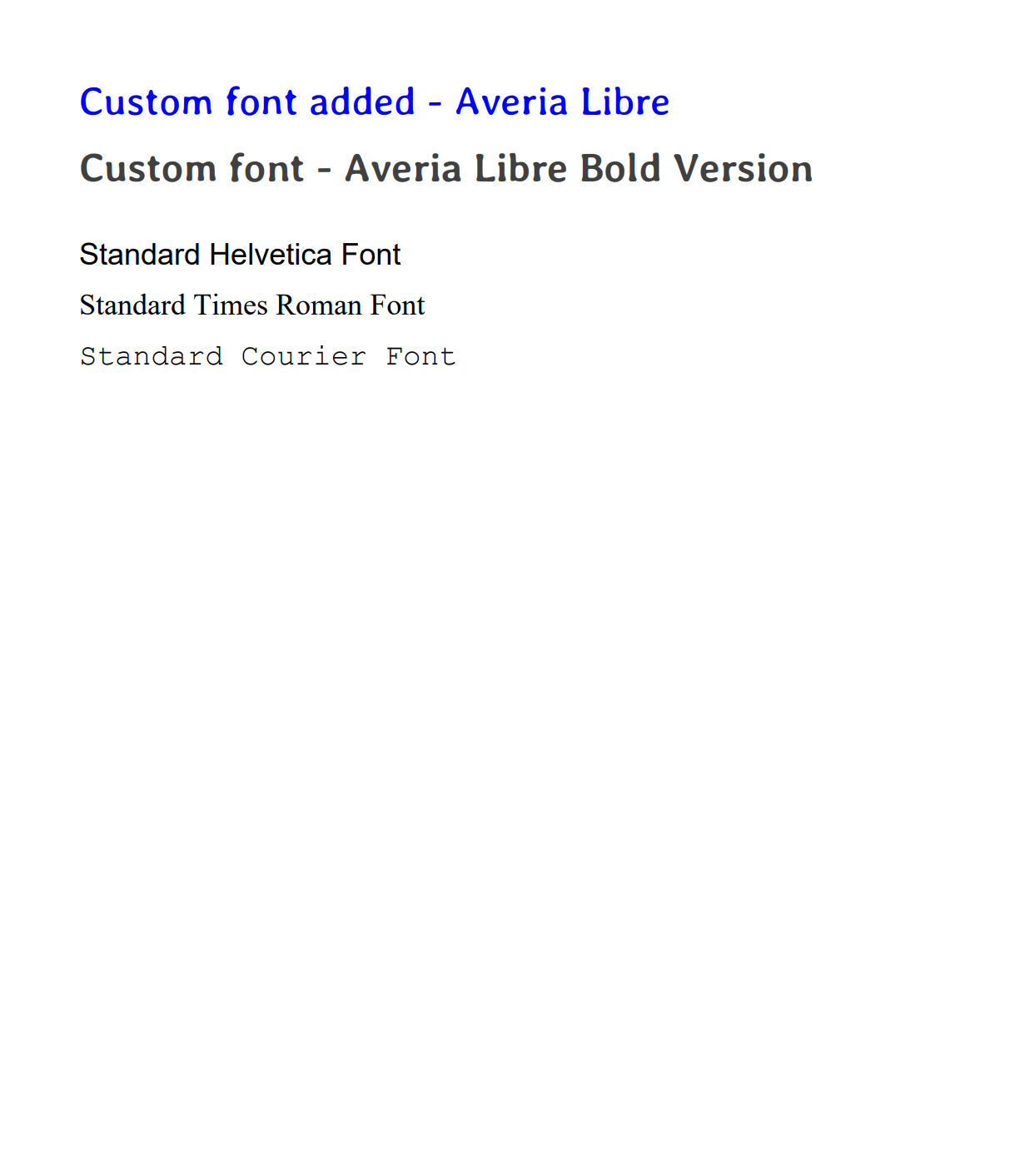
Custom Fonts and Typography
Use custom fonts beyond the standard PDF fonts to match your design requirements.
Click to see complete custom fonts example
package com.example;

import org.apache.pdfbox.pdmodel.PDDocument;
import org.apache.pdfbox.pdmodel.PDPage;
import org.apache.pdfbox.pdmodel.PDPageContentStream;
import org.apache.pdfbox.pdmodel.font.PDType0Font;
import org.apache.pdfbox.pdmodel.font.PDType1Font;
import org.apache.pdfbox.pdmodel.font.Standard14Fonts;

import java.awt.Color;
import java.io.IOException;

public class CustomFontExample {

    public static void main(String[] args) {
        try {
            createCustomFontPDF();
            System.out.println("Custom font PDF created successfully!");
        } catch (IOException e) {
            System.err.println("Error creating PDF with custom fonts: " + e.getMessage());
        }
    }

    public static void createCustomFontPDF() throws IOException {
        // Create a new document
        try (PDDocument document = new PDDocument()) {

            // Create a new page
            PDPage page = new PDPage();
            document.addPage(page);

            // Create content stream for writing
            try (PDPageContentStream contentStream = new PDPageContentStream(document, page)) {
                float yPosition = 720f;
                float margin = 50f;

                // Try to load custom font
                try {
                    // Load custom font from resources
                    PDType0Font averiaLibreFont = PDType0Font.load(document,
                            CustomFontExample.class.getResourceAsStream("/fonts/AveriaLibre-Regular.ttf"));

                    contentStream.setFont(averiaLibreFont, 24);
                    contentStream.setNonStrokingColor(Color.BLUE);
                    contentStream.beginText();
                    contentStream.newLineAtOffset(margin, yPosition);
                    contentStream.showText("Custom font added - Averia Libre");
                    contentStream.endText();
                    yPosition -= 40;

                    // Different weight of same font family
                    PDType0Font averiaLibreBold = PDType0Font.load(document,
                            CustomFontExample.class.getResourceAsStream("/fonts/AveriaLibre-Bold.ttf"));

                    contentStream.setFont(averiaLibreBold, 24);
                    contentStream.setNonStrokingColor(Color.DARK_GRAY);
                    contentStream.beginText();
                    contentStream.newLineAtOffset(margin, yPosition);
                    contentStream.showText("Custom font - Averia Libre Bold Version");
                    contentStream.endText();
                    yPosition -= 50;

                } catch (Exception e) {
                    System.err.println("Custom font not found - using standard fonts only");
                }

                // Standard fonts comparison
                contentStream.setFont(new PDType1Font(Standard14Fonts.FontName.HELVETICA), 18);
                contentStream.setNonStrokingColor(Color.BLACK);
                contentStream.beginText();
                contentStream.newLineAtOffset(margin, yPosition);
                contentStream.showText("Standard Helvetica Font");
                contentStream.endText();
                yPosition -= 30;

                contentStream.setFont(new PDType1Font(Standard14Fonts.FontName.TIMES_ROMAN), 18);
                contentStream.beginText();
                contentStream.newLineAtOffset(margin, yPosition);
                contentStream.showText("Standard Times Roman Font");
                contentStream.endText();
                yPosition -= 30;

                contentStream.setFont(new PDType1Font(Standard14Fonts.FontName.COURIER), 18);
                contentStream.beginText();
                contentStream.newLineAtOffset(margin, yPosition);
                contentStream.showText("Standard Courier Font");
                contentStream.endText();
                yPosition -= 50;
            }

            // Save the document
            document.save("custom-fonts-example.pdf");
        }
    }
}
Font Options
Standard Fonts (Built-In)
PDFBox includes 14 standard fonts that work immediately without downloading:
- Helvetica, Times-Roman, Courier (regular, bold, italic variants).
- Symbol and ZapfDingbats for special characters.
- Included in all PDF readers, no embedding required.
Custom Fonts (Download Required)
- Download fonts from Google Fonts (free) or other font providers.
- Place
.ttfor.otffiles insrc/main/resources/fonts/directory. - Load using
PDType0Font.load().
Always include fallback to standard fonts if custom fonts fail to load.
Output preview:
PDF Merging and Splitting
Merge multiple PDFs into one document or split large files into individual pages.
Click to see complete PDF merge example
package com.example;

import org.apache.pdfbox.io.IOUtils;
import org.apache.pdfbox.multipdf.PDFMergerUtility;
import org.apache.pdfbox.pdmodel.PDDocument;
import org.apache.pdfbox.pdmodel.PDPage;
import org.apache.pdfbox.pdmodel.PDPageContentStream;
import org.apache.pdfbox.pdmodel.font.PDType1Font;
import org.apache.pdfbox.pdmodel.font.Standard14Fonts;

import java.io.IOException;

public class PDFMergeExample {

    public static void main(String[] args) {
        try {
            // Create sample PDFs and merge them
            createSamplePDFs();
            mergePDFDocuments();

            System.out.println("PDF merge completed successfully!");
        } catch (IOException e) {
            System.err.println("Error during PDF merge: " + e.getMessage());
        }
    }

    // Create simple sample PDFs
    private static void createSamplePDFs() throws IOException {
        // Create Document 1
        try (PDDocument doc1 = new PDDocument()) {
            PDPage page = new PDPage();
            doc1.addPage(page);

            try (PDPageContentStream contentStream = new PDPageContentStream(doc1, page)) {
                contentStream.setFont(new PDType1Font(Standard14Fonts.FontName.HELVETICA), 20);
                contentStream.beginText();
                contentStream.newLineAtOffset(50, 700);
                contentStream.showText("This is Document 1");
                contentStream.endText();
            }

            doc1.save("document1.pdf");
        }

        // Create Document 2
        try (PDDocument doc2 = new PDDocument()) {
            PDPage page = new PDPage();
            doc2.addPage(page);

            try (PDPageContentStream contentStream = new PDPageContentStream(doc2, page)) {
                contentStream.setFont(new PDType1Font(Standard14Fonts.FontName.HELVETICA), 20);
                contentStream.beginText();
                contentStream.newLineAtOffset(50, 700);
                contentStream.showText("This is Document 2");
                contentStream.endText();
            }

            doc2.save("document2.pdf");
        }

        // Create Document 3
        try (PDDocument doc3 = new PDDocument()) {
            PDPage page = new PDPage();
            doc3.addPage(page);

            try (PDPageContentStream contentStream = new PDPageContentStream(doc3, page)) {
                contentStream.setFont(new PDType1Font(Standard14Fonts.FontName.HELVETICA), 20);
                contentStream.beginText();
                contentStream.newLineAtOffset(50, 700);
                contentStream.showText("This is Document 3");
                contentStream.endText();
            }

            doc3.save("document3.pdf");
        }

        System.out.println("Sample PDFs created successfully");
    }

    // Merge PDFs using PDFBox
    private static void mergePDFDocuments() throws IOException {
        // Create merger utility
        PDFMergerUtility mergerUtility = new PDFMergerUtility();

        // Add source documents in order
        mergerUtility.addSource("document1.pdf");
        mergerUtility.addSource("document2.pdf");
        mergerUtility.addSource("document3.pdf");

        // Set destination filename
        mergerUtility.setDestinationFileName("merged-document.pdf");

        // Merge documents
        mergerUtility.mergeDocuments(IOUtils.createMemoryOnlyStreamCache());

        System.out.println("PDFs merged successfully!");
    }
}
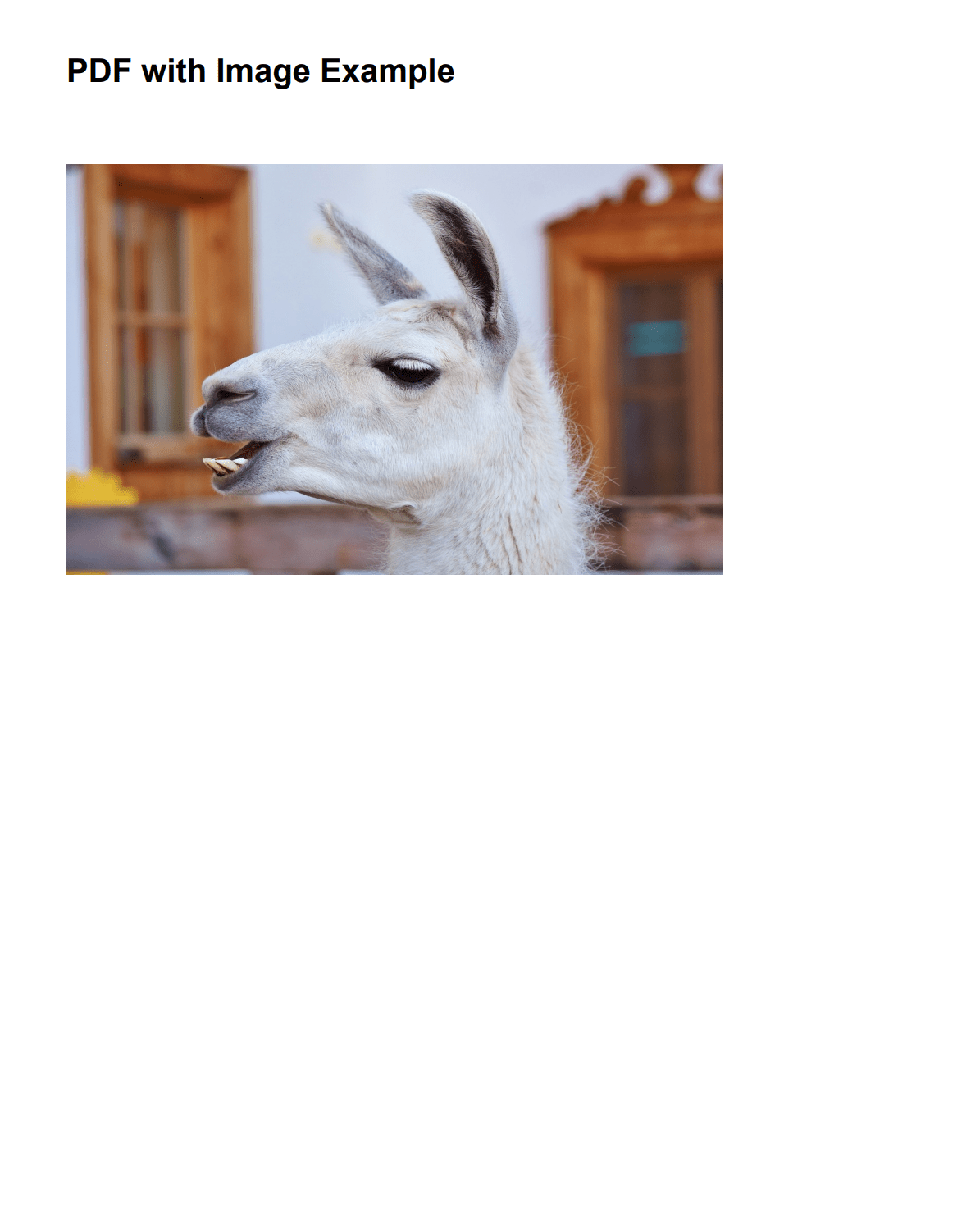
Adding Images and Graphics
Add images, logos, and graphic elements to your PDFs.
Click to see complete images example
package com.example;

import org.apache.pdfbox.pdmodel.PDDocument;
import org.apache.pdfbox.pdmodel.PDPage;
import org.apache.pdfbox.pdmodel.PDPageContentStream;
import org.apache.pdfbox.pdmodel.font.PDType1Font;
import org.apache.pdfbox.pdmodel.font.Standard14Fonts;
import org.apache.pdfbox.pdmodel.graphics.image.PDImageXObject;

import java.io.IOException;
import java.io.InputStream;

public class AddImageExample {

    public static void main(String[] args) {
        try {
            createPDFWithImage();
            System.out.println("PDF with image created successfully!");
        } catch (IOException e) {
            System.err.println("Error creating PDF: " + e.getMessage());
        }
    }

    public static void createPDFWithImage() throws IOException {
        // Create a new document
        try (PDDocument document = new PDDocument()) {

            // Create a new page
            PDPage page = new PDPage();
            document.addPage(page);

            // Create content stream
            try (PDPageContentStream contentStream = new PDPageContentStream(document, page)) {

                // Add title
                contentStream.setFont(new PDType1Font(Standard14Fonts.FontName.HELVETICA_BOLD), 20);
                contentStream.beginText();
                contentStream.newLineAtOffset(50, 700);
                contentStream.showText("PDF with Image Example");
                contentStream.endText();

                // Try to add image
                try {
                    // Load image from resources (place image in src/main/resources/images/)
                    InputStream imageStream = AddImageExample.class.getResourceAsStream("/images/image.jpg");

                    if (imageStream != null) {
                        PDImageXObject image = PDImageXObject.createFromByteArray(
                                document,
                                imageStream.readAllBytes(),
                                "image"
                        );

                        // Draw image below the title
                        contentStream.drawImage(image, 50, 400, 400, 250);
                        imageStream.close();
                    }

                } catch (Exception e) {
                    System.err.println("Error loading image: " + e.getMessage());
                }
            }

            // Save the document
            document.save("pdf-with-image.pdf");
        }
    }
}
Image Integration:
- Supported formats: PNG, JPEG, GIF, BMP, TIFF.
- Positioning: Specify exact x, y coordinates and dimensions (width, height).
- Resource loading: Place images in
src/main/resources/images/folder. - Update the path in code:
/images/image.jpg.
Use images sized appropriately for your PDF. Large images (>2MB) may slow down PDF generation and increase file size.
Output preview:
Alternative Approaches for PDF Generation in Java
While Apache PDFBox offers programmatic control over PDF creation, several other Java PDF generation libraries may better suit your specific needs:
| Solution | Description | Learn More |
|---|---|---|
| Playwright | • Modern browser rendering with JavaScript and CSS3 support. • Best for converting existing web pages with full web standards. | How to Convert HTML to PDF in Java Using Playwright |
| Flying Saucer | • XHTML/CSS 2.1 support for styled documents. • Good for documents without JavaScript requirements. | How to Generate PDF from HTML in Java Using Flying Saucer |
| iText | • PDF library with advanced features (forms, signatures, encryption). • Built for complex business documents. | Creating Professional PDFs with iText in Java |
| OpenPDF | • Open-source fork of iText under LGPL license. • Direct PDF construction from Java code. | OpenPDF in Java: How to Generate PDFs |
PDFBox builds PDFs programmatically but does not render HTML or CSS. If you need to convert web pages or HTML templates to PDF, PDFBolt HTML to PDF API handles rendering with headless Chrome and returns PDFs via a REST call. See the Java quick start guide for code examples.
API-Based Alternative: HTML to PDF via API
Apache PDFBox gives you low-level control over every element, but manual positioning and layout code adds up quickly – especially for invoices or reports with a consistent structure. If you want to skip that setup, PDF generation APIs like PDFBolt render HTML and CSS directly into PDFs.
- Send HTML, get a PDF back: Base64-encode your HTML and POST it to the API – no coordinate math or font embedding.
- Full CSS support: The API renders with headless Chrome, so Flexbox, Grid, and web fonts all work.
- Reusable templates: For repeated documents, use Handlebars templates with the template gallery.
- Simple integration: Just HTTP requests from your Java application.
Same invoice, one API call
import java.net.http.HttpClient;
import java.net.http.HttpRequest;
import java.net.http.HttpResponse;
import java.net.URI;
import java.nio.file.Files;
import java.nio.file.Paths;
import java.util.Base64;

public class PdfApiExample {
    public static void main(String[] args) throws Exception {
        String htmlContent = """
            <!DOCTYPE html>
            <html>
            <head>
                <title>Sample Invoice</title>
            </head>
            <body>
                <h1>Invoice</h1>
                <h2>Invoice Number: #404</h2>
                <h2>To: Very Important Client</h2>
                <p>Date: 2025-05-23</p>
                <table>
                    <tr><th>Item</th><th>Price</th></tr>
                    <tr><td>Web Development</td><td>$1,200.00</td></tr>
                    <tr><td>SEO Optimization</td><td>$800.00</td></tr>
                    <tr><td>Mobile App Design</td><td>$1,500.00</td></tr>
                    <tr><td>Database Setup</td><td>$600.00</td></tr>
                </table>
            </body>
            </html>
            """;

        String base64Html = Base64.getEncoder().encodeToString(htmlContent.getBytes());

        String jsonBody = """
            {
                "html": "%s"
            }
            """.formatted(base64Html);

        var client = HttpClient.newHttpClient();
        var request = HttpRequest.newBuilder()
                .uri(URI.create("https://api.pdfbolt.com/v1/direct"))
                .header("API-KEY", "XXXXXXXX-XXXX-XXXX-XXXX-XXXXXXXXXXXX")
                .header("Content-Type", "application/json")
                .POST(HttpRequest.BodyPublishers.ofString(jsonBody))
                .build();

        var response = client.send(request, HttpResponse.BodyHandlers.ofByteArray());

        if (response.statusCode() == 200) {
            Files.write(Paths.get("invoice_pdfbolt.pdf"), response.body());
            System.out.println("PDF generated successfully");
        } else {
            System.err.println("HTTP " + response.statusCode());
            System.err.println("Error Message: " + new String(response.body()));
        }
    }
}
The same invoice HTML that required extensive PDFBox layout code becomes a single API call.
Frequently Asked Questions About Apache PDFBox
What is Apache PDFBox?
Apache PDFBox is an open-source Java library from the Apache Software Foundation for working directly with PDF documents. Instead of relying on a browser engine, it implements the PDF specification in pure Java, so you can create documents from scratch, modify existing ones, extract text and metadata, and sign, encrypt, split, or merge PDFs.
Can Apache PDFBox convert HTML to PDF?
Not directly. PDFBox has no built-in knowledge of HTML or CSS, so it cannot render a web page the way a browser does. The common workaround shown in this tutorial is to parse the HTML with a library like JSoup, extract the text, headings, and tables, then translate those elements into PDFBox drawing commands while you control positioning manually. This gives full layout control but takes significantly more code than a library that renders HTML directly.
Is Apache PDFBox free and open source?
Yes. Apache PDFBox is distributed under the Apache License 2.0, so you can use it in both commercial and open-source projects without licensing fees.
How do you add custom fonts in PDFBox?
PDFBox ships with 14 standard built-in fonts (Helvetica, Times-Roman, Courier, plus Symbol and ZapfDingbats) that need no embedding. For anything else, download a .ttf or .otf file, place it in src/main/resources/fonts/, and load it with PDType0Font.load(). It is good practice to wrap the load in a try/catch and fall back to a standard font if the custom font fails to load.
How do you password-protect or encrypt a PDF with PDFBox?
Use an AccessPermission object to set what users can do (for example disable printing, editing, or copying), then pass it to a StandardProtectionPolicy along with an owner and a user password. Set the key length (the example uses 128-bit) and call document.protect(policy) before saving. If you instead need to render styled HTML or CSS to PDF, that is outside PDFBox's scope and is better handled by an HTML to PDF API.
Conclusion
Apache PDFBox is a Java PDF generation library that gives developers full control over document creation without browser engines. Pairing PDFBox with JSoup for HTML parsing works well for invoices, reports, and certificates where precise layout control and consistent formatting matter.
The trade-off is development effort – PDFBox doesn't render HTML/CSS layouts natively, so you handle positioning, styling, and page flow manually. For converting existing web pages or styled HTML, Playwright or Flying Saucer require less code. For cloud-based conversion, consider an HTML to PDF API.
PDFBox fits best when you need precise positioning, custom typography, encryption, and digital signatures in Java EE and Spring Applications where document structure is predictable and controlled. If your generated PDFs are too large, see our guide on compressing PDFs with PDFBox for image recompression, downsampling, and size optimization techniques.
They say think outside the box, but sometimes it’s more like think with the box...
Or rather, with PDFBox! 📦