PDFBolt Teams: Share API Access with Your Team


PDFBolt now has a Team tab. You can invite colleagues to your account so they get access to API keys and logs without sharing your login or exposing billing details.
New Team tab
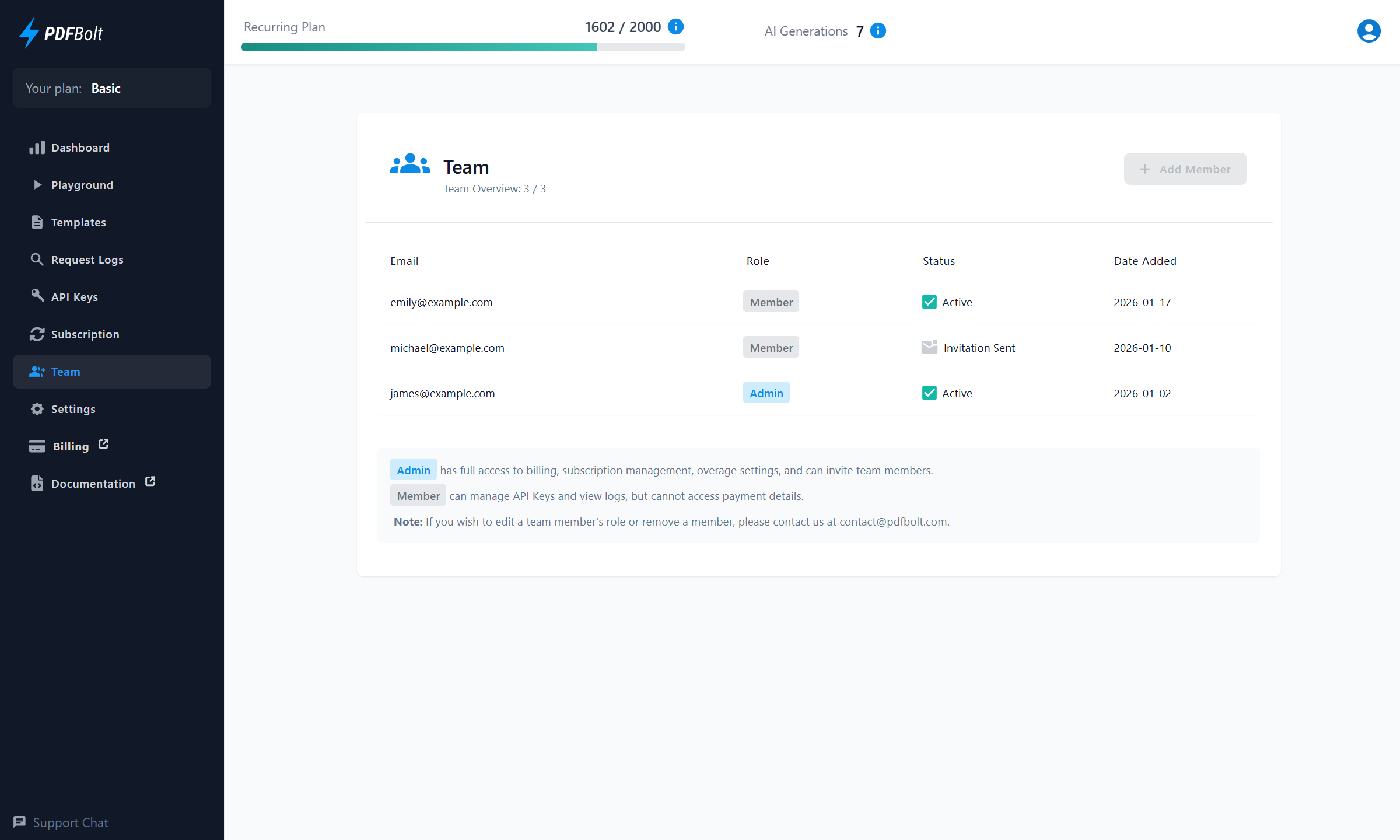
The Team tab lets you add people to your PDFBolt account by email.
- Invite members - Enter a colleague's email address. They'll get a link to set their password and can start using PDFBolt right away.
- Admin & Member roles:
- Admin - Full access to billing, subscription management, invoices, and overage settings. Can invite team members.
- Member - Can log in, manage API keys, and view logs. No access to payment or subscription details. Cannot invite other members or change overage settings.
The number of members you can add depends on your subscription plan.
How it works
-
Go to Team in the sidebar.
-
Click Add Member, enter the user's email, and click Invite.
-
The invited user gets an email with a link to set their password.
-
Once they set a password, they can log in and access API keys.
What this means in practice
No more sharing credentials. Your team members get their own logins with access to API keys and logs, while billing and subscription management stay with the Admin.
Try it out - open the Team tab in your PDFBolt dashboard and invite your first teammate.
Check out our HTML to PDF API or jump straight to the quick start guide.