API Credentials
Use the API Credentials section to manage conversion API keys, Personal Access Tokens, and the webhook signing secret for async callbacks.
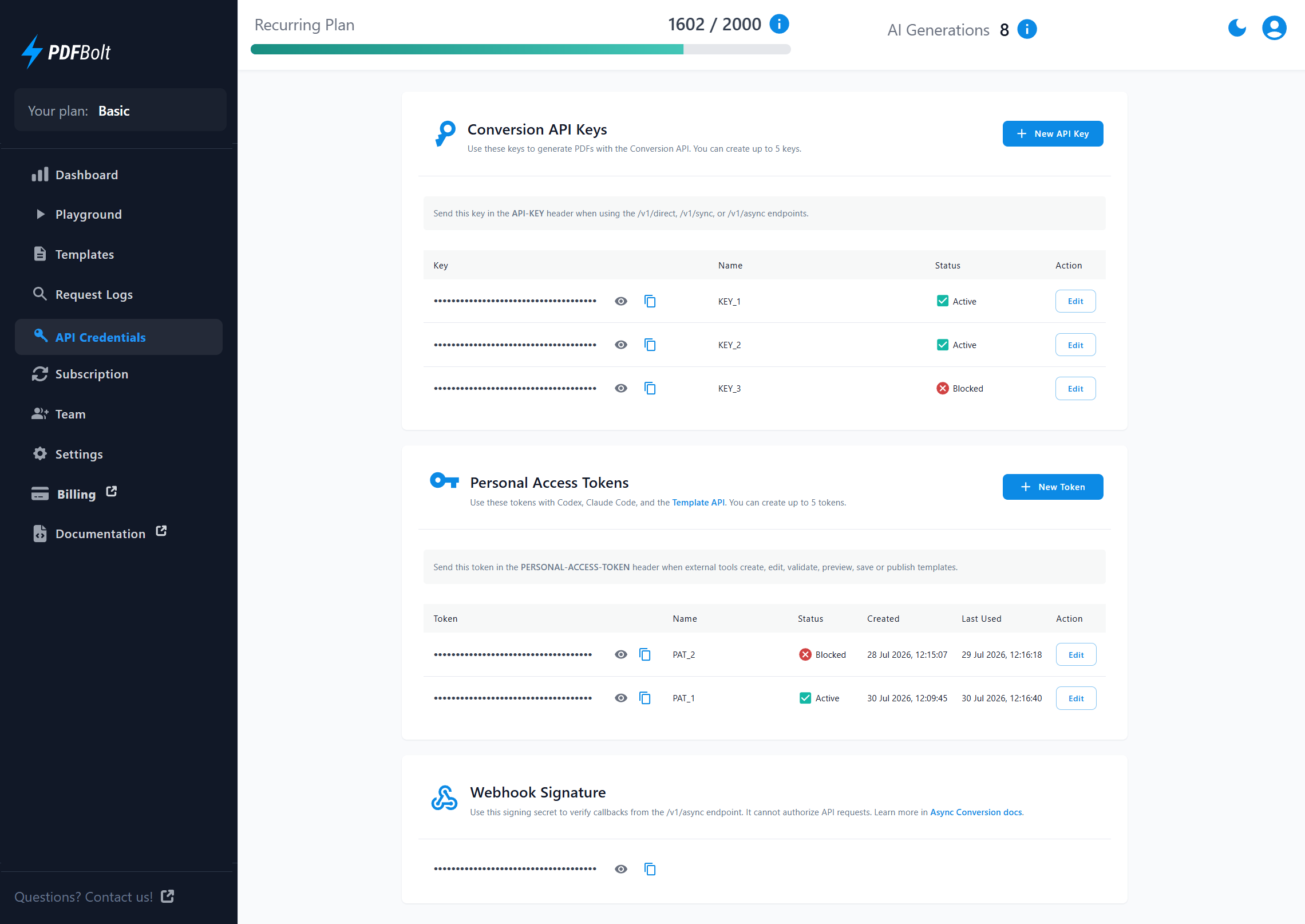
| Credential | Use it for | Related header |
|---|---|---|
| Conversion API Key | Generating PDFs through /v1/direct, /v1/sync, and /v1/async, and retrieving usage from /v1/usage. | API-KEY |
| Personal Access Token | Managing templates through the Template API. | PERSONAL-ACCESS-TOKEN |
| Webhook Signing Secret | Verifying that /v1/async callback requests came from PDFBolt. | x-pdfbolt-signature |
Conversion API Keys
Conversion API keys are shared by all team members. You can have up to 5 API keys, including blocked keys. A default key is created during registration. New keys are active by default.
Manage conversion API keys
-
Click New API Key to create another key if fewer than 5 keys exist.
-
Click the eye icon to show or hide a key. Click the copy icon to copy it to your clipboard.

-
Send the key in the
API-KEYheader when calling the Conversion API.API-KEY: XXXXXXXX-XXXX-XXXX-XXXX-XXXXXXXXXXXX -
Use Edit to change the key name. Names can be up to 50 characters.
-
In the edit dialog, change the status to Blocked when the key should stop authorizing API requests.

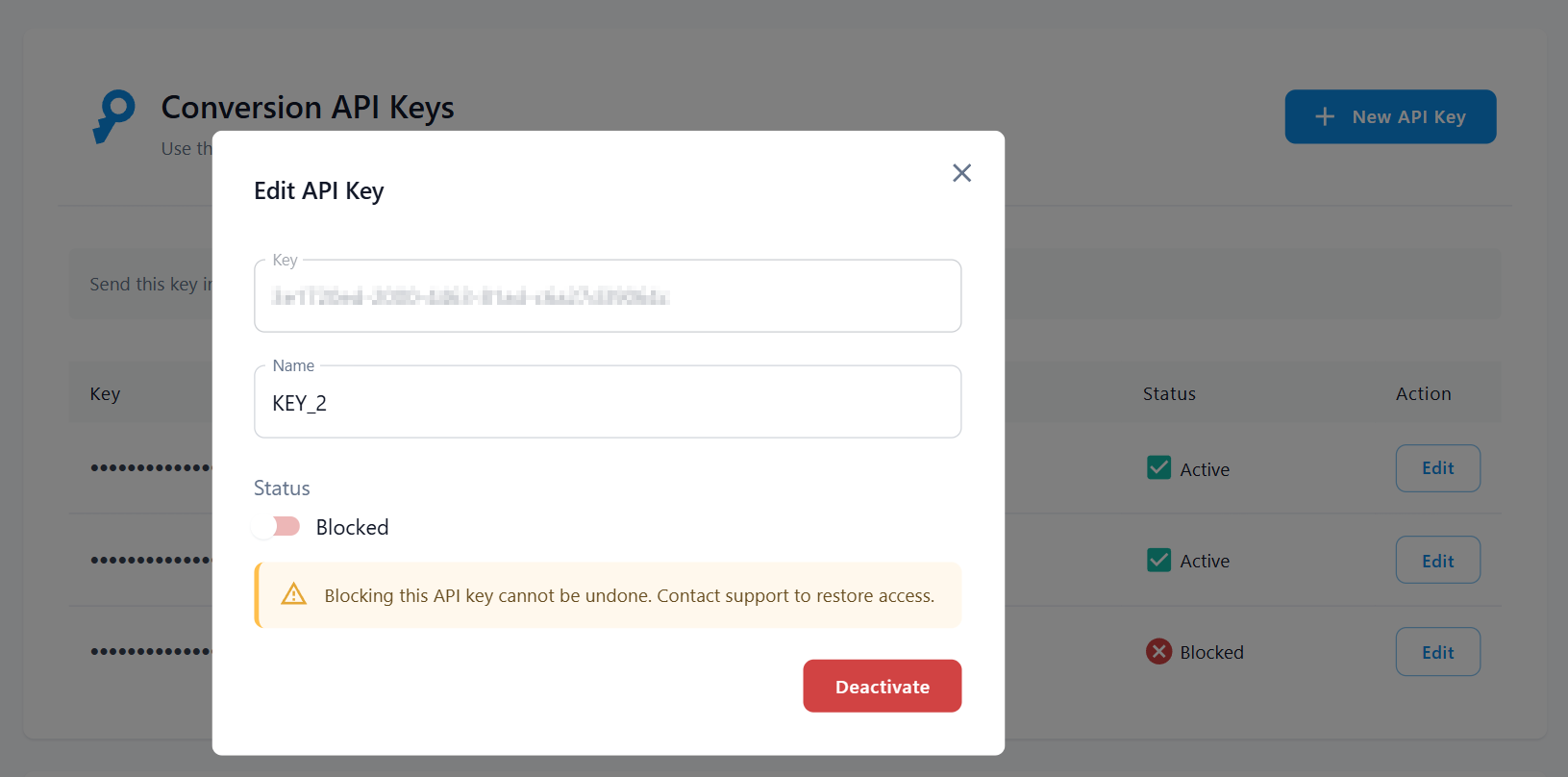
Do not share API keys publicly or expose them in client-side code. Blocked keys cannot be reactivated in the Dashboard and still count toward the 5-key limit. Contact support to restore access.
Personal Access Tokens
Personal Access Tokens let external tools and AI agents use the Template API to manage templates. Tokens belong to the user who creates them, and each user can have up to 5 tokens, including deactivated tokens.
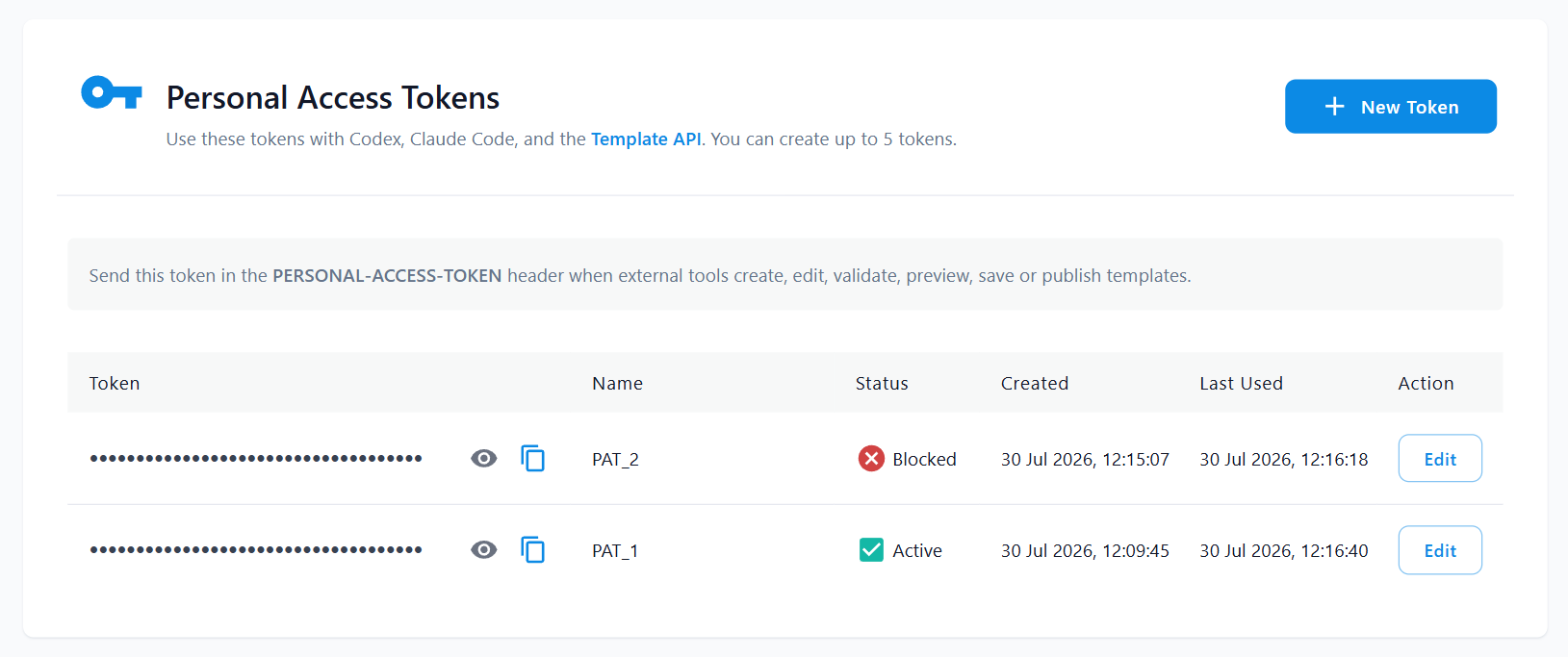
These tokens are separate from conversion API keys and are intended for CI workflows, Claude Code, Codex, and other AI-assisted template editors. A token grants full Template API access to every template in the user's current team. It can list templates, read their content, sampleData, and parameters, create or update drafts, publish versions, and run preview or diff renders. Tokens have no fine-grained scopes and do not expire automatically.
Manage personal access tokens
-
Click New Token to create a token.
-
Click the eye icon to show or hide the token. Click the copy icon to copy it to your clipboard.
-
Send the token in the
PERSONAL-ACCESS-TOKENheader when calling the Template API.PERSONAL-ACCESS-TOKEN: XXXXXXXX-XXXX-XXXX-XXXX-XXXXXXXXXXXX -
Use Edit to change the token name. Names can be up to 50 characters.
-
Deactivate a token when an external tool should stop accessing your templates. Deactivation cannot be undone in the Dashboard, and the token continues to count toward the 5-token limit.
Store each token in an environment variable or secret manager, issue a separate token for each integration, and never expose it in client-side code, logs, or source control. Deactivate a token when it is no longer needed or may have been compromised.
Webhook Signature
The Webhook Signature section shows the secret PDFBolt uses to sign callback requests from /v1/async conversions. The same secret is used for all async callbacks and is available to all team members. It cannot authorize API requests.
- Click the eye icon to show or hide the secret.
- Click the copy icon to copy it to your clipboard.

For details on how to verify webhook signatures in your code, see Webhook Signature Verification.