Dashboard
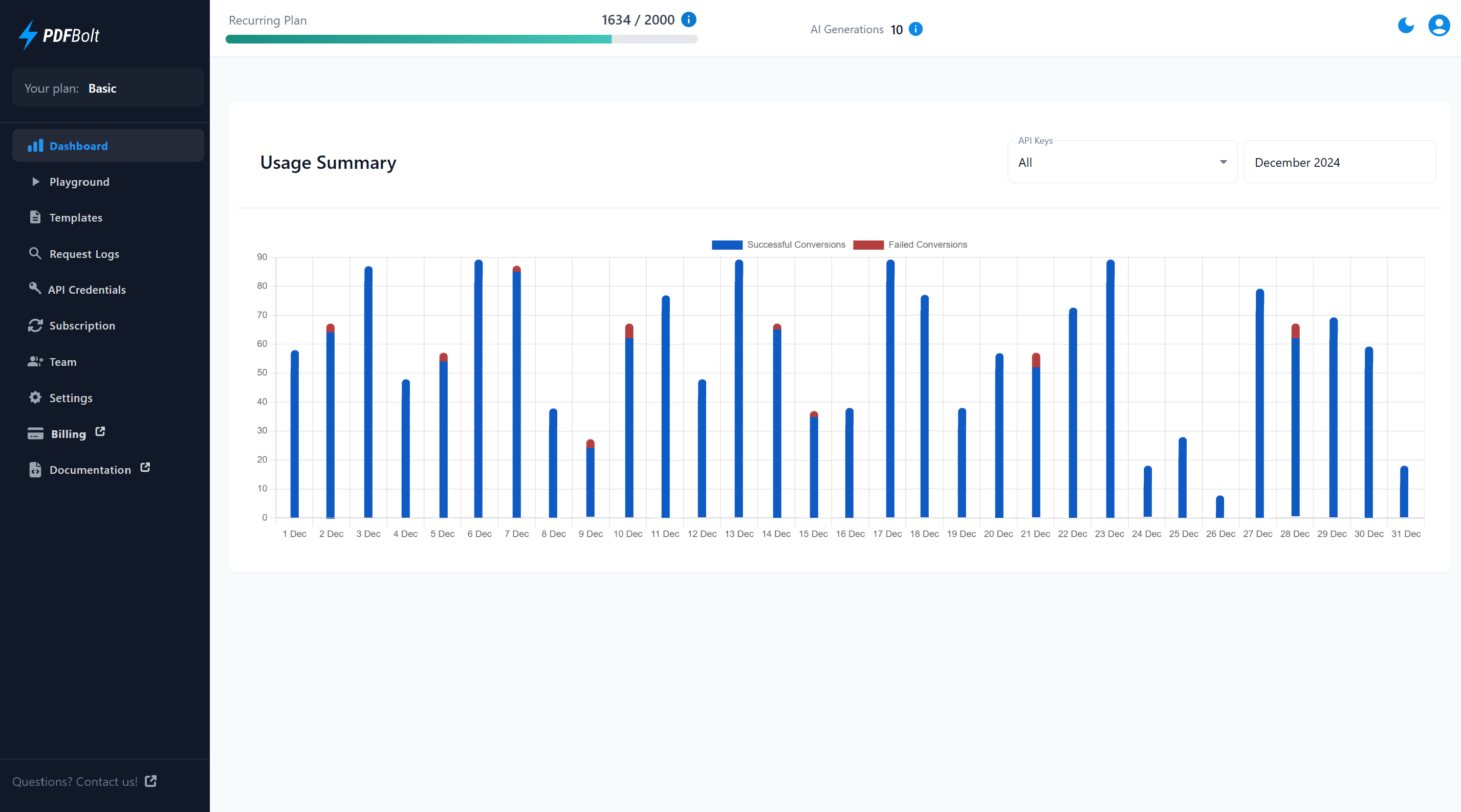
After you log in, the Dashboard shows your API usage, remaining document conversions, AI generations, and the main sections of your account.
Some billing and team-management actions are available only to team Admins.
Usage Counters
The usage counters in the Dashboard navbar help you track remaining document conversions and AI generations.
Recurring Plan:
- Conversions: Displays your remaining recurring document conversions out of the total included in your plan.
- Tooltip: Hover over the info icon to view expiration details for your recurring document conversions.
AI Generations:
- Generations: Shows your remaining AI template generations.
- Tooltip: Hover over the info icon to view details about your AI generation allowance.
The usage counters stay visible as you navigate through Dashboard sections.
Usage Summary Chart
The Usage Summary Chart helps you analyze your API conversion activity.
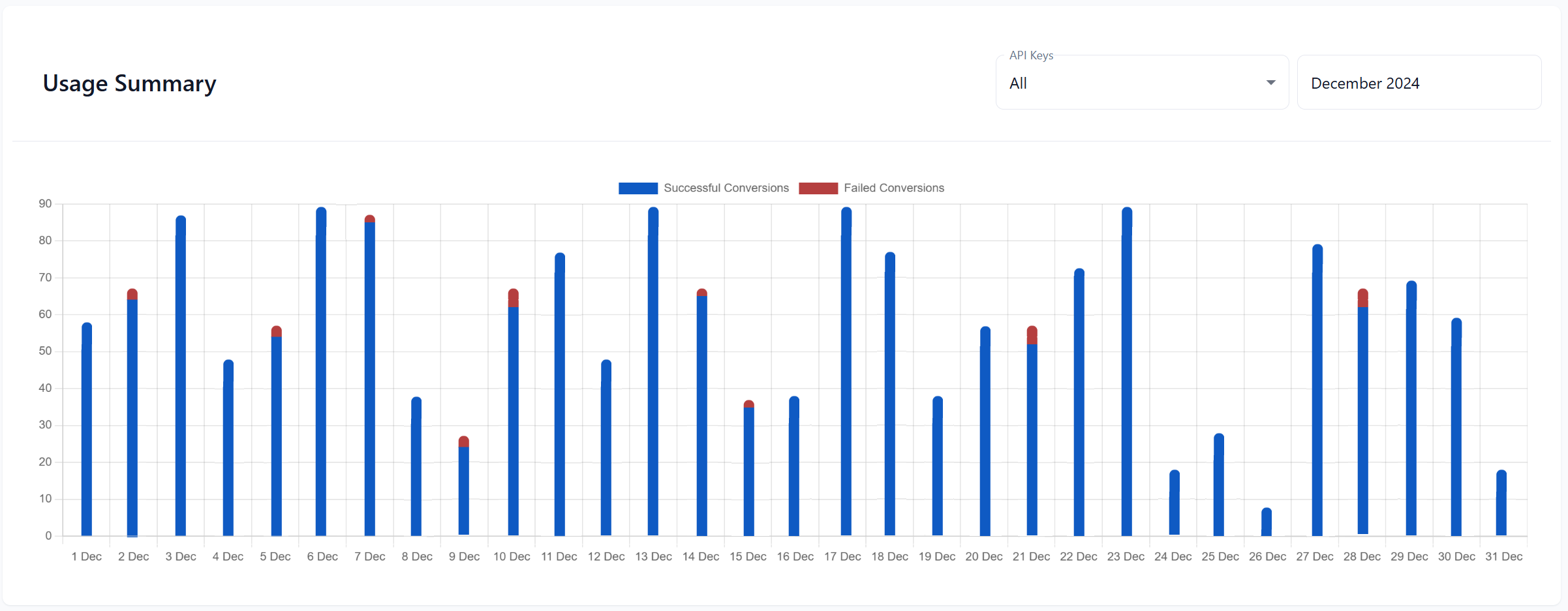
The Usage Summary section provides:
-
Daily Breakdown: Displays the total number of successful and failed conversions for each day.
-
Filter by API Key: Filter activity by one or more Conversion API keys or by the Preview Conversions system API key used for previews and comparisons.
-
Select a Month: Choose the month whose conversion activity you want to view.
The Preview Conversions system API key groups PDF renders from the Dashboard Template Designer, Playground, and the Template API (preview and diff requests). See Preview Conversions for details.
Explore Dashboard Sections
📄️ Playground
Test PDF generation from URLs, HTML content, or templates
📄️ Templates
Create, edit, publish, and manage reusable PDF templates
📄️ Request Logs
View detailed history of all API requests with filtering options
📄️ API Credentials
Manage API keys, Personal Access Tokens, and webhook signing
📄️ Subscription
View your plan, manage billing, and download invoices
📄️ Team
Invite members to join your team
📄️ Settings
Configure overage, privacy preferences, and notifications